

Creating Stock Items with Dimensions
Last updated:
If you're dealing with an item that has two or three dimensions, and the item's price is calculated by multiplying the dimensions by the unit price, such as (glass panels, wooden boards, etc.), you need to register those dimensions when coding the item. You can easily do this through "Edara."
Creating Stock Items with Dimensions
First, ensure that the "Use stock item dimensions" setting is activated in the warehouse section of "Edara."
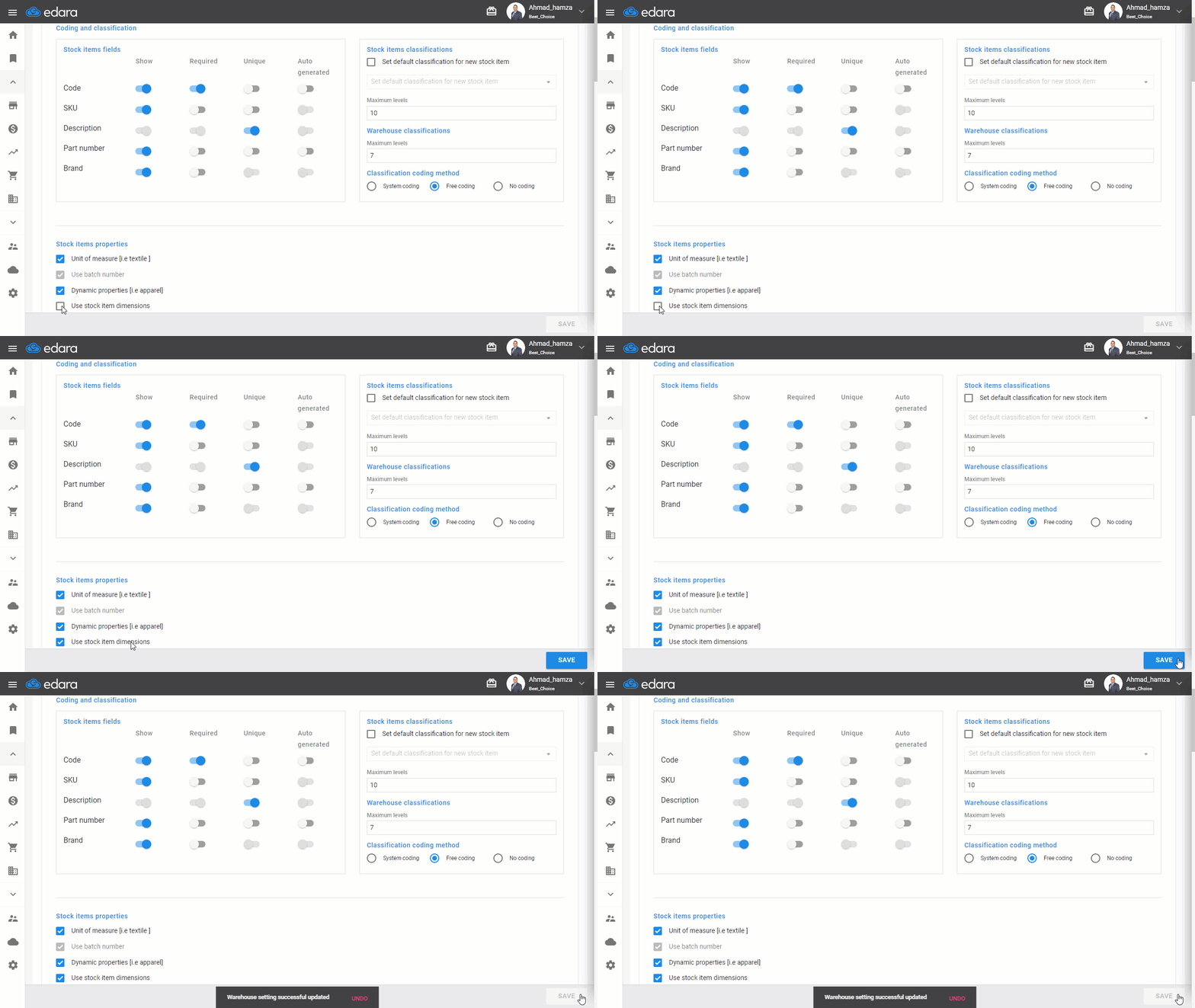
Then follow these steps:
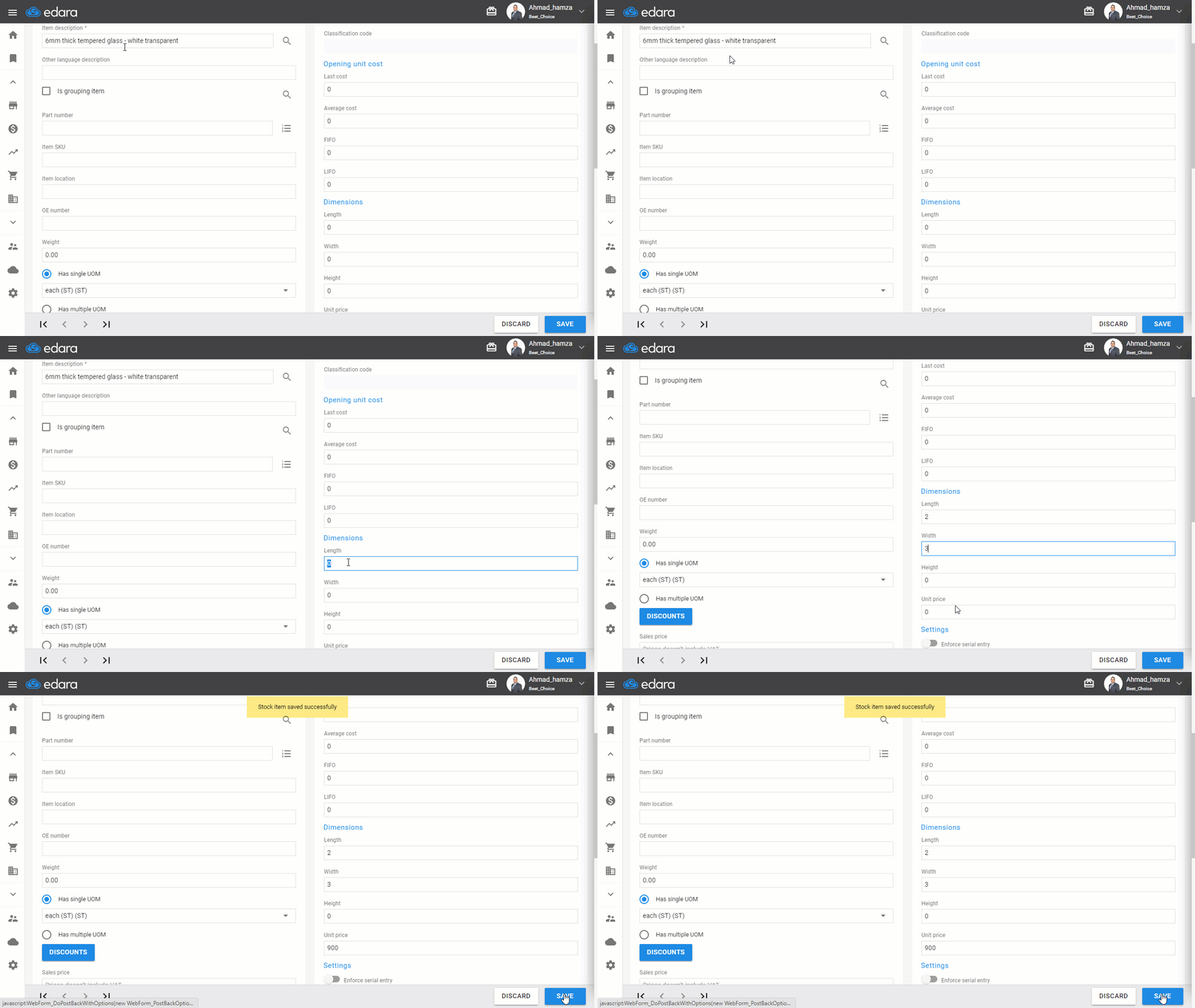
- Go to the warehouse module
- Select "Stock items"
- Click "New"
- Enter the item description
- Enter the dimensions
- Click "Save"
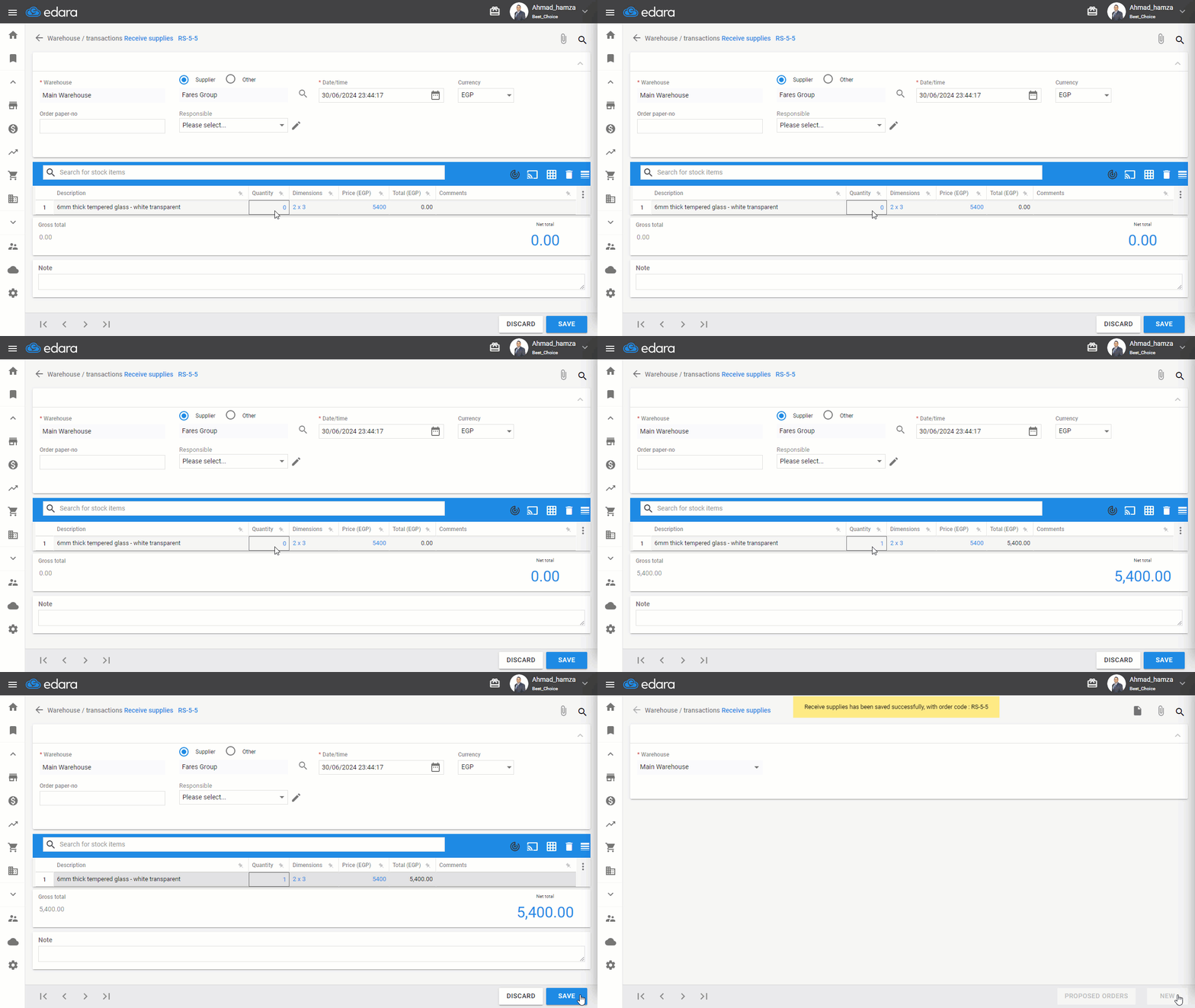
Note: After saving, the item will appear when selected in any document, as illustrated in the image.
If you encounter any challenges or have questions during these processes, you can contact our technical support team, who are ready to assist you at any time.
Did this answer your question?