

Ensuring a Stock Item Meets E-Invoice Requirements
Last updated:
Certain essential details must be included for stock items to successfully send electronic invoices to the Egyptian Tax Authority.
Ensuring a Stock Item Meets E-Invoice Requirements
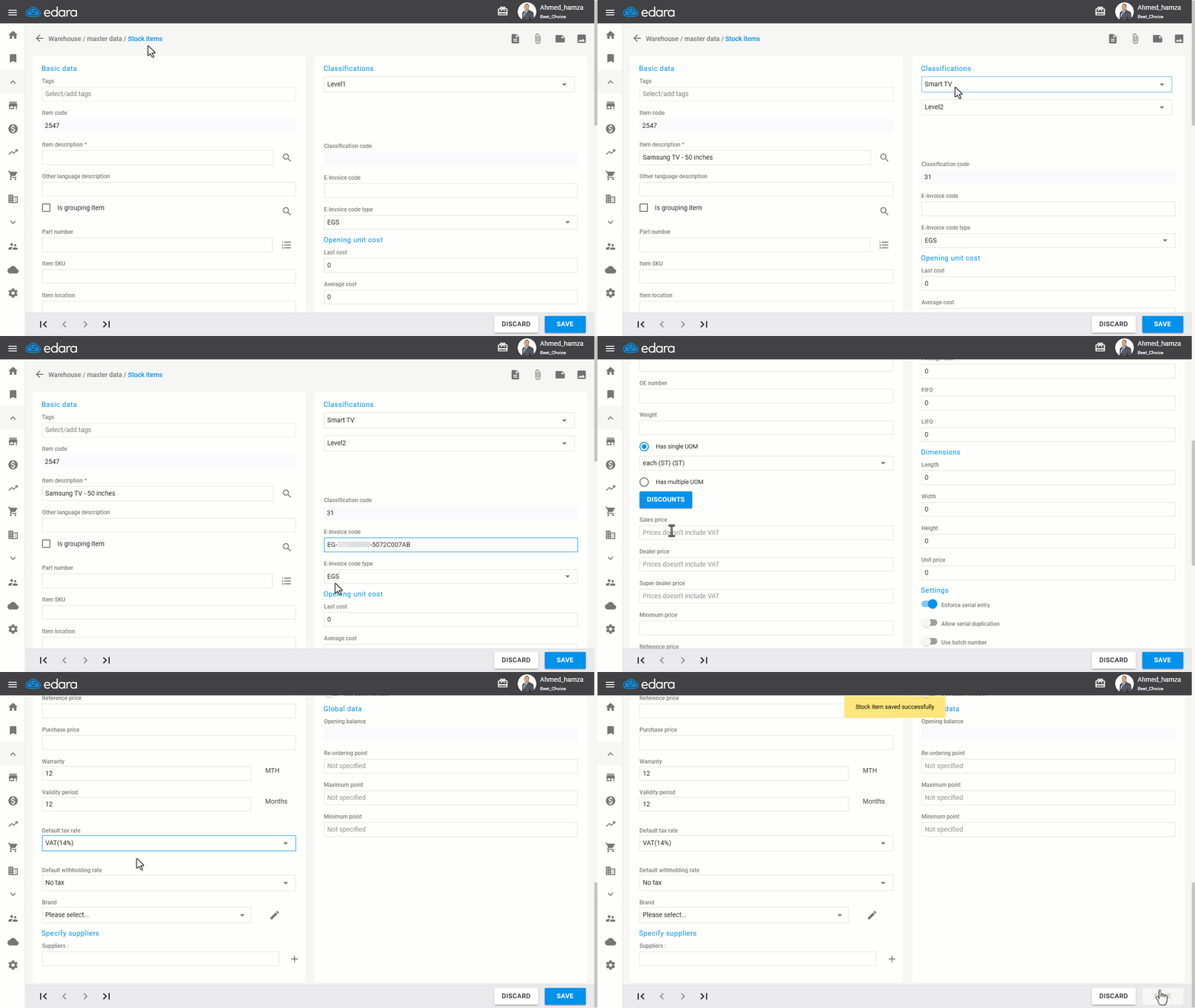
When creating a stock item after completing the integration between “Edara” and the Egyptian Tax Authority, ensure the following elements are added:
1- The item description is registered on GS1 or recorded when assigning the EGS code.
2- The electronic invoice code.
3- The Code Type (GS1 or EGS).
4- The name of the measurement unit used.
Note: The appropriate measurement unit is listed in the Egyptian Tax Authority's "Unit Types" reference section.
5- The default tax rate (mandatory).
6- The default withholding rate (optional).
If you encounter any challenges or have questions during these processes, you can contact our technical support team, who are ready to assist you at any time.