

Integration Between "Edara" and the E-Invoice portal
Last updated:
Given the importance of integrating the accounting system used by the taxpayer and the E-invoice portal, we have made this feature available in "Edara".
As a result, you can now create an E-invoice compliant with the requirements of the Tax Authority through "Edara".
Here are the steps to do so.
Integration Between "Edara" and the E-Invoice portal
The integration steps are as follows:
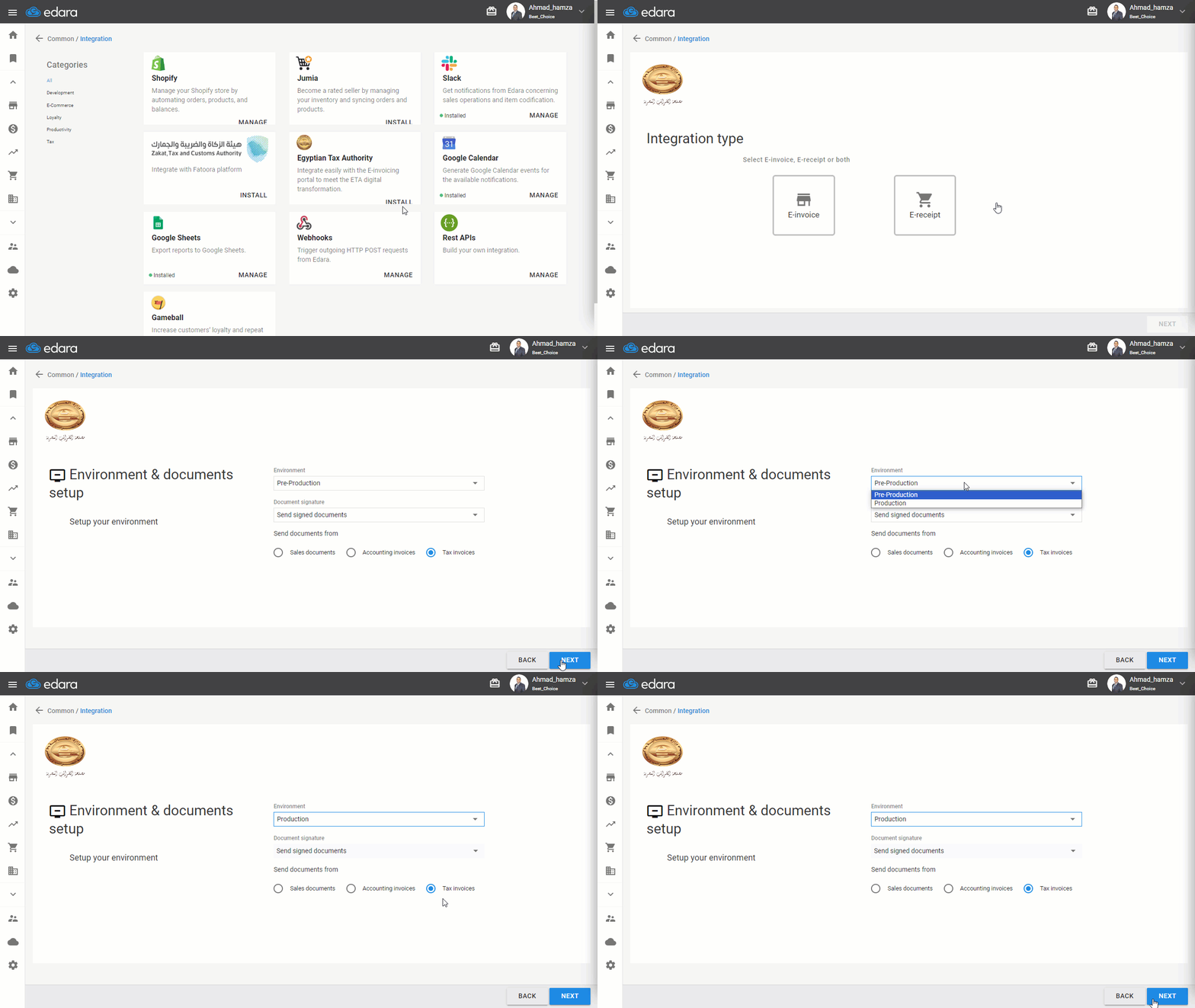
1- Access Data Processing
- Go to “Data”
- Open the “Integration” page
- Click on "Install" under "Egyptian Tax Authority"
- Specify the Type of Integration "E-invoice"
- Click "Next"
2- Environment & Documents setup
- Choose "Pre-Production” Environment if you have received a test link or "Production” Environment if you are working in the actual system
- Select "Send signed documents" if you are working in the production environment
- Select the documents you want to send, whether sales documents - account invoices - tax invoices
- Click "Next"
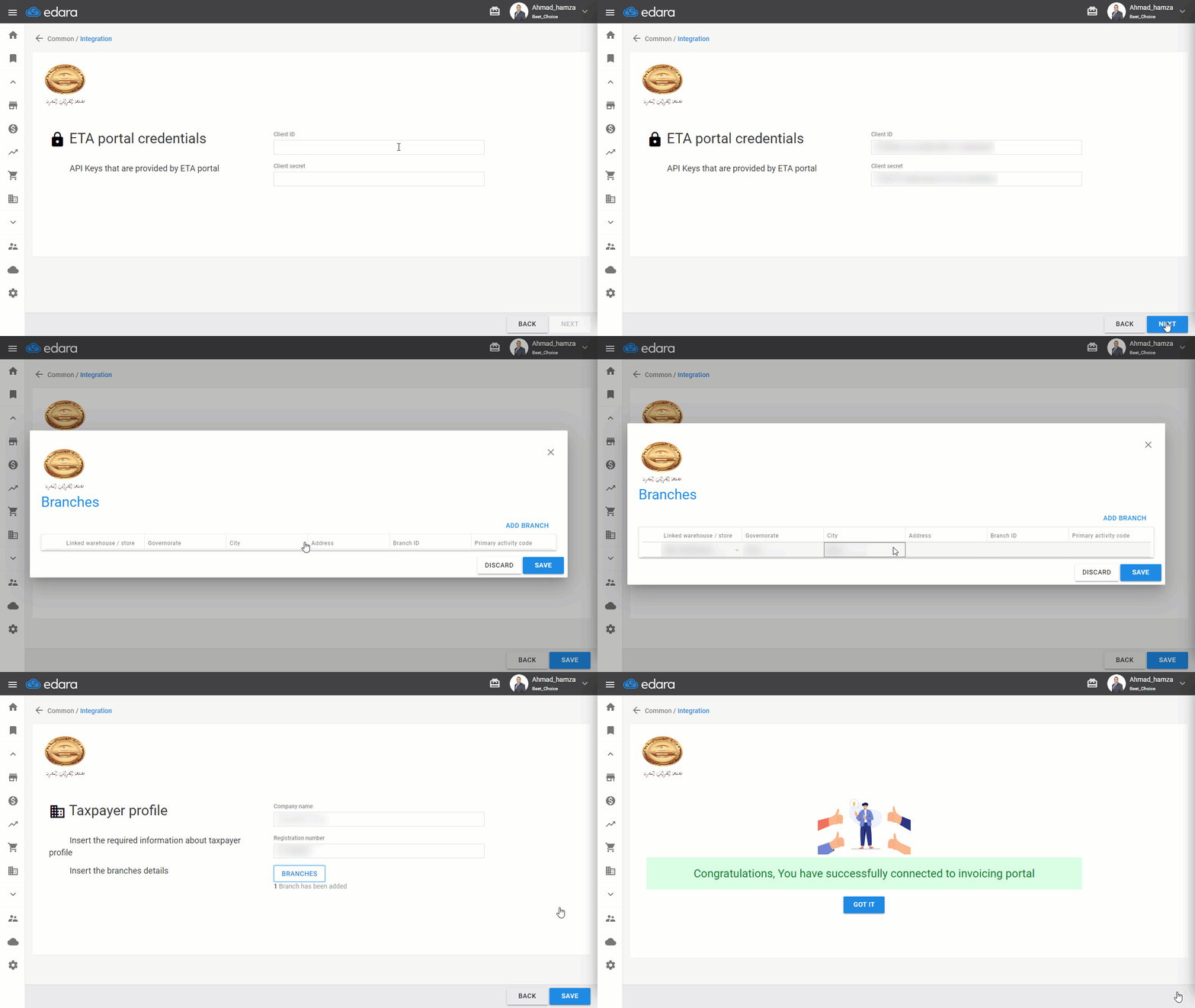
3- ETA Portal Credentials
- Enter the client ID
- Enter the client secret
- Click "Next"
4- Taxpayer Profile
- Enter the company name
- Enter the tax registration number
- Enter the Branches
- Click "Next"
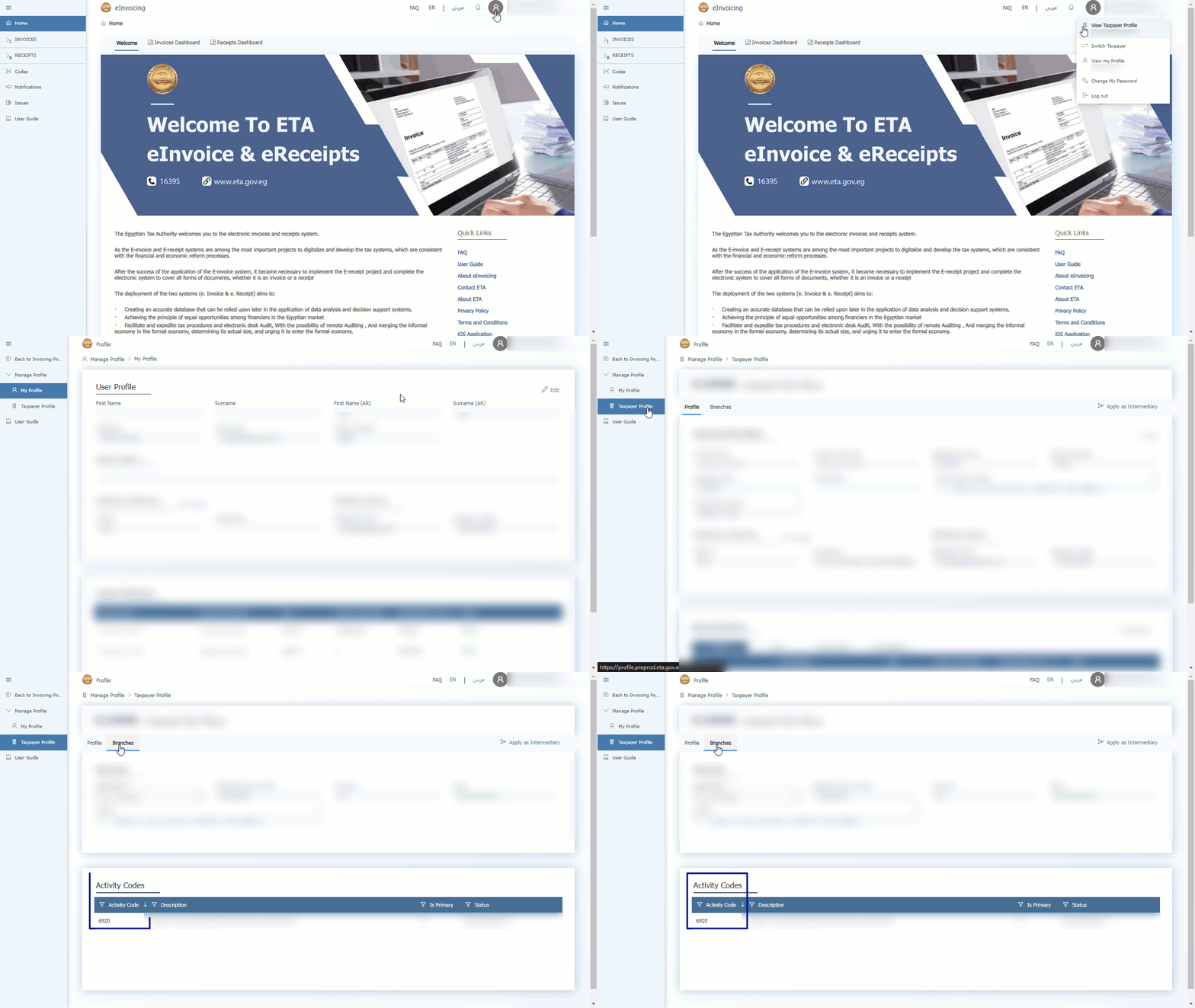
5- Branch Identifier and Activity Code
- Enter the branch code found in “View My Profile." Then "Taxpayer Profile," then "Branches"
- Enter the activity code found in the profile at the bottom of the page
- Click "Save"
If you encounter any challenges or have questions during these processes, you can contact our technical support team, who are ready to assist you at any time.
Did this answer your question?