

Updating the ETA Integration Data in “Edara”
Last updated:
The Egyptian Tax Authority specifies a validity period for system credentials. Once this period expires, you need to regenerate the secret key (password) to maintain data security.
Updating the ETA Integration Data in “Edara”
- Go to the “E-Invoice Portal”.
- Click on your account name.
- Select “View Taxpayer Profile”.
- Go to the “Representatives” section at the bottom of the page.
- Click on “ERP”.
- Click on the “⋮” icon next to the “Client ID”.
- Select “Regenerate secrets”.
- Select the “Current Secrets Expiration”.
- Select the expiration date for the New Secrets Expiration
- Click on “Generate”.
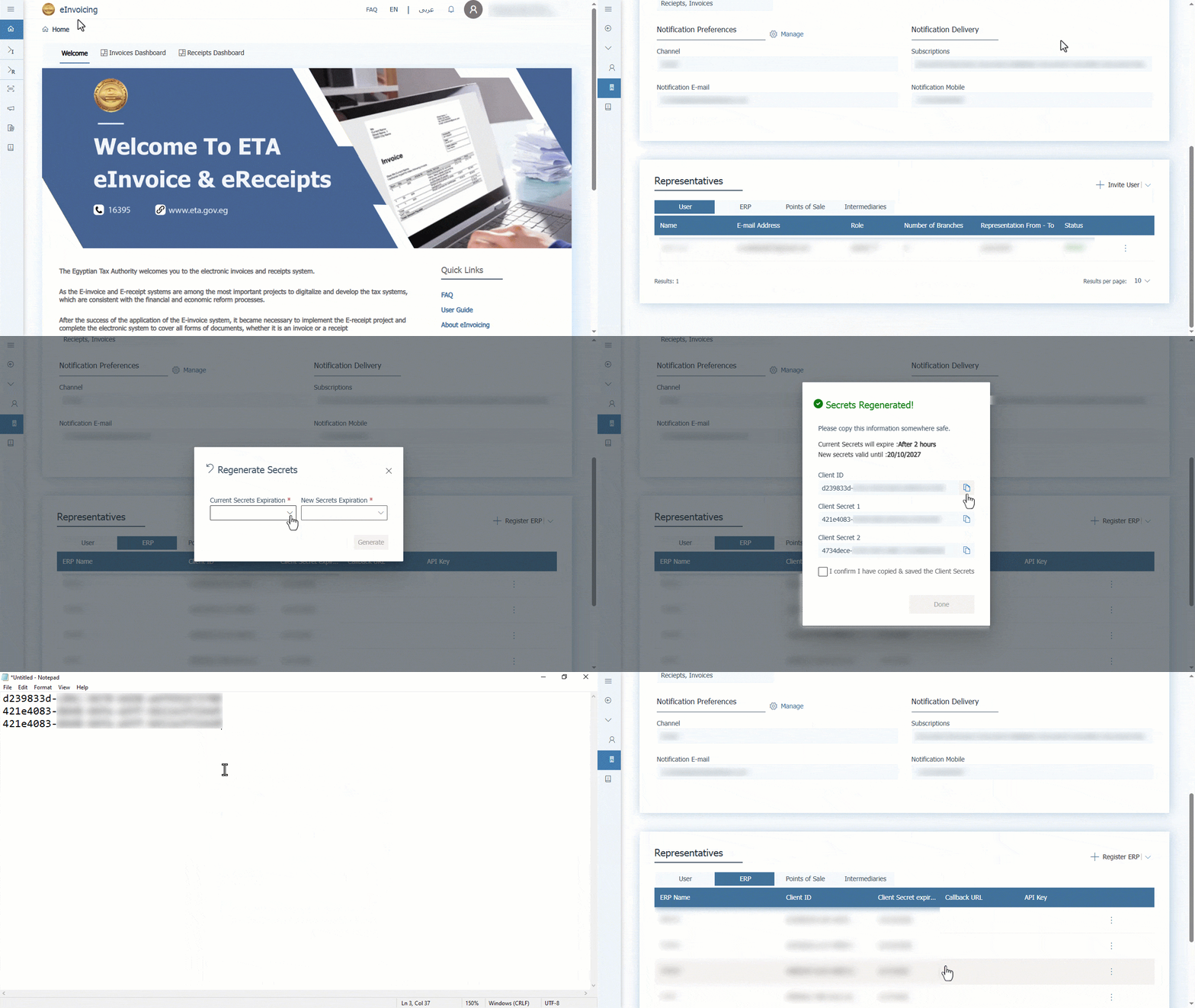
- Check the box “▢” to make it “🗹” in front of “I confirm I have copied & saved the Client Secrets”.
- Click on “Done”.
A new Client ID, Secret Key 1, and Secret Key 2 will be generated. Make sure to copy and save them in a secure file so you can easily access them when needed.
In the image below, you can see where to add the “Client ID” and the “Client Secret” in “Edara”.
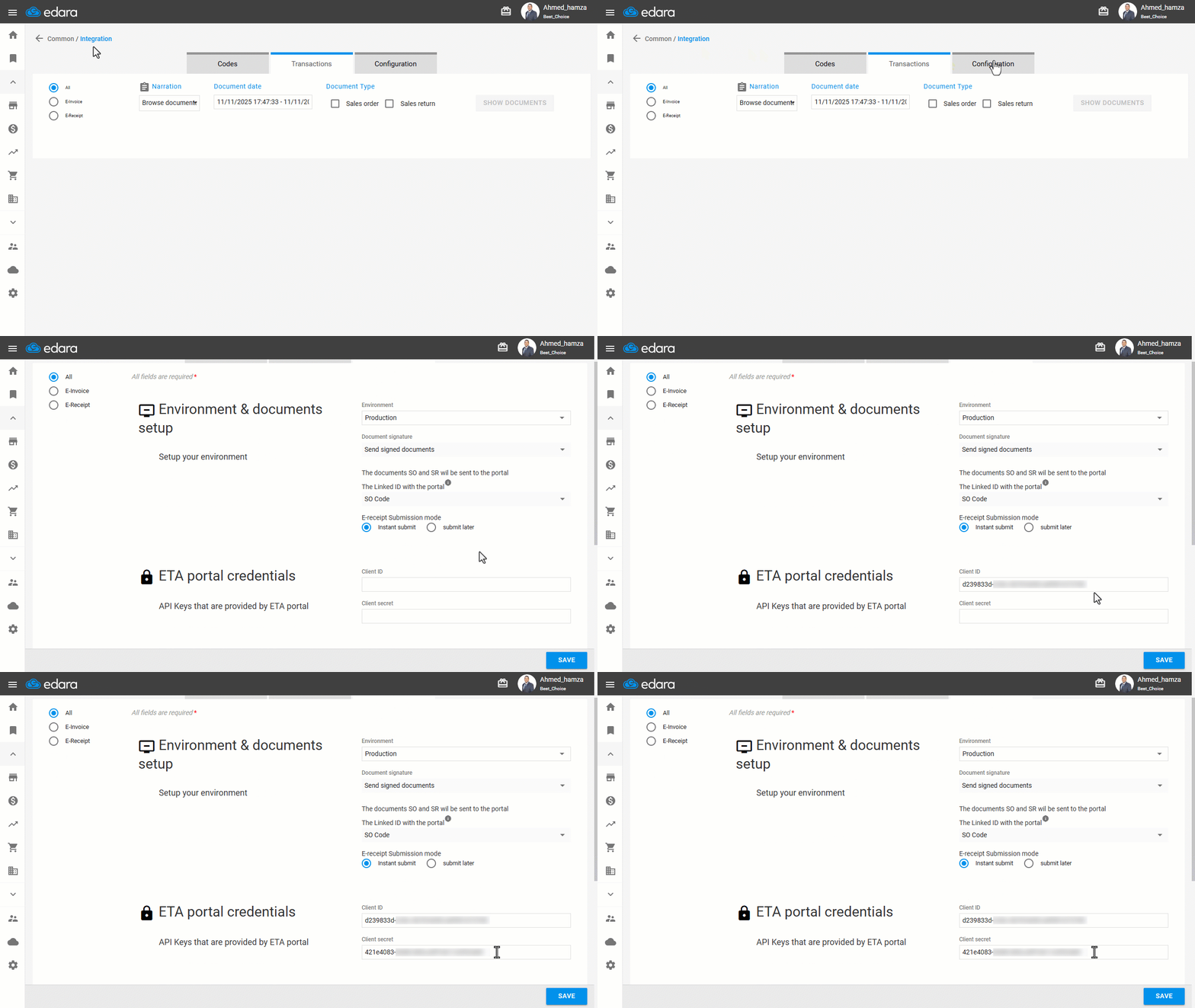
Note: To refresh the eReceipt integration details, select "Point of Sale" instead of "ERP", then follow the same steps to update the password.
Frequently asked questions
How do I refresh the e-receipt integration details?
To refresh the eReceipt integration details, select "Point of Sale" instead of "ERP", then follow the same steps to update the password.
If you encounter any challenges or have questions during these processes, you can contact our technical support team, who are ready to assist you at any time.