

Completing Customer Data to Comply with E-Invoicing Requirements
Last updated:
To successfully submit electronic invoices to the Egyptian Tax Authority, some basic data must be available in the customer data registered on “Edara”.
Completing Customer Data to Comply with E-Invoicing Requirements
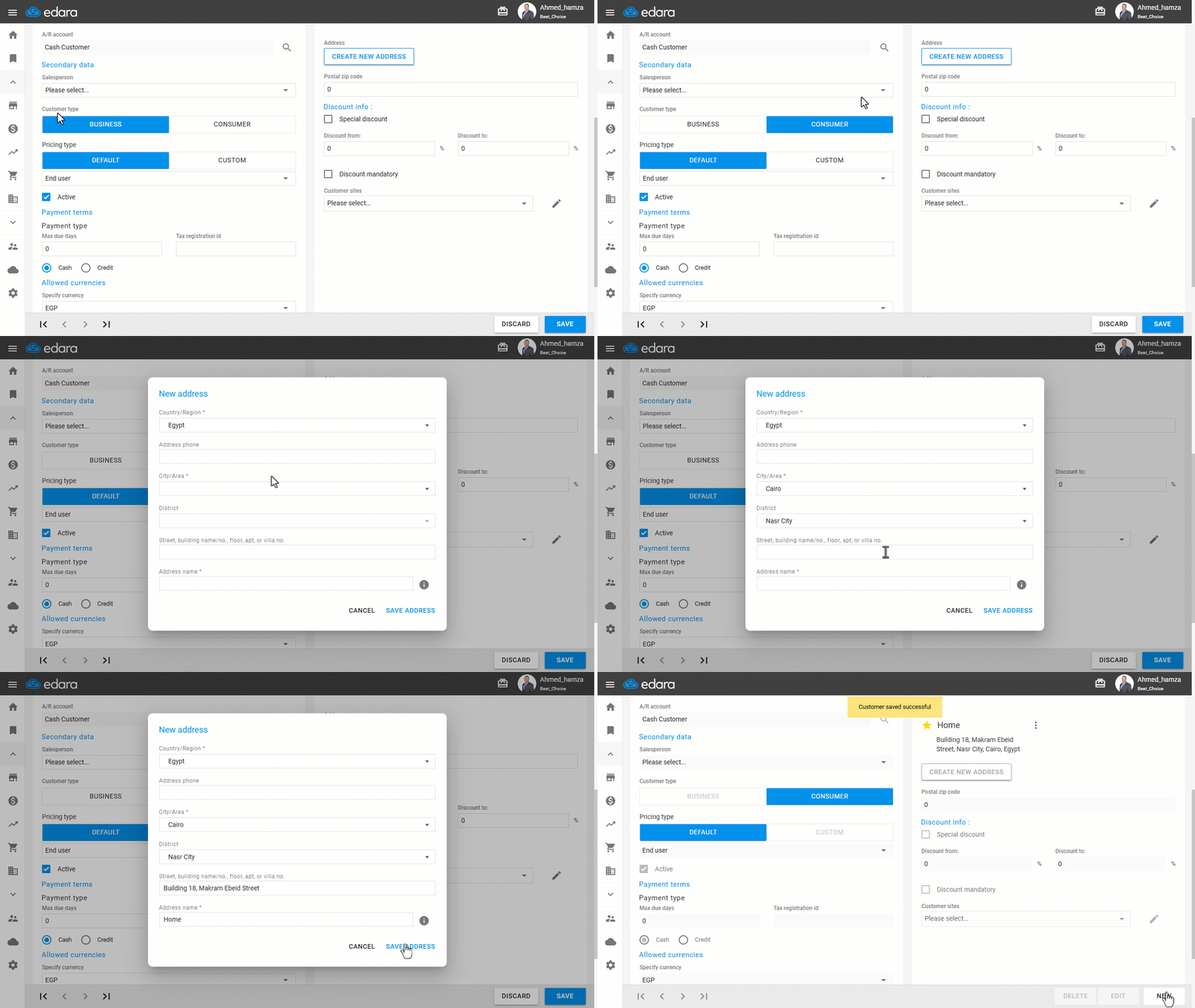
When creating a new customer, make sure to enter the following:
1. Customer Type: “Consumer” / “Business”
Note: If the customer type is “Business”, you must enter the Tax Registration ID. Additionally, if the invoice value exceeds EGP 25,000, the National ID is also required.
2. Address
Note: If the customer is a company, the full address must include four elements:
- Country.
- City.
- District.
- Street (must include building number — if unknown, enter "0").
If the customer is a consumer, only the country and city fields are required.
Frequently asked questions
When must I enter the customer’s tax registration number or national ID?
If the customer type is “Business”, you must enter the Tax Registration ID. Additionally, if the invoice value exceeds EGP 25,000, the National ID is also required.
If you encounter any challenges or have questions during these processes, you can contact our technical support team, who are ready to assist you at any time.