

Registering EGS Codes for Items and Sending Them from “Edara” to the E-Invoice Portal
Last updated:
In Egypt, issuing e-invoices requires registering items on the e-invoice portal. Starting October 1, 2024, the Global Product Classification (GPC) code is no longer accepted as the primary item code. Instead, most businesses now register items using the free EGS code.
Registering EGS Codes for Items and Sending Them from “Edara” to the E-Invoice Portal
Note: Before You Start, make sure the following basic details are entered for your stock items so they appear in the “Codes” page when creating new codes:
- Item Description
- Other language description
- Item code or Part number (used for linking to the portal)
- E-Invoice code type: EGS
- The “E-Invoice Code” field must be empty
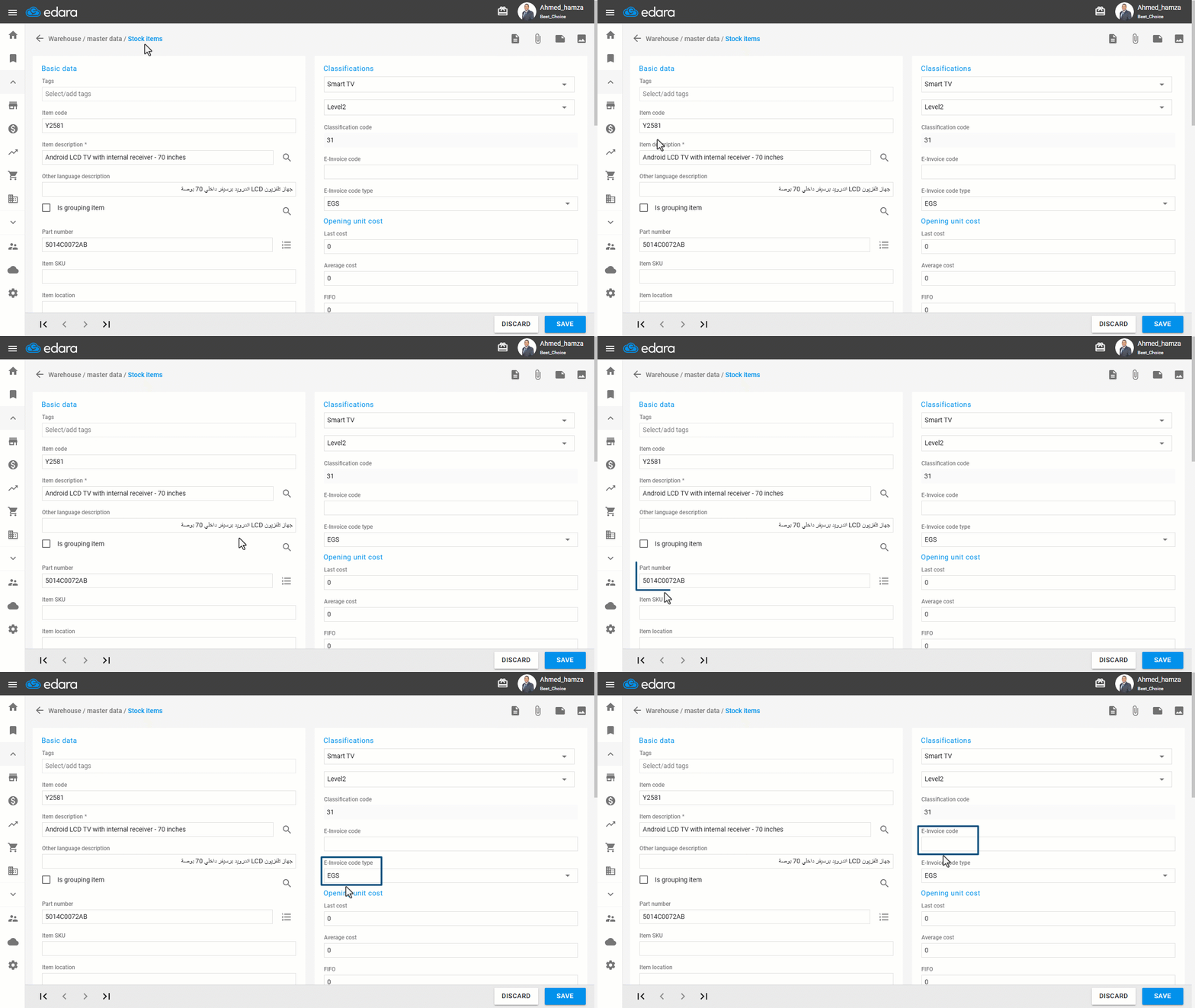
After that, follow these steps:
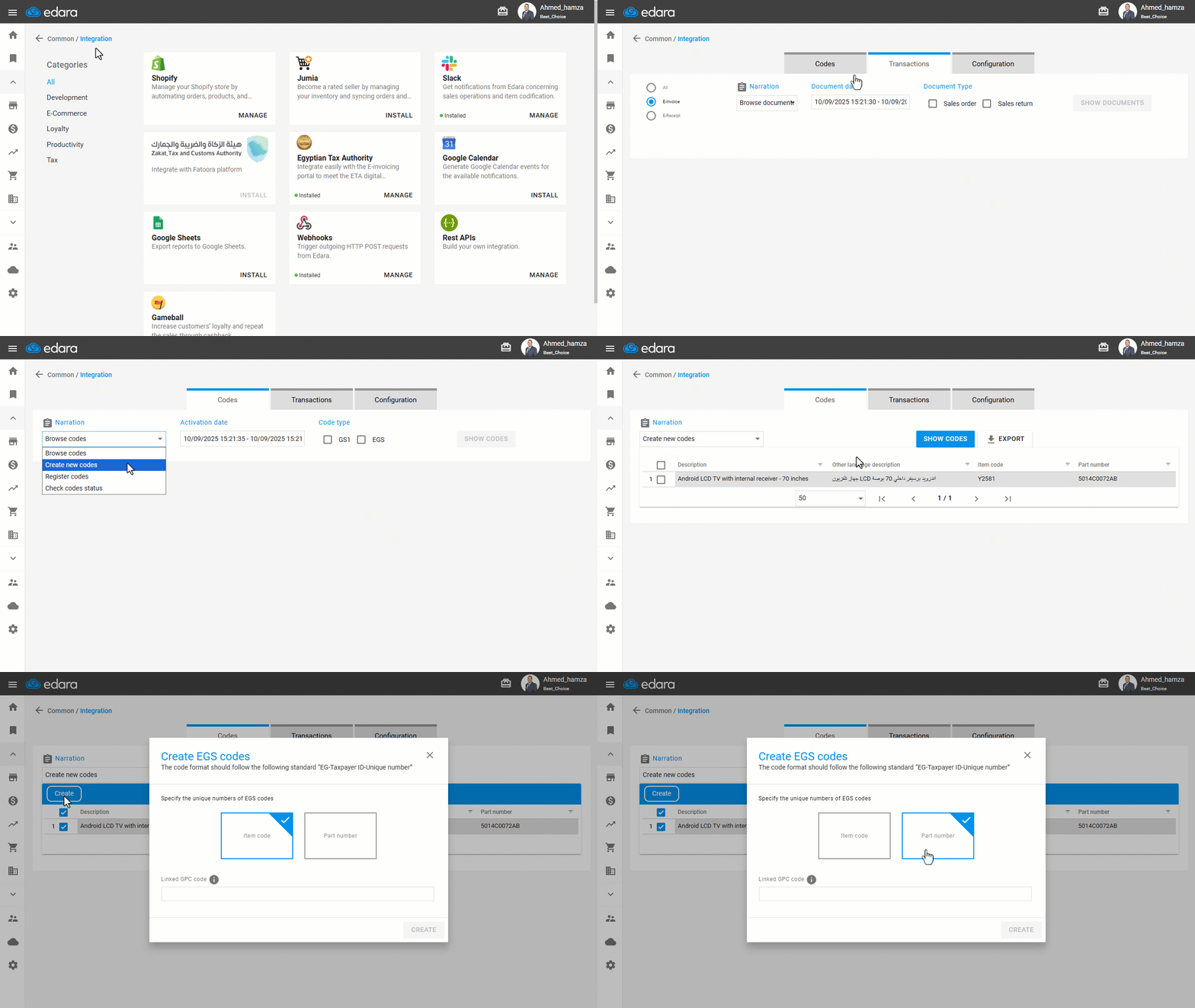
- Go to “Data”.
- Open the “Integration” page.
- Click on “Manage” under the Egyptian Tax Authority section.
- Open the “Codes” screen.
- Set the narration to “Create New Codes”.
- Click on “Show Codes”.
- Select the items you want to register.
- Click on “Create”.
- Choose the unique EGS codes to use (either the item code or part number).
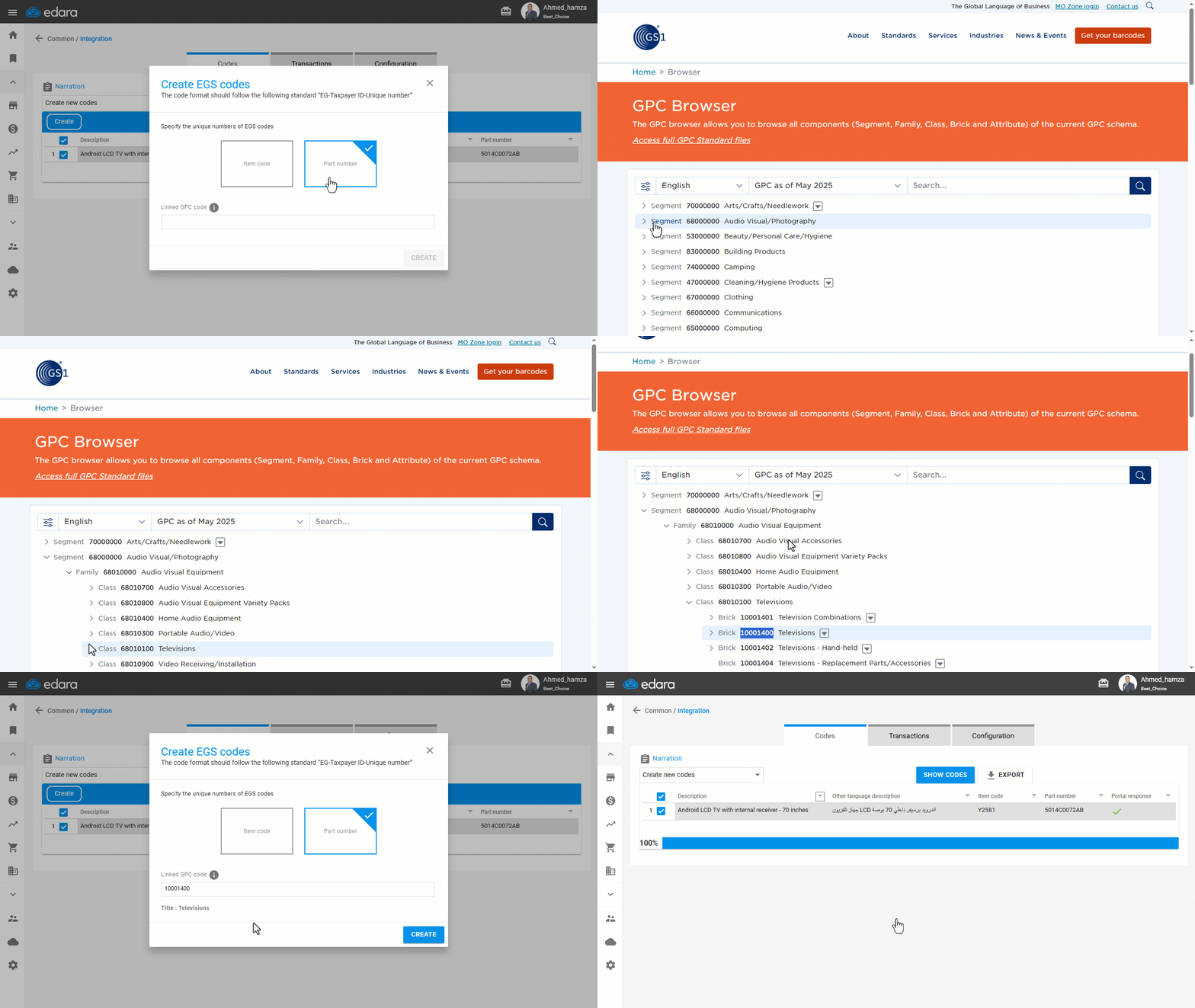
- Check the linked GPC classification code by clicking the (i) icon.
- Add the GPC code related to the item.
- Click on “Create”.
- Click on “Got it”.
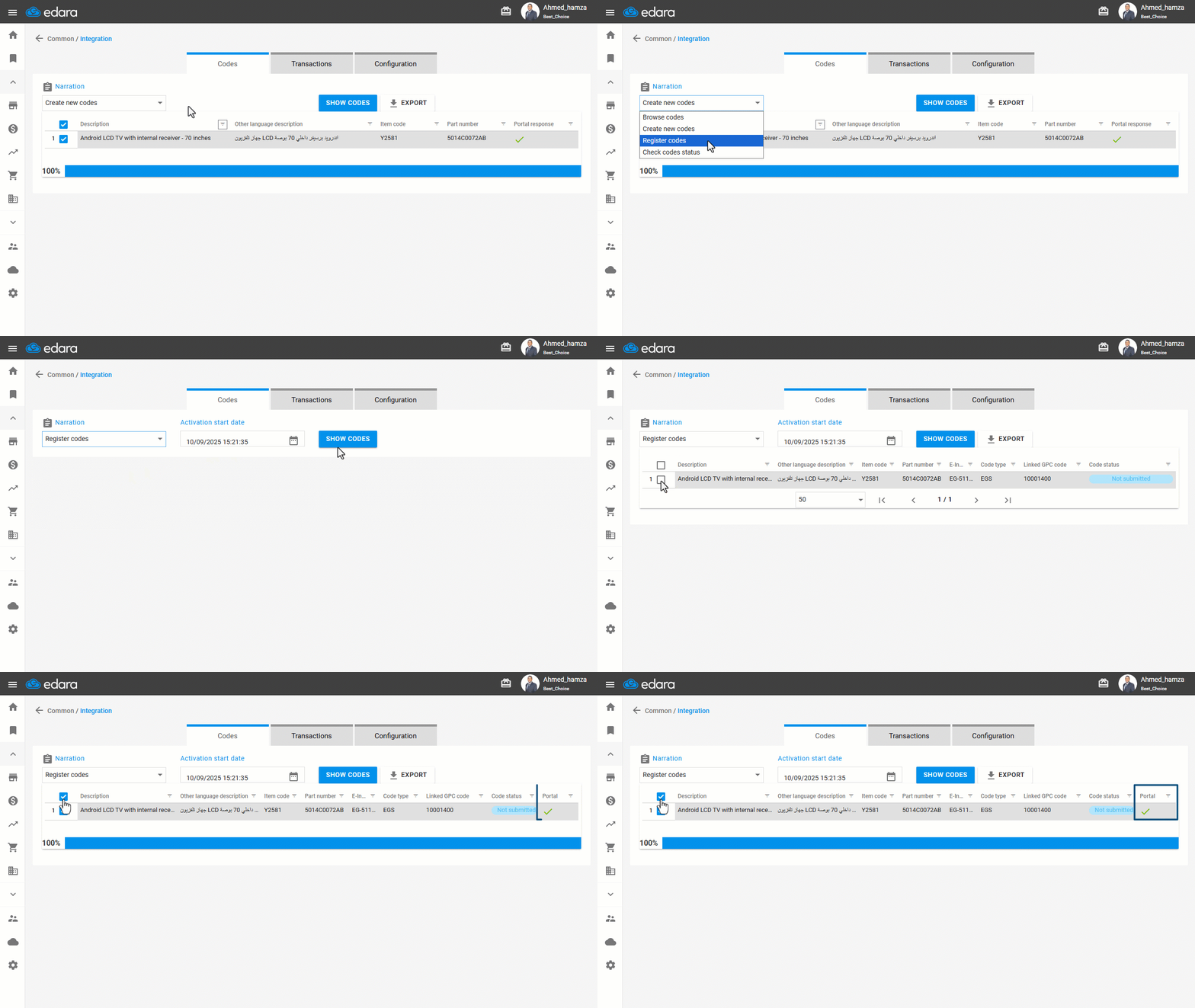
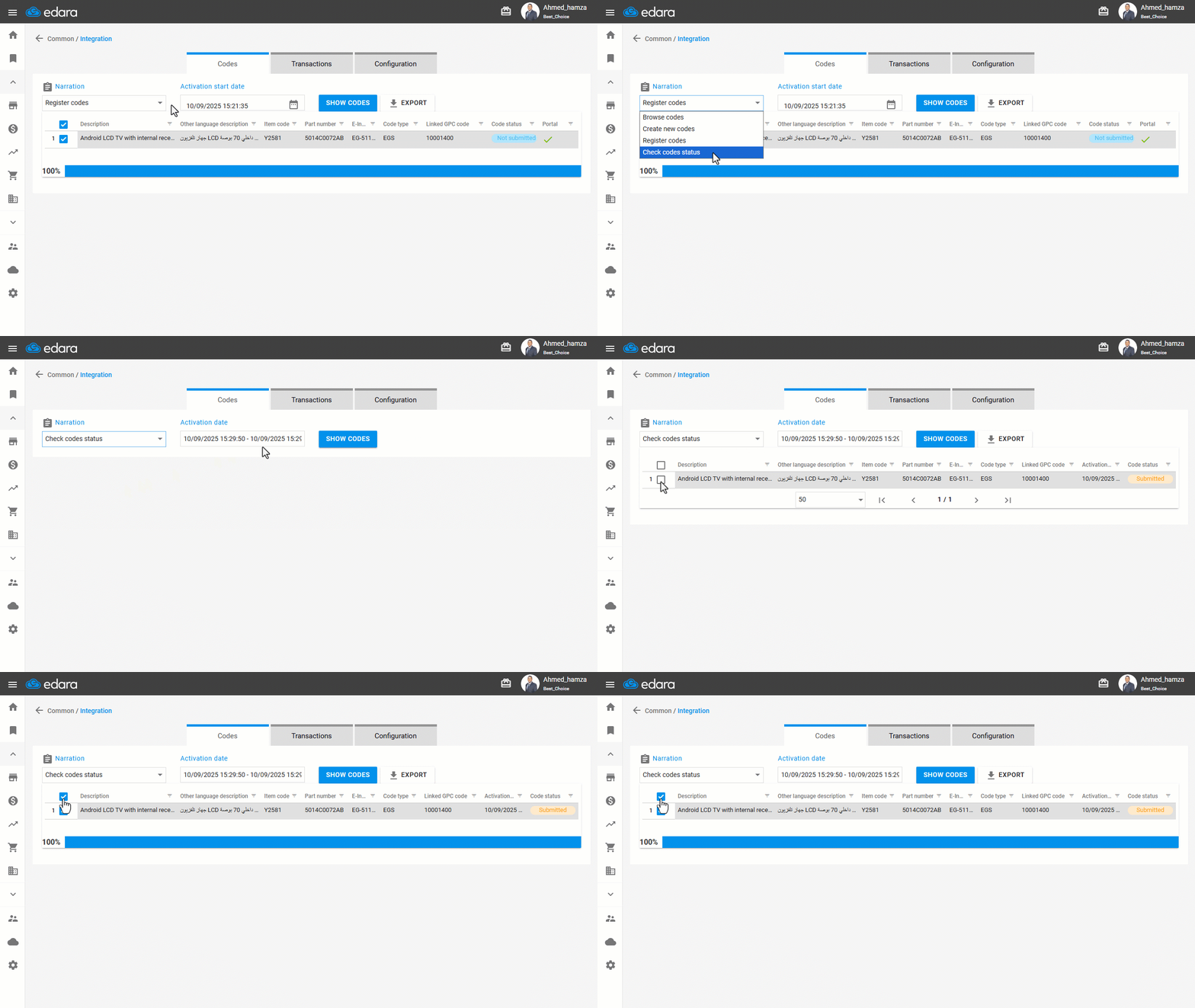
- Set the purpose to “Register Codes”.
- Select the activation start date.
- Click on “Show Codes”.
- Choose the item.
- Click on “Register”.
- Confirm that a (✓) appears in the System Response field.
Note: If the code is rejected by the portal, the reason will appear in the System Response field instead of (✓).
- Set the purpose to “check Code Status”.
- Select the “activation date” range.
- Click on “Show Codes”.
- Choose the item.
- Click on “Check Codes Status”.
Wait for the system to respond until the status changes to “Approved”.
Note: To export the displayed list, click on “ Export”.
Frequently asked questions
What happens if the portal rejects a code?
If the code is rejected by the portal, the reason will appear in the System Response field instead of (✓).
If you encounter any challenges or have questions during these processes, you can contact our technical support team, who are ready to assist you at any time.