

Integration Between Edara and the E-Receipt Portal
Last updated:
Given the importance of integration between the taxpayer’s accounting system and the Egyptian E-Receipt Portal, “Edara” now supports this feature. You can easily generate e-receipts that comply with the Tax Authority’s requirements—directly from the system.
Integration Between Edara and the E-Receipt Portal
1. Access the Integration Settings
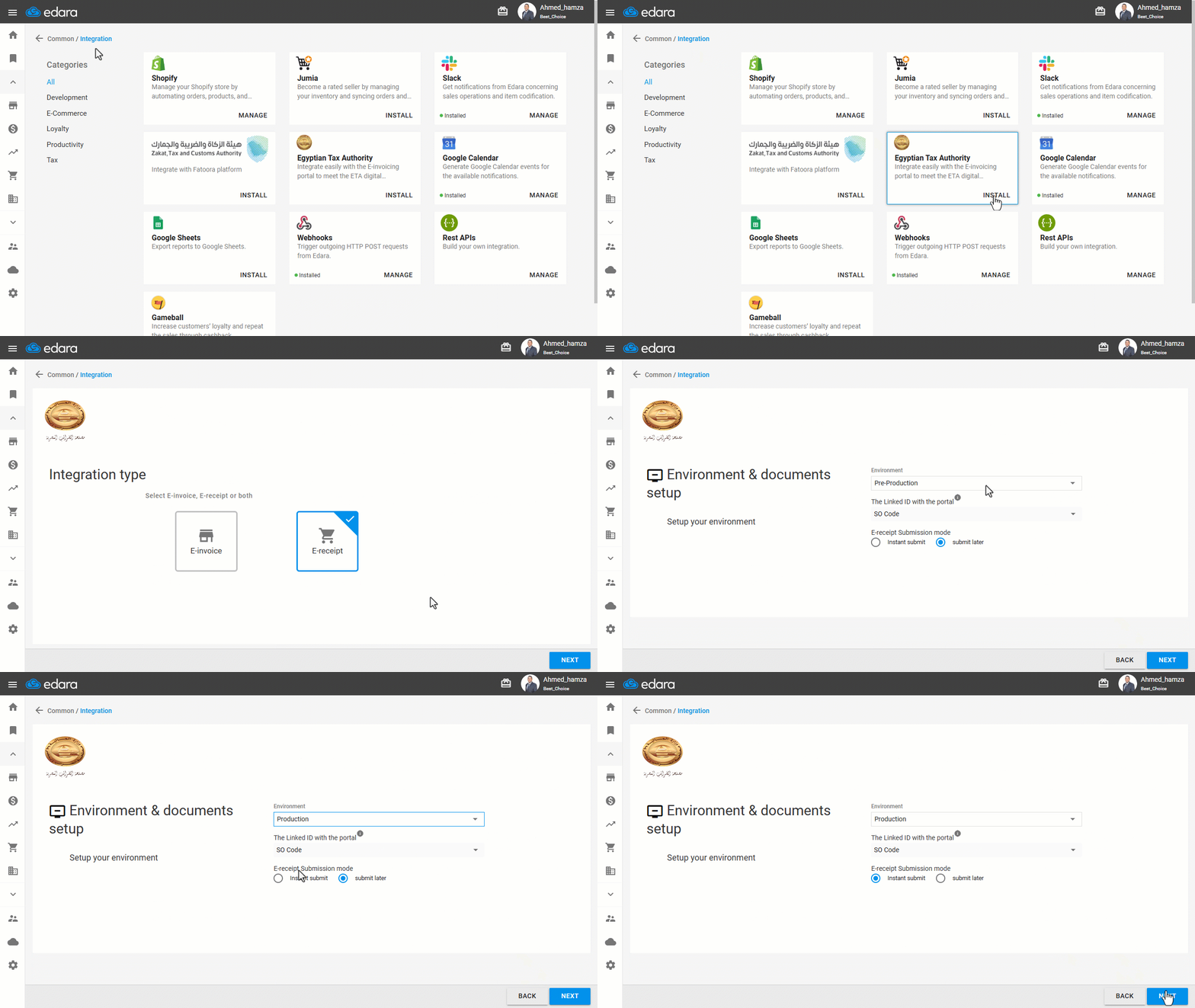
- Go to “Data”.
- Open the “Integration” page.
- Click on “Install” under Egyptian Tax Authority.
2. Select Integration Type
- Choose “E-Receipt” as the integration type.
- Click on “Next”.
3. Environment and Documents Setup
- Select the appropriate environment: (Pre-production for testing (if you received a sandbox link) or Production for live operation).
- Enter the Linked ID with the portal.
- Choose the E-receipt Submission mode:
- Instant submit: Automatically sends the receipt to the portal once it’s saved, if it meets all conditions.
- Submit later: Sends receipts manually at a later time via the Operations page.
- Click on “Next”.
4. Taxpayer Profile
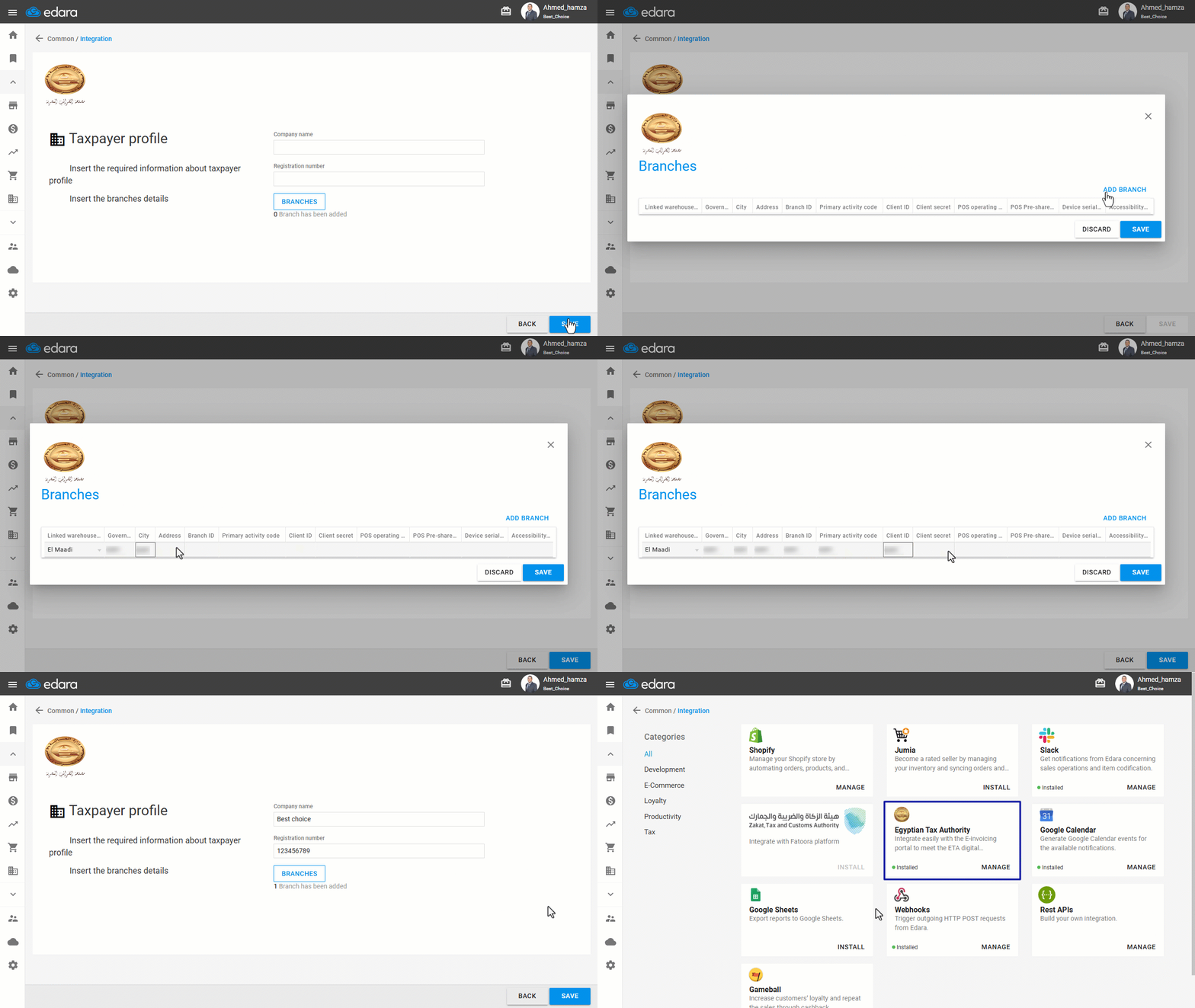
- Enter your Company Name.
- Enter your Tax Registration Number.
- Click on “Branches”.
- Click on “Add Branch”.
- Fill in the required details for each branch.
Note: The details required are:
- Governorate – City – Address – Branch ID – Primary Activity Code: available on the portal in the Branches Section.
- Client ID – Client Secret – POS Operating System – Serial Number: available on the portal at Points of Sale.
- Click on “Save”.
- Click on “OK”.
If you encounter any challenges or have questions during these processes, you can contact our technical support team, who are ready to assist you at any time.
Did this answer your question?