

Creating a Service Item
Last updated:
Unlike stock items, services do not require physical stock and can be created as separate service items to be added to sales invoices and sales returns, with their prices and applicable taxes specified.
Creating a Service Item
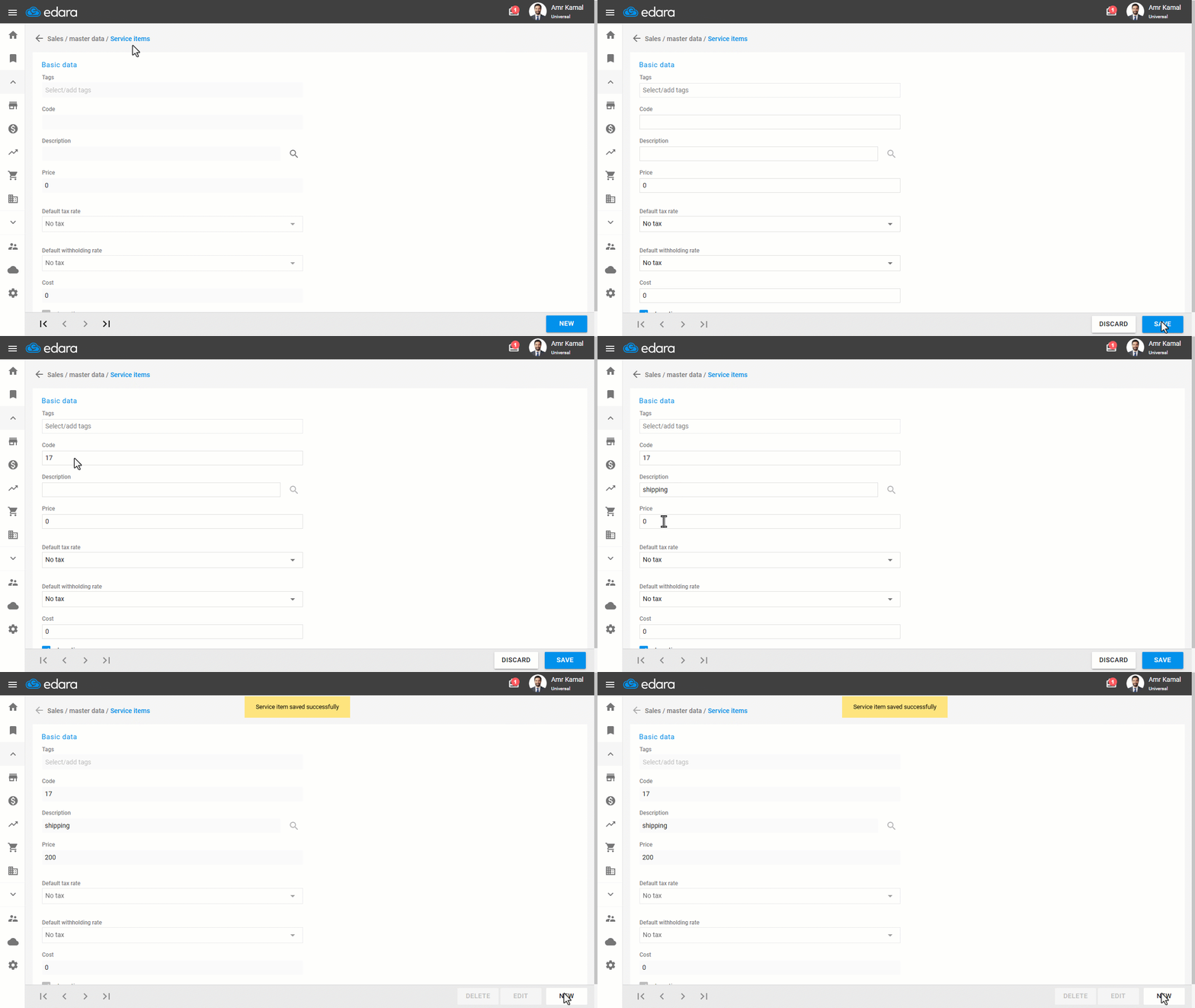
- Go to the “Sales” module.
- Open the “Service Item” page.
- Click on “New”.
- Enter the item Code.
- Enter the “Description” of the service item.
- Enter the “Price”.
- Select the “Default tax rate” and “Default withholding rate” from the dropdown list (if applicable).
- Click on “Save”.
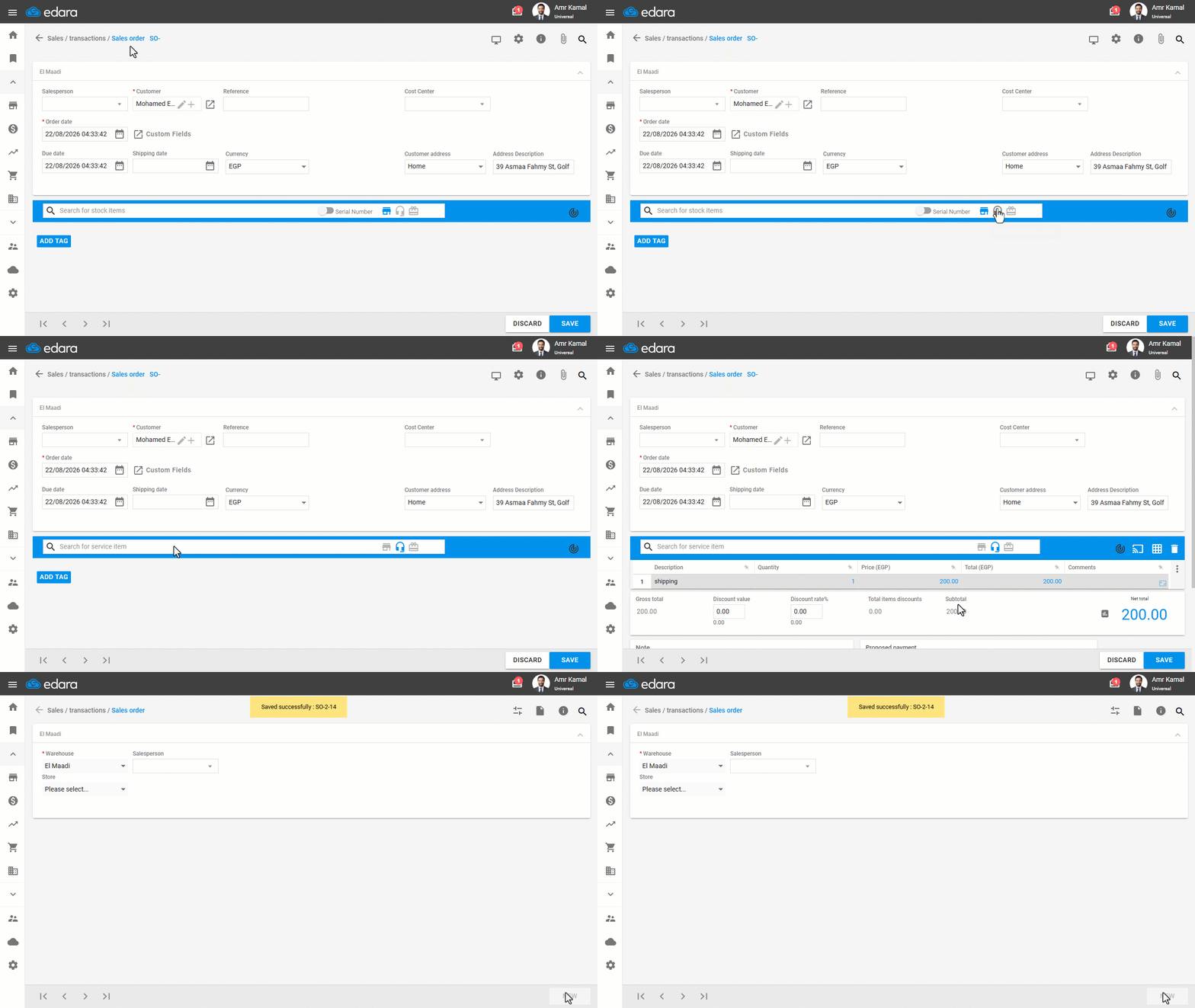
Note: To add a service item whencreating a sales order, click on “ ”, then search for the required service item.
Frequently asked questions
How do I add a service item to a sales order?
To add a service item whencreating a sales order, click on “”, then search for the required service item.
If you encounter any challenges or have questions during these processes, you can contact our technical support team, who are ready to assist you at any time.
Did this answer your question?