

Adjusting Selling Prices Based on Last receive Supplies Data
Last updated:
Maintaining profitability requires continuously updating selling prices to account for variable costs such as transportation and storage, especially when the cost of purchasing goods changes with the latest stock intake.
This ensures offering competitive prices to customers without compromising profit margins.
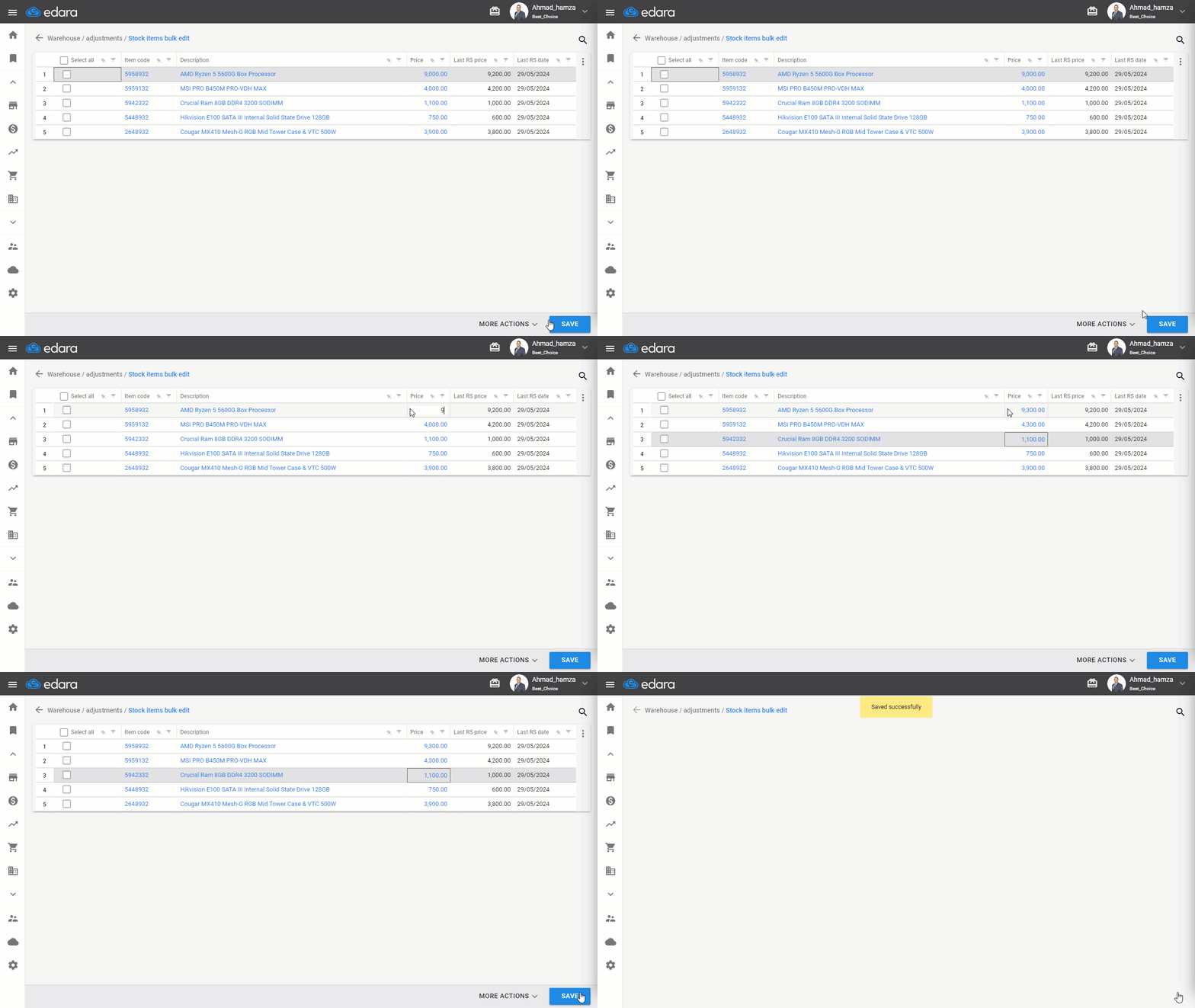
To save time and effort, this process can be easily carried out using the "Bulk Item Adjustment" feature, which allows for updating the selling prices of all items simultaneously.
Adjusting Selling Prices Based on Last receive Supplies Data
- Go to the warehouse module
- Open stock items bulk edit
- Click on "custom view"
- Click on ▢ the columns “Last RS Price” and “Last RS Date” next to the custom view
Note: You can filter items within one or more specific documents by searching for and selecting the item in the “Items included in documents" field. The available documents for selection are Purchase Orders, Sales Orders, Issue offerings, and Receive supplies.
- Click “Generate”
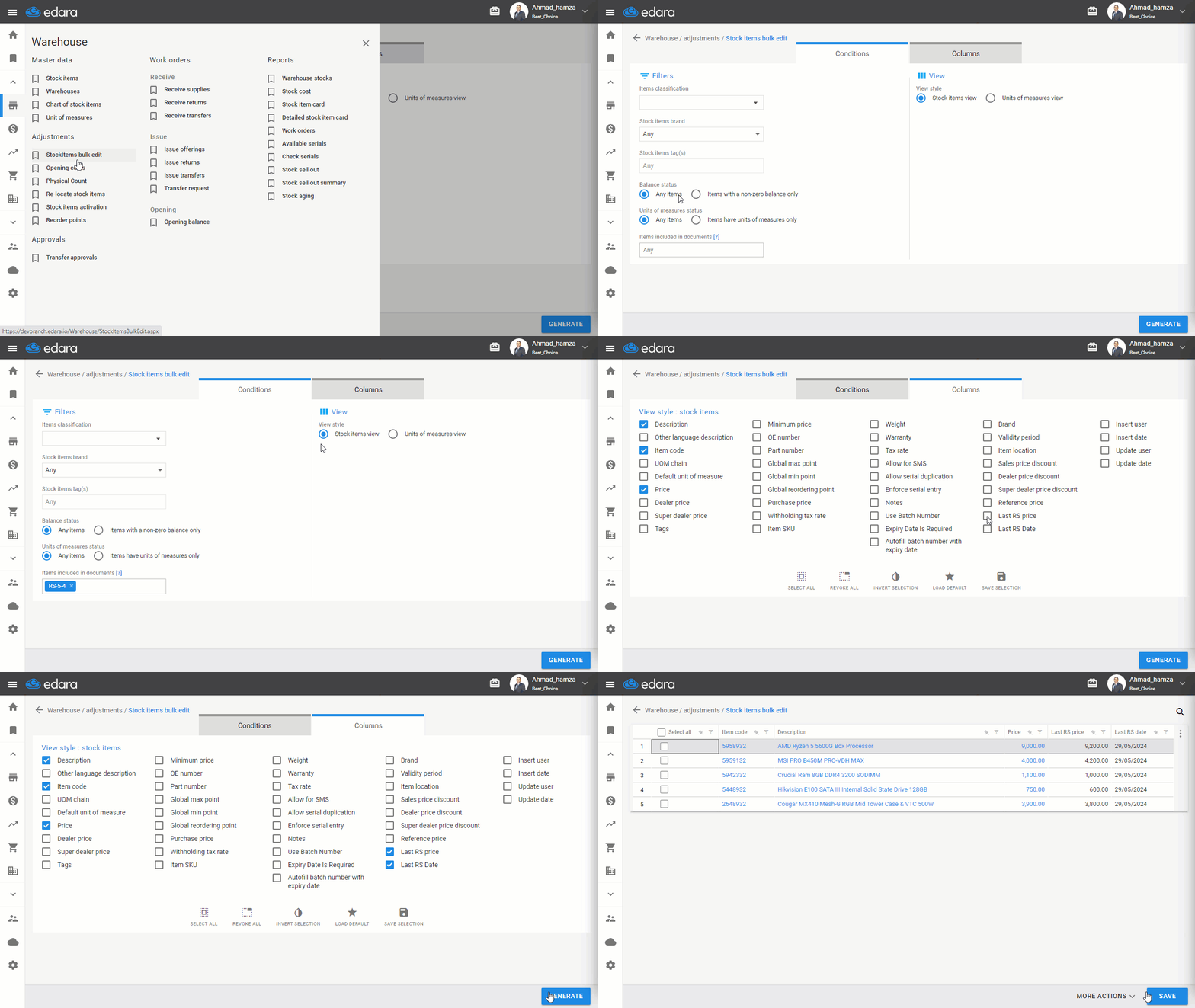
The current selling price, the latest stock arrival price, and its date will appear on the results page, making it easy to adjust the selling price accordingly.
If you encounter any challenges or have questions during these processes, you can contact our technical support team, who are ready to assist you at any time.