

Bulk Paste Support in the Bulk Edit Page
Last updated:
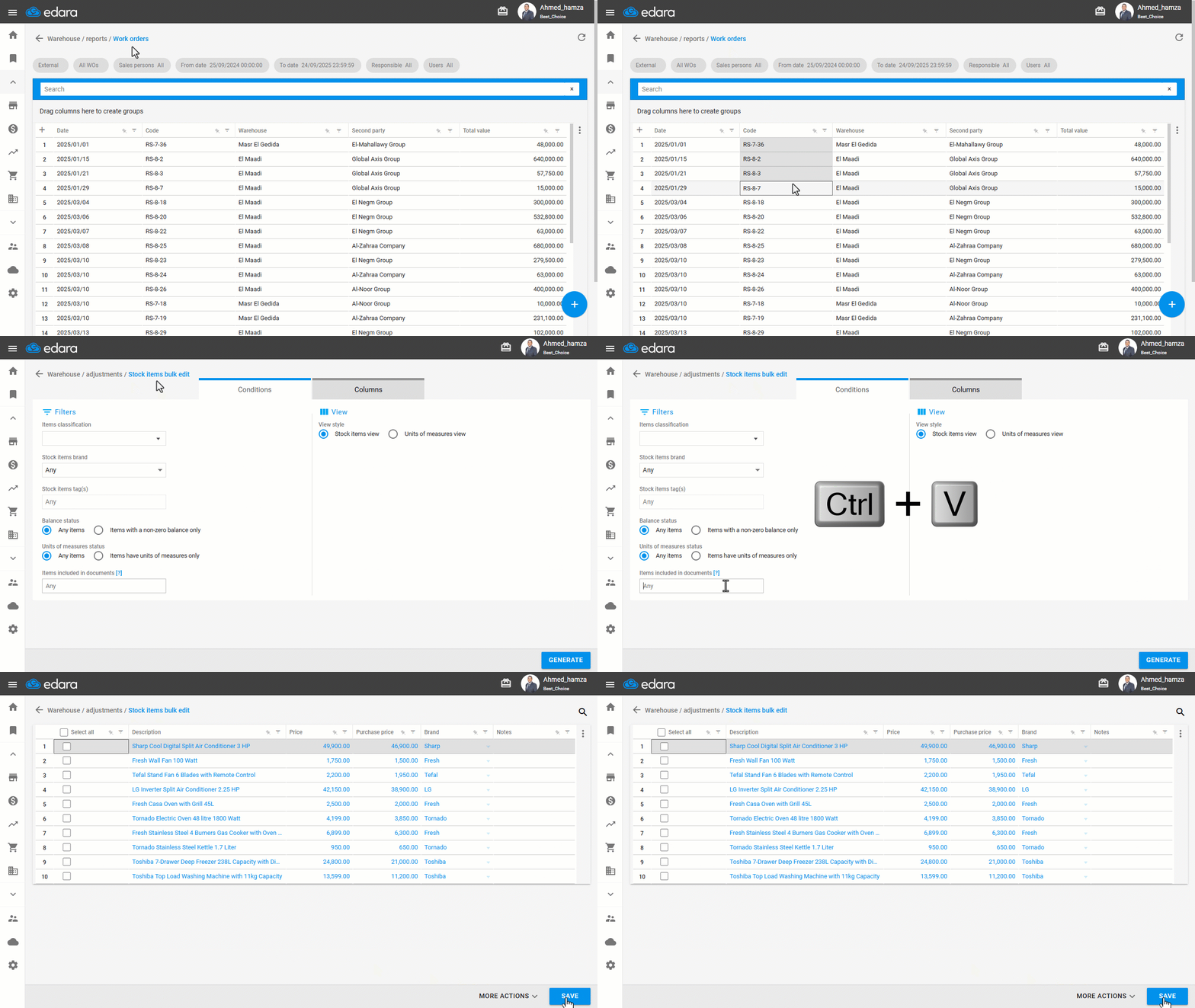
Filtering by classifications alone may not be enough when you need to review or price specific items, such as goods recently received or items listed in a particular document. That’s why "Edara" allows you to filter these items by pasting their document codes in bulk from a report or Excel file into the Bulk Edit page.
Bulk Paste Support in the Bulk Edit Page
- Go to the “Warehouse” module.
- Open the “Stock Item Bulk Edit” page.
- Copy a list of document codes from a file or report.
- Paste the codes into the “Items included in documents”.
- Click on “Generate”.
Note: You can also perform the same steps from the Posting page.
If you encounter any challenges or have questions during these processes, you can contact our technical support team, who are ready to assist you at any time.
Did this answer your question?