

Bulk Paste Support in the Posting Page
Last updated:
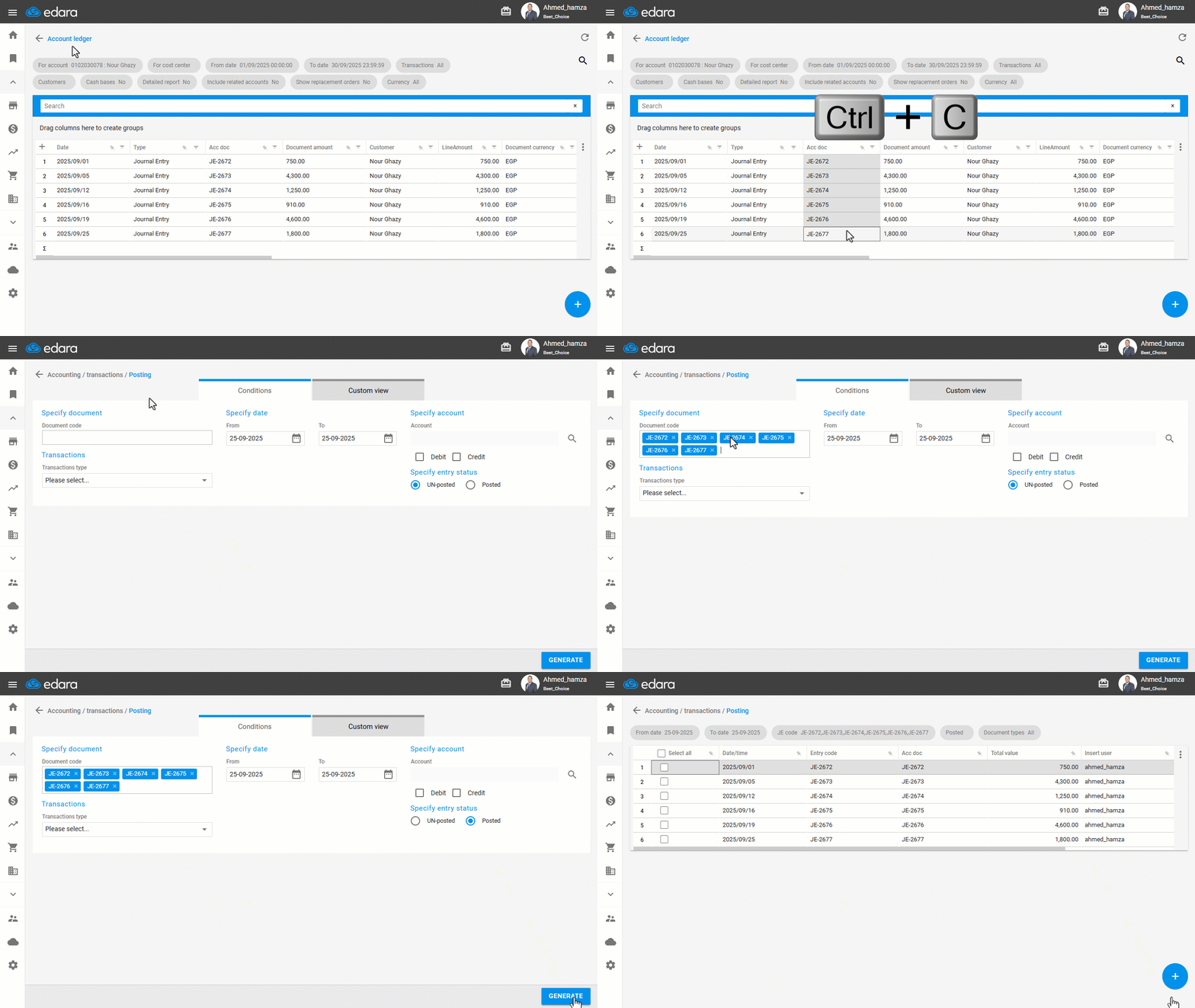
Filtering a large number of documents manually in the Posting page can be time-consuming and exhausting. To make this easier, “Edara” now allows you to paste multiple document codes at once, copied directly from sources like Excel files or system reports.
Bulk Paste Support in the Posting Page
- Go to the “Accounting” module.
- Open the “Post to GL” page.
- Copy a list of document codes from a file or report.
- Paste the codes into the Document code Field.
- Specify Entry Status: “Posted”
- Click on “Generate”.
Note: You can also perform the same steps from the Stock Item Bulk Edit page.
If you encounter any challenges or have questions during these processes, you can contact our technical support team, who are ready to assist you at any time.
Did this answer your question?