

Editing Stock Items Discounts in Bulk
Last updated:
You can apply bulk discount adjustments to stock items instead of editing each item separately.
Editing Stock Items Discounts in Bulk
First, make sure the following settings are enabled: “Allow order discount on” and “Allow item discount”.
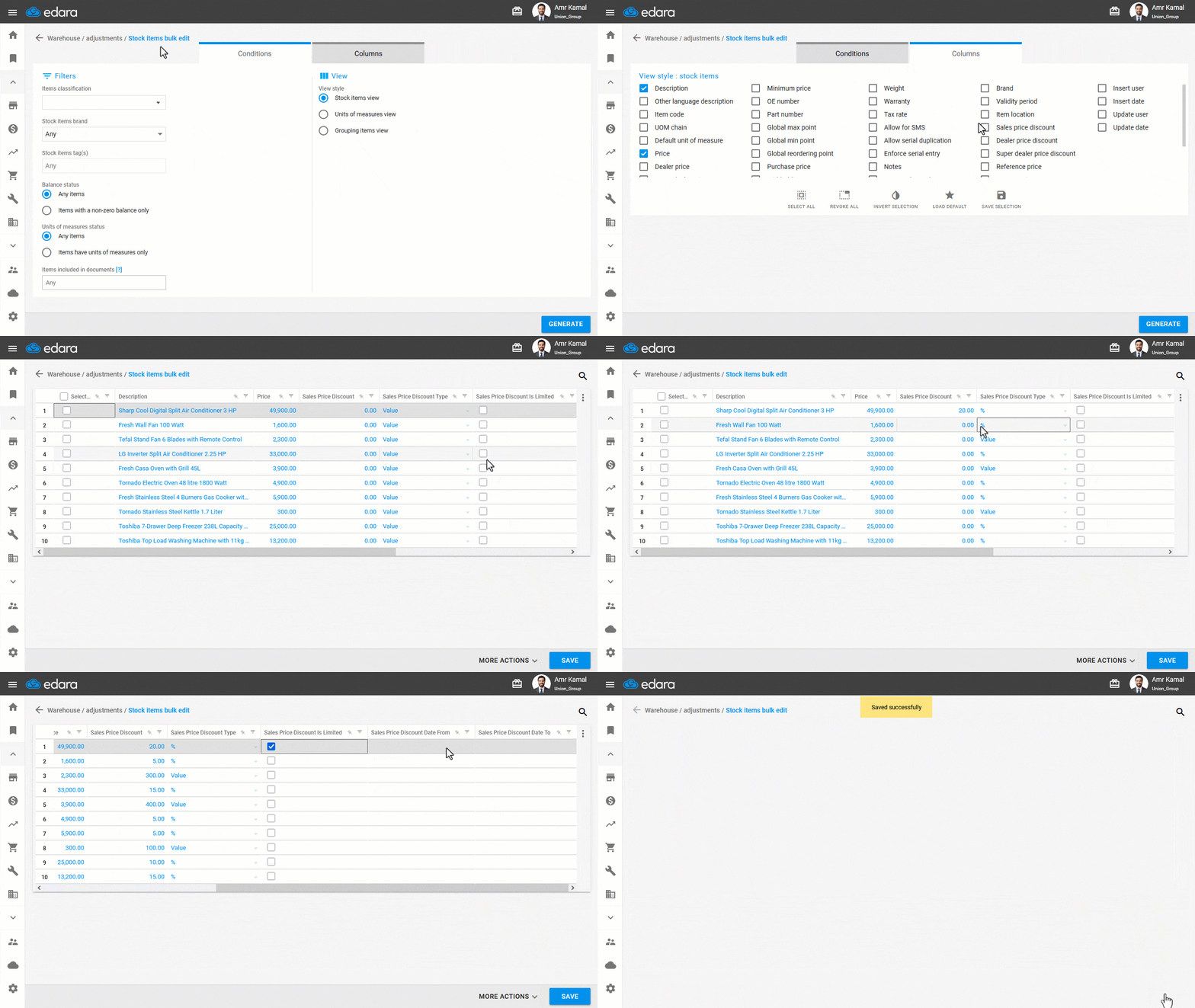
- Go to the “Warehouse” module.
- Open the “Stock items bulk edit” page.
- Select Items classification.
- Select the required columns and make sure the column for the discount type you want to apply is enabled.
- Click on “Generate”.
- Select the discount type (Value - Percentage).
- Enter the discount for the stock items.
Note: If you want to set a time period for the discount, click on “▢”, then enter the start and end dates of the discount.
- Click on “Save”.
Note: You can also edit stock item discount values in bulk using Excel.
If you encounter any challenges or have questions during these processes, you can contact our technical support team, who are ready to assist you at any time.
Did this answer your question?