

Marking Reprinted Sales Orders
Last updated:
Sometimes, cashiers need to reprint a sales order due to printing errors, customer requests, or other reasons.
To enhance accuracy and transparency, and prevent invoice manipulation, we’ve added the "Reprinted stamp” in "Edara" to mark reprinted sales orders.
Marking Reprinted Sales Orders
Note: By default, reprinting is not allowed, but permission can be granted when needed.
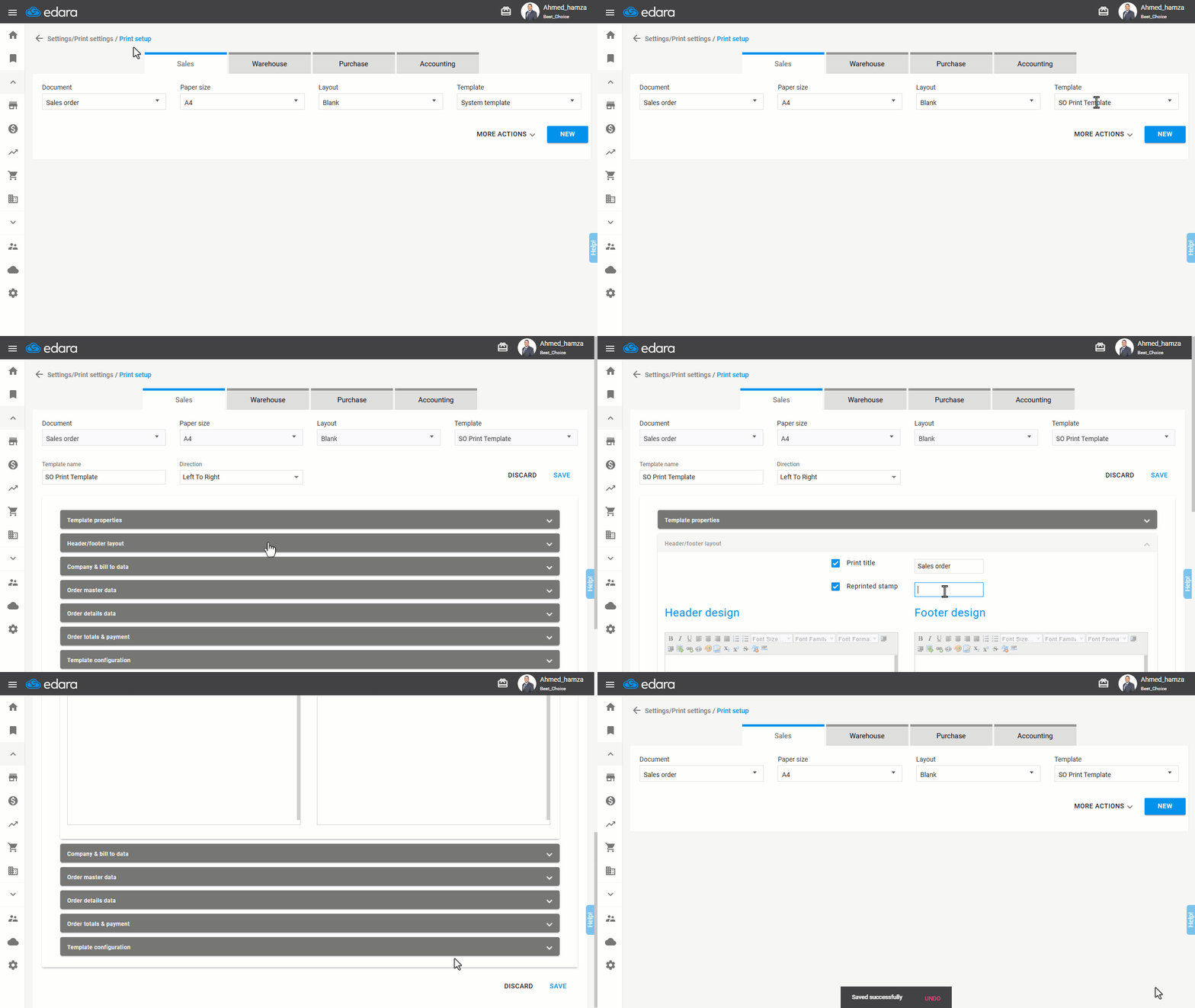
Here’s how to mark reprinted invoices:
- Go to Settings
- Open the "Print Setup" page.
Note: The default option is the “Sales” module and the “Sales Order” document.
- Choose the "Template" you want to modify.
- Click on "More Actions".
- Click on "Edit".
- Enable the "Reprinted stamp" in the header and footer layout, and write the desired text.
- Click on "Save".
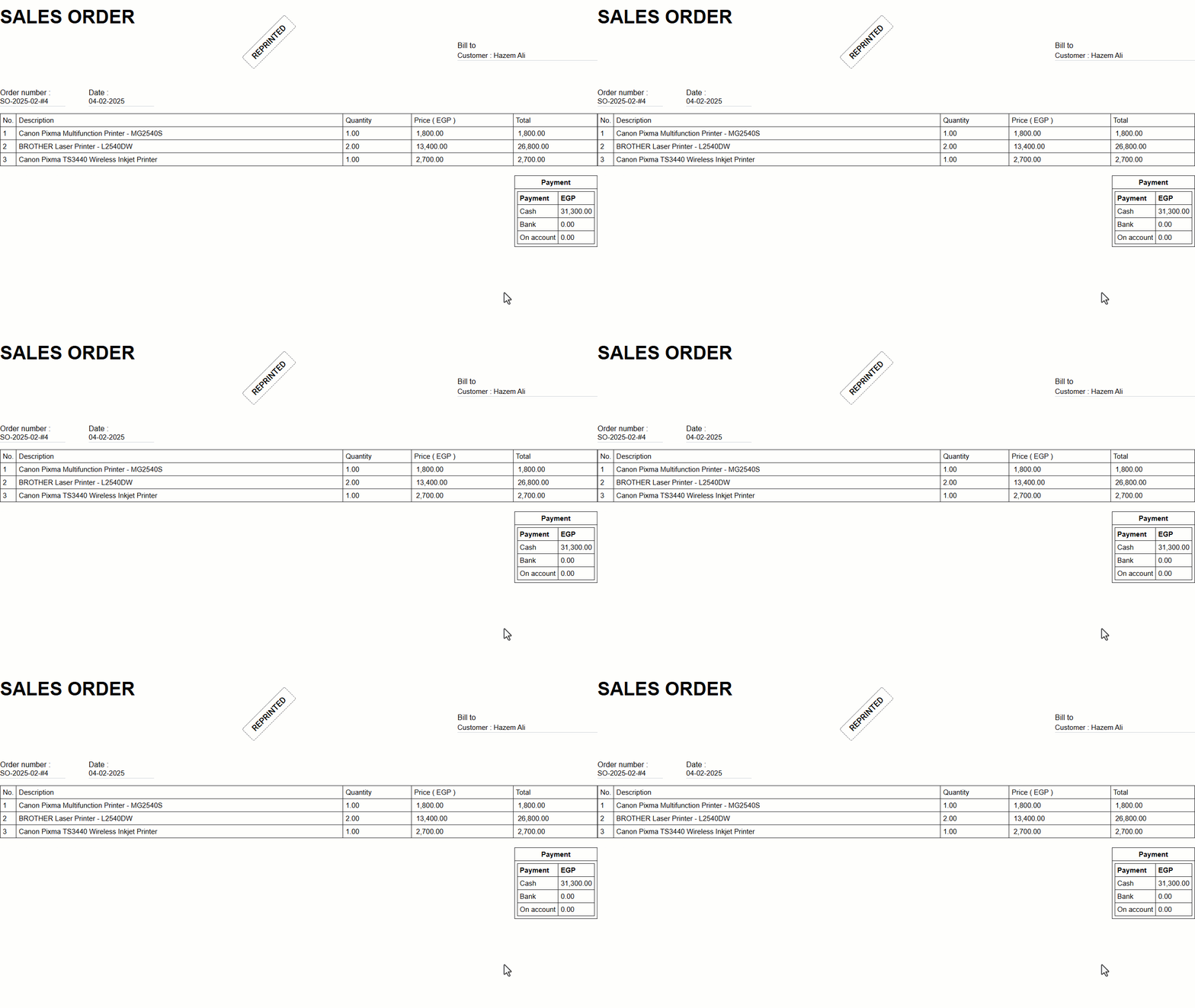
Note: After printing the first copy, subsequent copies will have the added stamp, as shown in the image:
Frequently asked questions
Is reprinting a sales order allowed by default?
By default, reprinting is not allowed, but permission can be granted when needed.
If you encounter any challenges or have questions during these processes, you can contact our technical support team, who are ready to assist you at any time.