

Displaying the Stock Item’s Brand in the Purchase Order
Last updated:
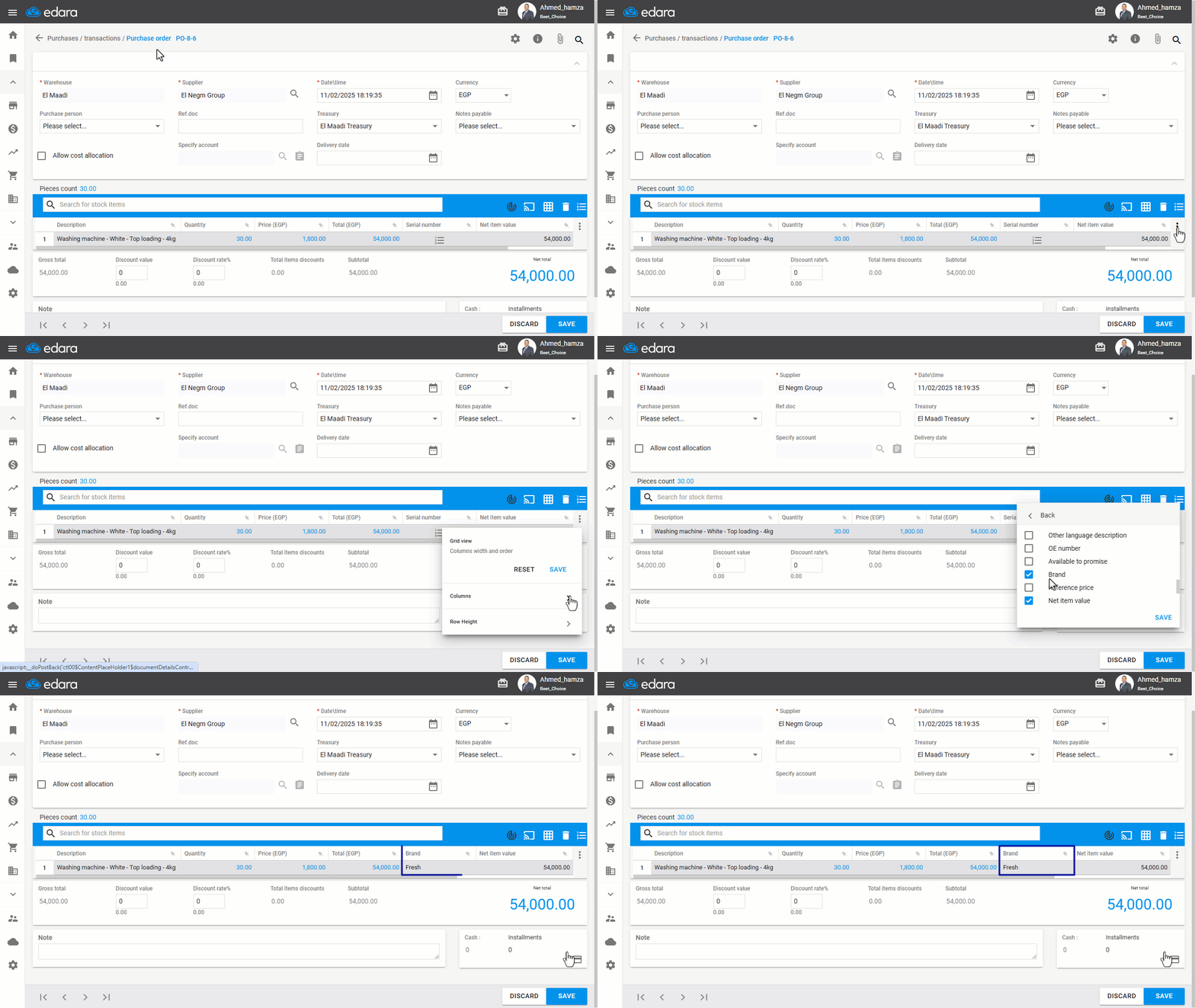
Some businesses need to view the stock item's brand while creating a purchase order to distinguish items, ensure they receive the exact product required, and simplify the process of reordering the same product in the future.
Displaying the Stock Item’s Brand in the Purchase Order
After starting the purchase order creation process as outlined in the attached guide, follow these steps:
- Click on the ፧ icon on the right.
- Display the "Brand" column.
- Click "Save".
If you encounter any challenges or have questions during these processes, you can contact our technical support team, who are ready to assist you at any time.
Did this answer your question?