

Exporting the Journal Entry List
Last updated:
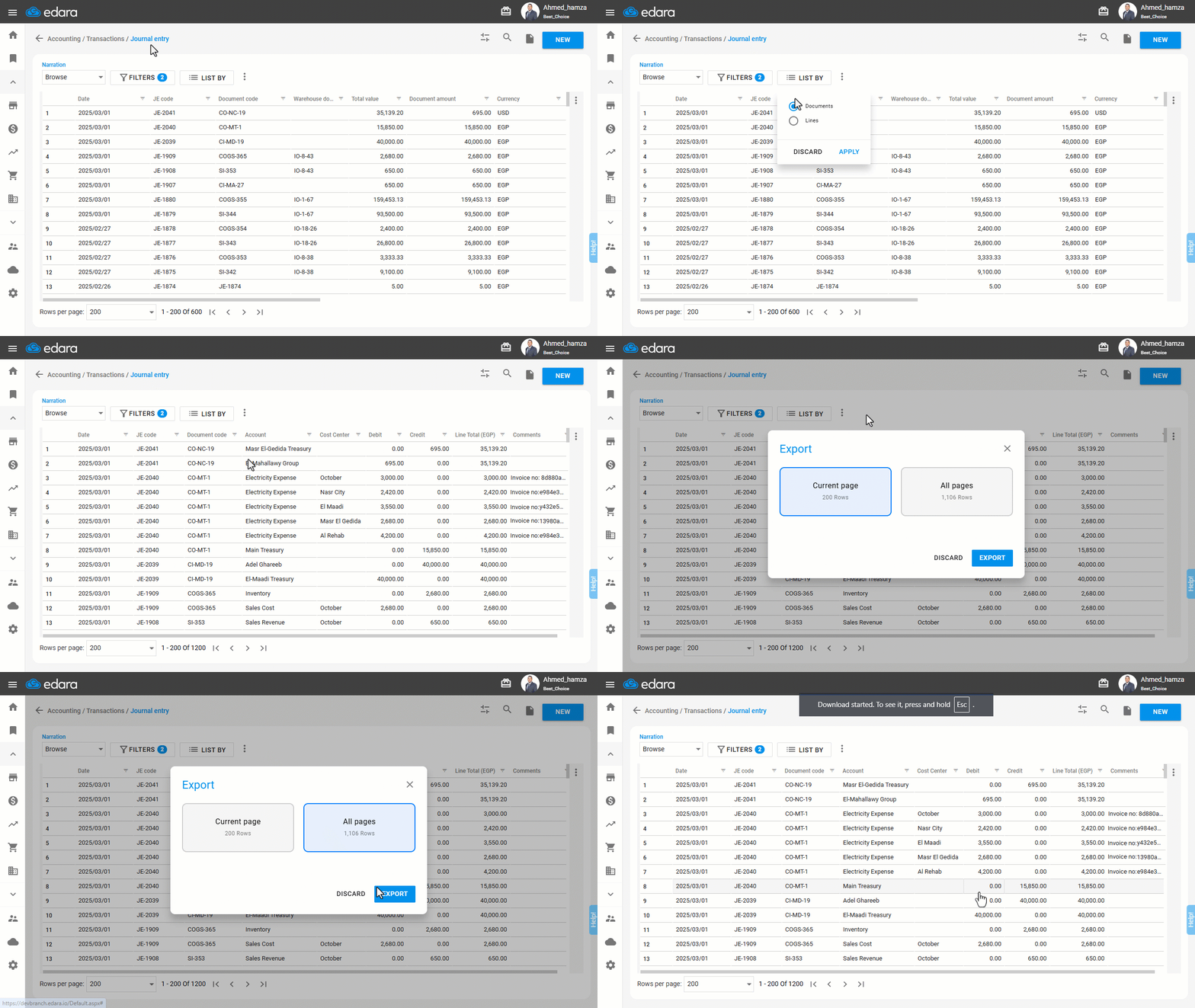
"Edara" allows exporting the journal entry listing page to an Excel file, whether in document view or line view. Due to the significance of this process, you can control user permissions for exporting data.
Exporting the Journal Entry List
Ensure the user has permission to display the journal entry listing page. Then, follow these steps:
- Go to the Accounting module.
- Open the "Journal Entry" page.
- Click on "Filters" to set the "Document Date" and "Posting Status".
- Click on "Apply".
- Click on "List By” to select the preferred display method (By Documents - By Lines).
- Click on "Apply".
- Click on "⁝".
- Select "Export".
Here, you have two options: either export the "Current page" only (which is the default setting) or export "All pages". Under each option, the system displays the number of rows available for export.
- Click on "Export".
Important Notes:
- When exporting the "Current Page", all display settings are taken into account, meaning only the visible data on your screen will be exported. However, when exporting "All Pages", only the selected columns will be considered, and the data will be arranged according to the default sorting order.
- If the export exceeds the maximum allowed number of rows, a warning message will appear, indicating that the limit is 50,000 rows (The data will be exported while ensuring that no related information is lost. For example, if the last JE contains multiple rows and part of it falls within the allowed limit while the other part exceeds it, the entry will be excluded to maintain completeness).
Restricting Users from Exporting Data of The JE Listing Page
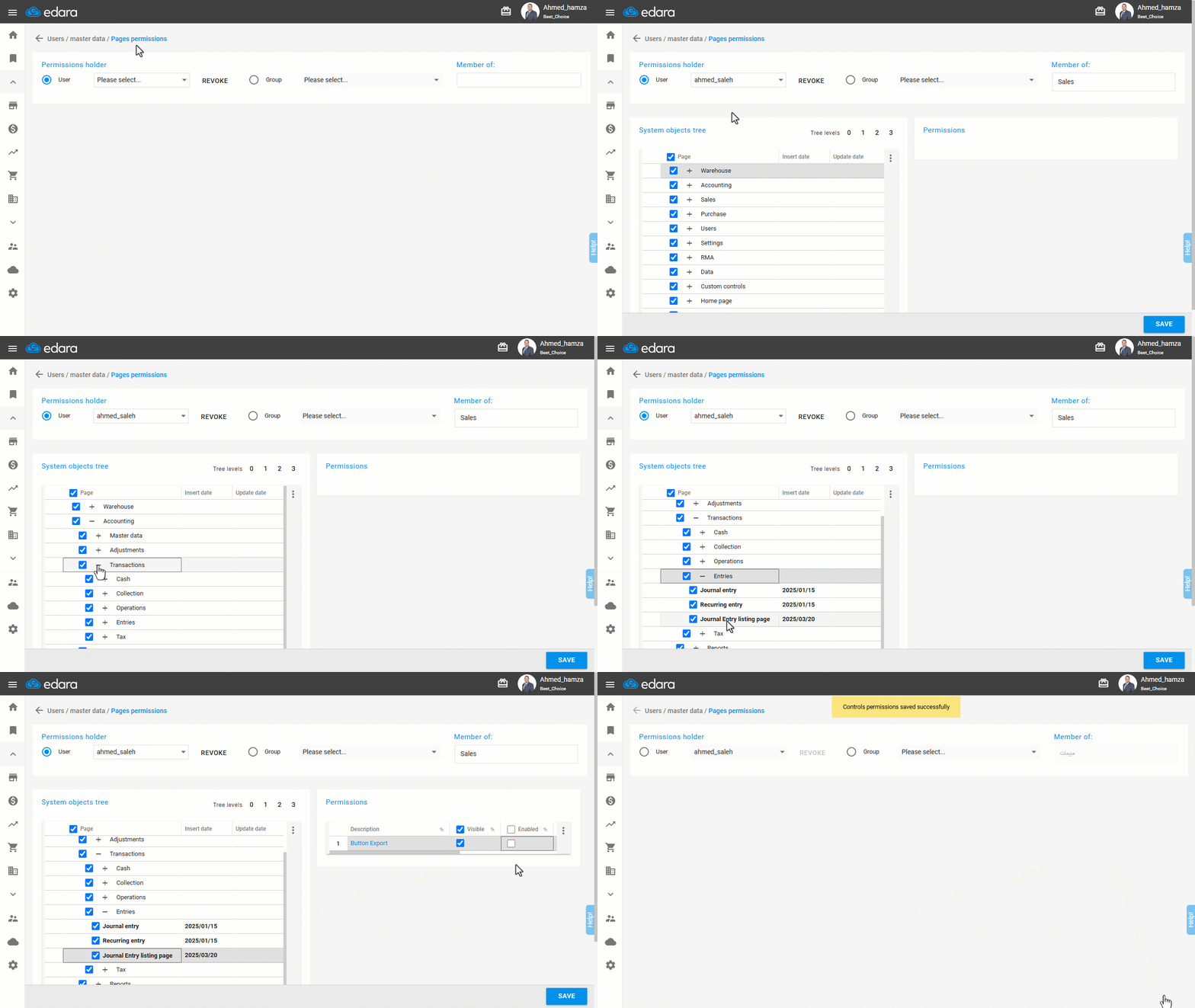
In some cases, you may allow users to view journal entry data while restricting them from exporting it. To disable export permissions:
- Go to the Users module.
- Open the "Page Permissions" page.
- Select the user or group of users to modify permissions.
- Click "+" next to (Accounting - Transactions - Entries).
- Click on "Journal Entry Listing Page".
- Uncheck the box ☑ for the “Enabled” option behind the “Export” button.
- Click on "Save".
Frequently asked questions
What is the maximum number of rows I can export?
If the export exceeds the maximum allowed number of rows, a warning message will appear, indicating that the limit is 50,000 rows (The data will be exported while ensuring that no related information is lost. For example, if the last JE contains multiple rows and part of it falls within the allowed limit while the other part exceeds it, the entry will be excluded to maintain completeness).
If you encounter any challenges or have questions during these processes, you can contact our technical support team, who are ready to assist you at any time.