

Printing a Journal Entry
Last updated:
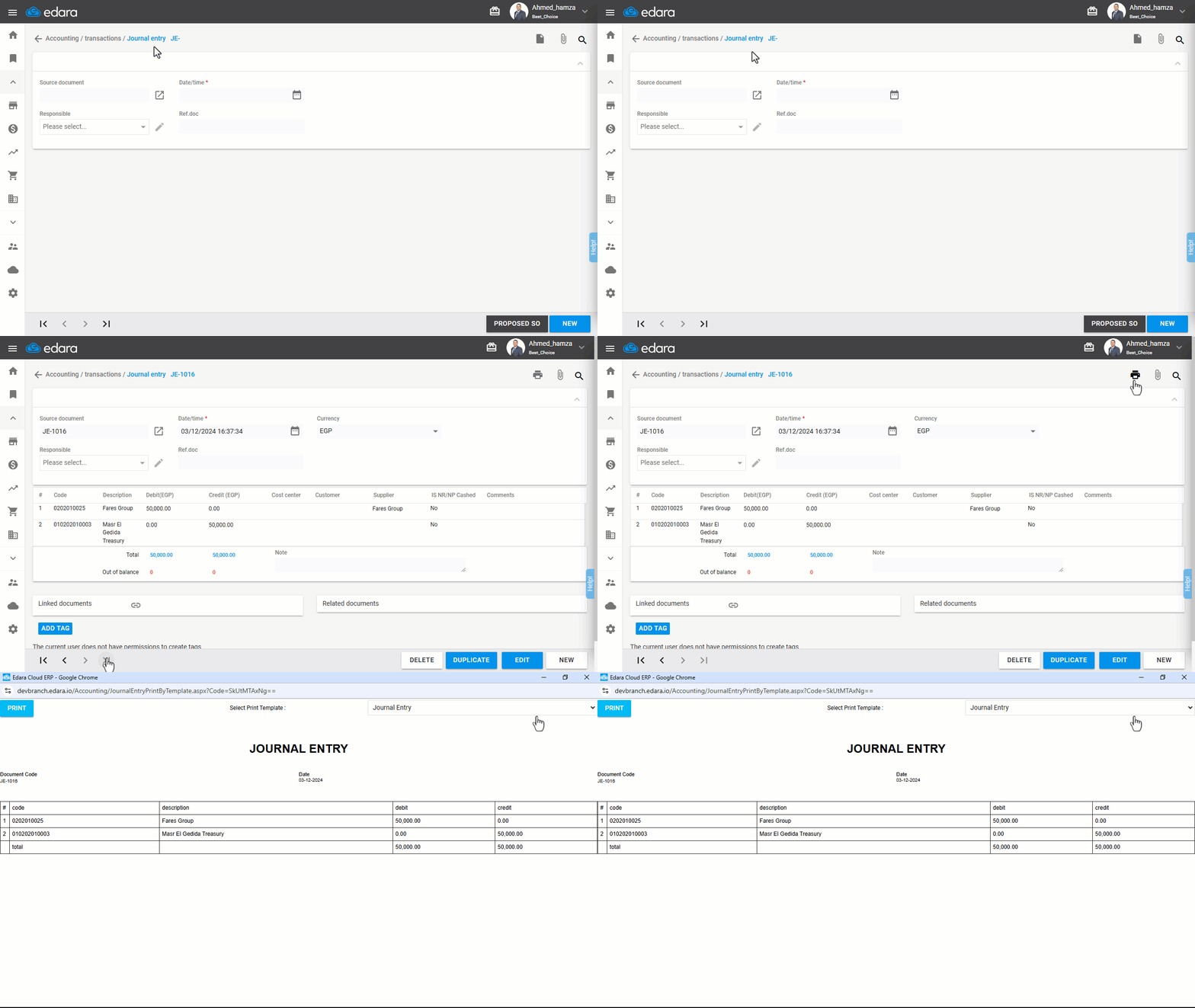
To ensure accurate documentation of financial transactions, you can easily print journal entries through "Edara." This provides a physical copy of the journal entries to maintain records and analyze them later.
Printing a Journal Entry
First, ensure you have permission to print documents, then:
- Go to the Accounting module.
- Open the Journal Entry page.
- Search for the journal entry you want to print using the arrows at the bottom of the screen or the 🔍 icon.
- Click on "
 "
"
If you encounter any challenges or have questions during these processes, you can contact our technical support team, who are ready to assist you at any time.
Did this answer your question?