

Printing a Production Order
Last updated:
Production orders are a vital part of the manufacturing process, coordinating the stages required to produce the final product.
To ensure these stages are carried out smoothly, you might need to print the production order as a clear reference for each step in the process.
Printing a Production Order
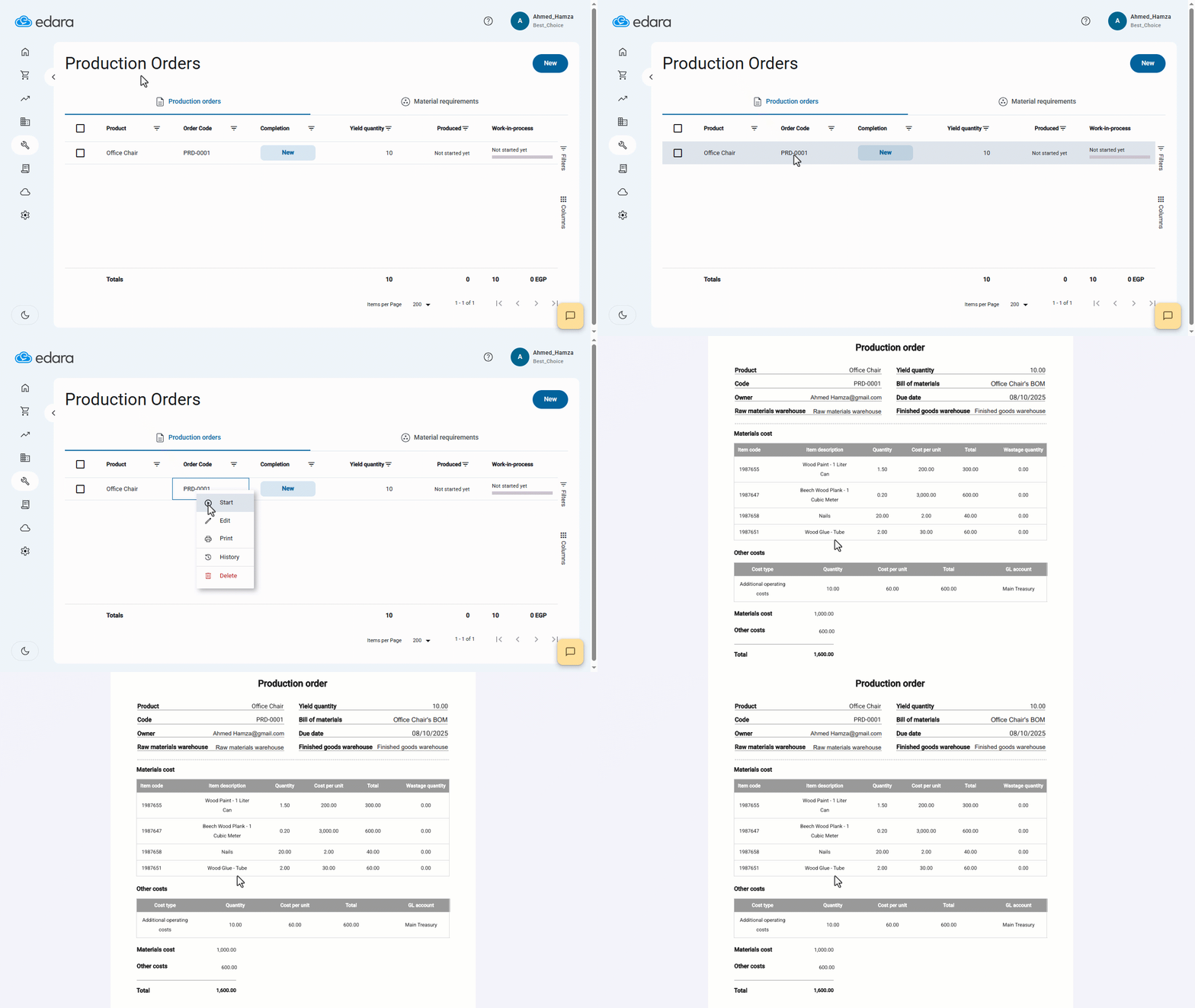
- Go to the “Manufacturing” module.
- Click on “Production Order”.
- Hover over the production order you want to print.
- Right-click on it.
- Select “Print”.
- Click on “Print” again.
If you encounter any challenges or have questions during these processes, you can contact our technical support team, who are ready to assist you at any time.
Did this answer your question?