

Editing Production Orders While In Progress
Last updated:
During the actual execution of a production order, some details may change compared to what was initially planned.
For this reason, Edara allows you to edit a production order while it is in progress, enabling you to update quantities or required data without canceling the order or restarting it from scratch.
Editing Production Orders While In Progress
- Go to the “Manufacturing” module.
- Open the “Production Order” page.
- Right-click on the production order you want to edit.
- Click on “Edit”.
- Apply the required changes.
- Click on “Save”.
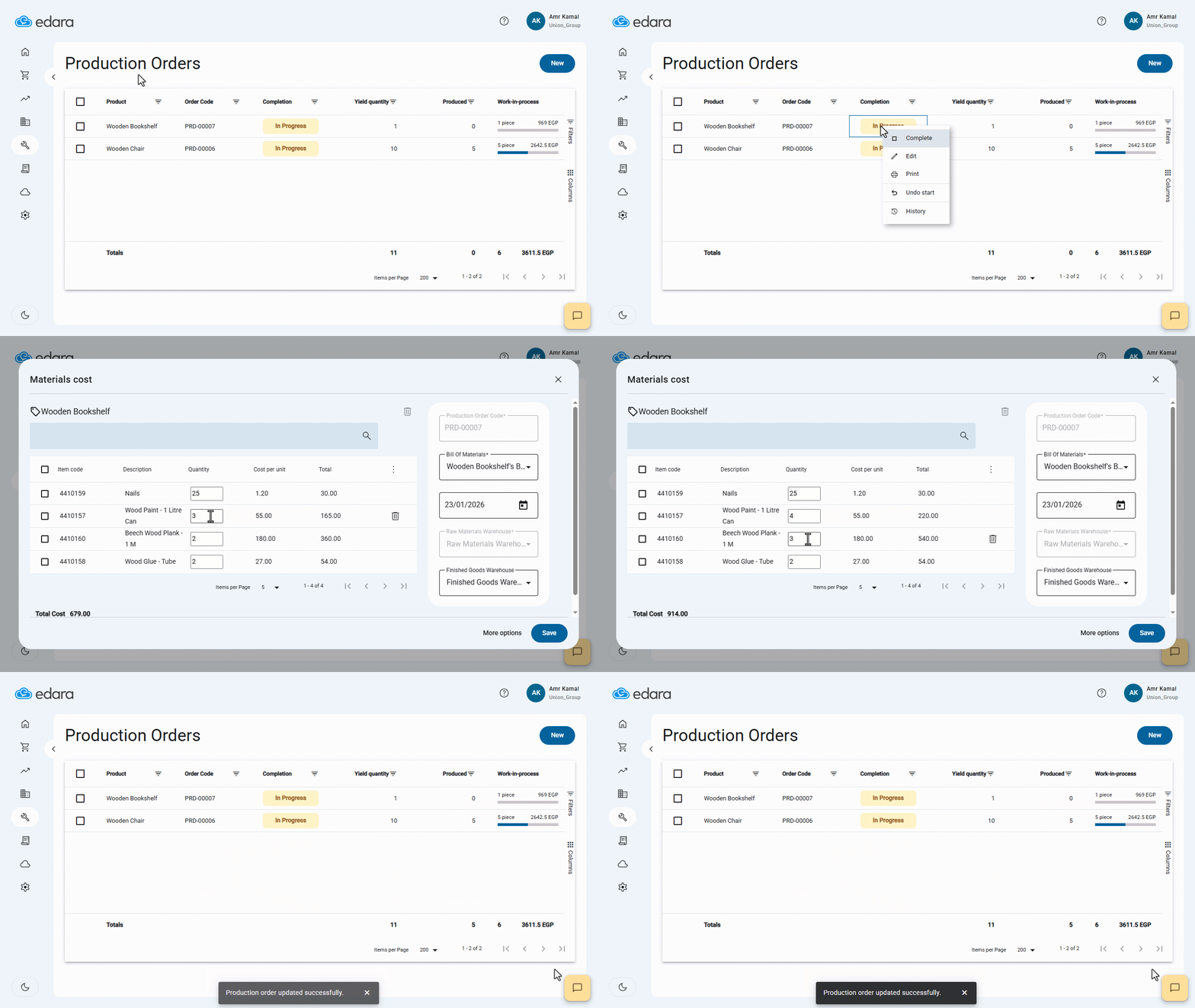
Once the changes are saved while the production order is in the In Progress status, the system automatically updates the related material Issue Offerings document in Edara 2.0 to reflect the new raw material quantities.
This ensures full alignment between production data and warehouse movements in real time, without the need for any manual intervention.
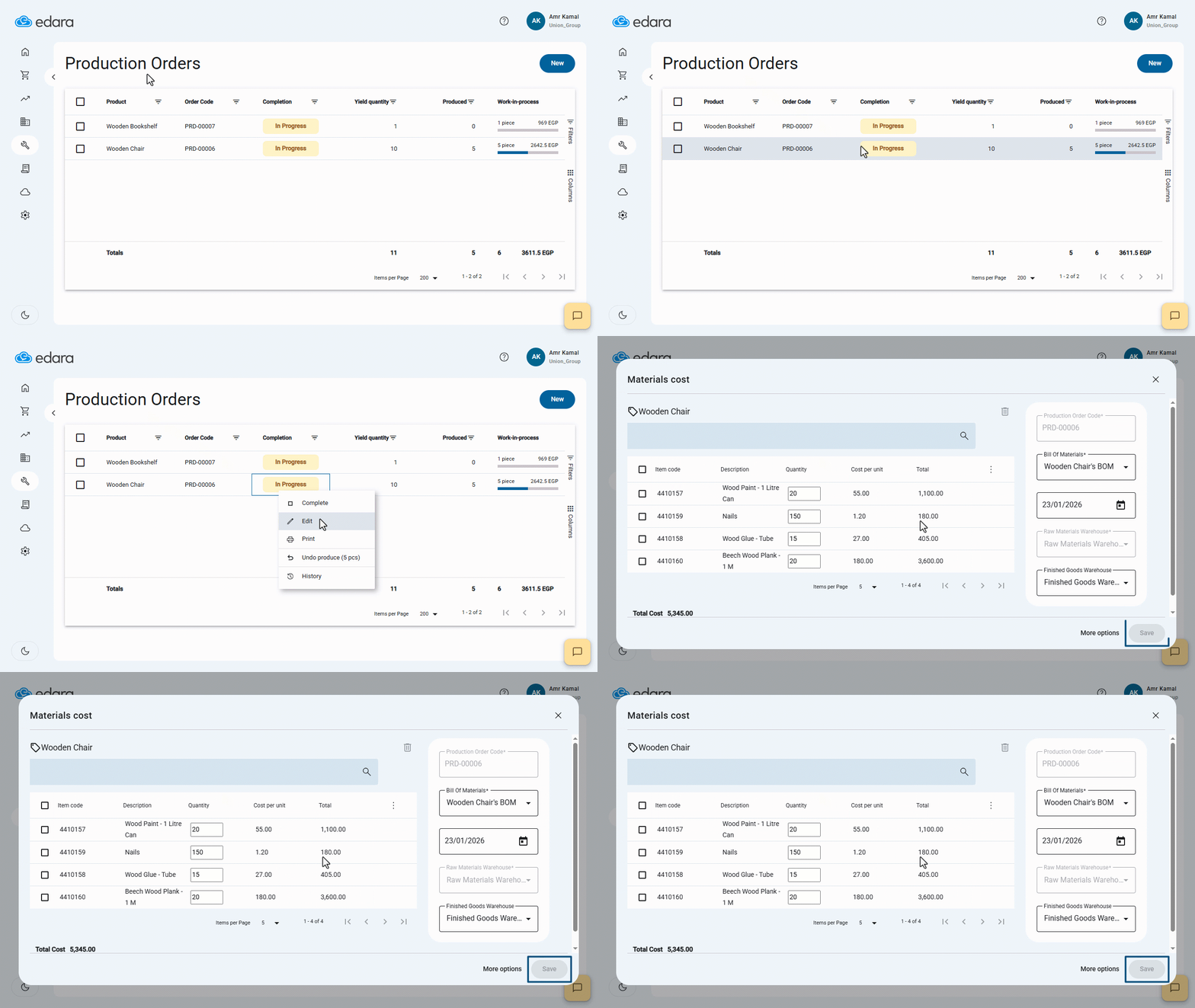
Note: In case of multi-stage production, the system does not allow editing any production order that already has produced quantities recorded, even if the order is still in progress.
Frequently asked questions
Can I edit a production order that already has produced quantities?
In case of multi-stage production, the system does not allow editing any production order that already has produced quantities recorded, even if the order is still in progress.
If you encounter any challenges or have questions during these processes, you can contact our technical support team, who are ready to assist you at any time.