

Creating a Partial Production Order
Last updated:
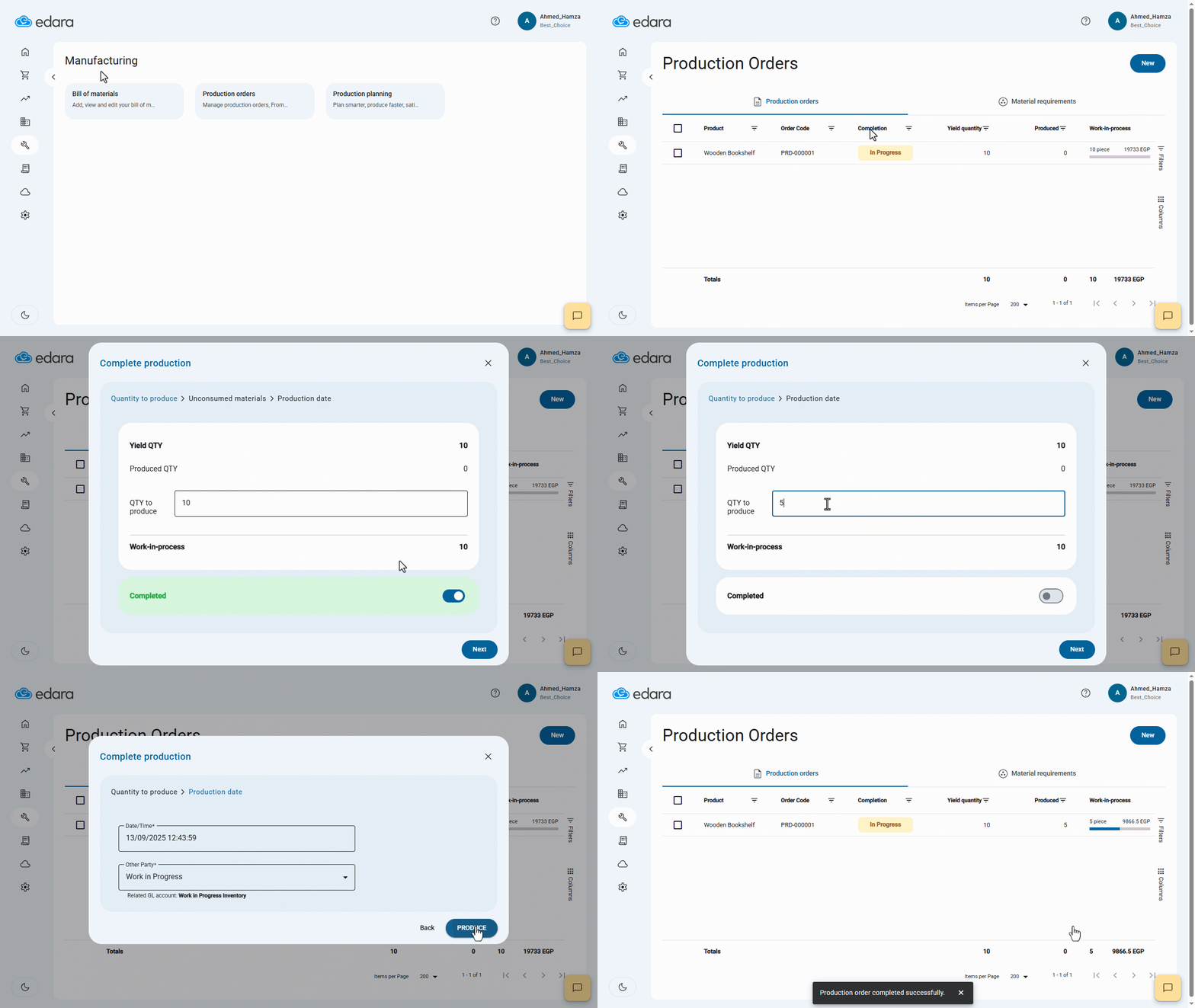
There are several situations where you may need to split a production order into multiple parts.
This may be required when you need to sell part of the product quickly and cannot wait for the entire production process to complete, or when starting a trial sale of the product to determine whether or not the production process will be completed.
Creating a Partial Production Order
- Go to the Manufacturing module.
- Click on "Production Order."
- Select the production order you want to complete.
- Right-click and choose "Complete Production."
- Uncheck "Completed."
- Enter the production quantity.
- Enter the batch number (if applicable).
- Enter the expiration date (if applicable).
- Click "Next."
- Click "Produce."
If you encounter any challenges or have questions during these processes, you can contact our technical support team, who are ready to assist you at any time.
Did this answer your question?