

Starting Production Orders in Bulk
Last updated:
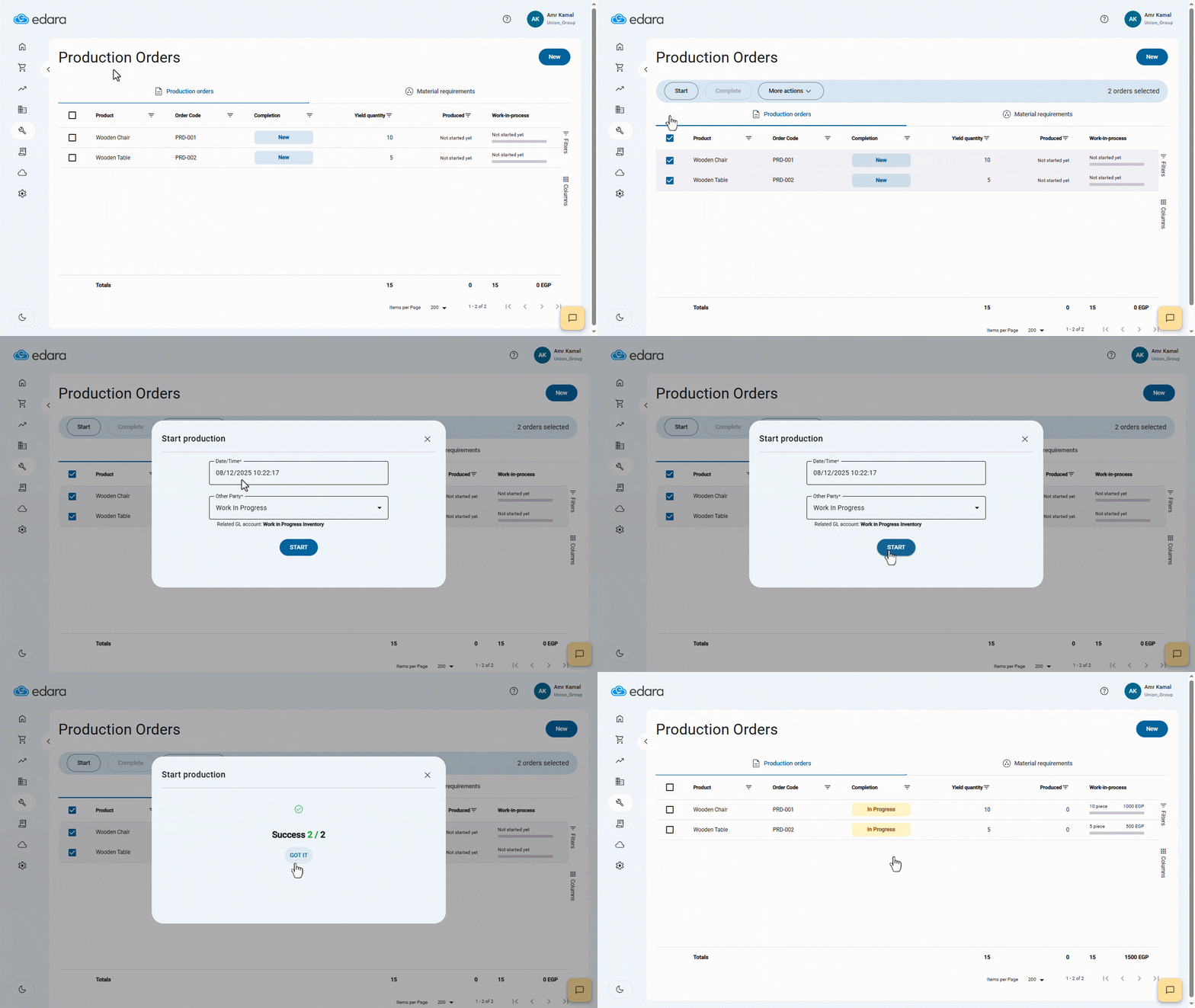
You can start multiple Production Orders at once instead of initiating each order individually.
Starting Production Orders in Bulk
Ensure that the Production Orders have already been created.
- Go to the “Manufacturing” module.
- Open the “Production Orders” page.
- Select the orders you want to start that are in the “New” status.
- Click on “Start”.
- Select time and date.
- Select the other party.
- Click on “Start”.
A message will appear confirming that the operation was successful.
- Click on “Got It”.
Notes:
- If any or all of the orders fail to start, you can download an Excel file to identify the reasons for the failures and resolve them.
- A production order for a product that uses a batch number can only be started individually.
If you encounter any challenges or have questions during these processes, you can contact our technical support team, who are ready to assist you at any time.
Did this answer your question?