

Undo Starting a Production Order
Last updated:
Sometimes, a production order might be started by mistake, leading to the unintended issuance of raw materials. This can affect stock accuracy and disrupt production planning.
To resolve this, “Edara” allows users to undo a production order that was mistakenly started. This action automatically deletes the system-generated document and restores the production order to its pre-start status.
Undo Starting a Production Order
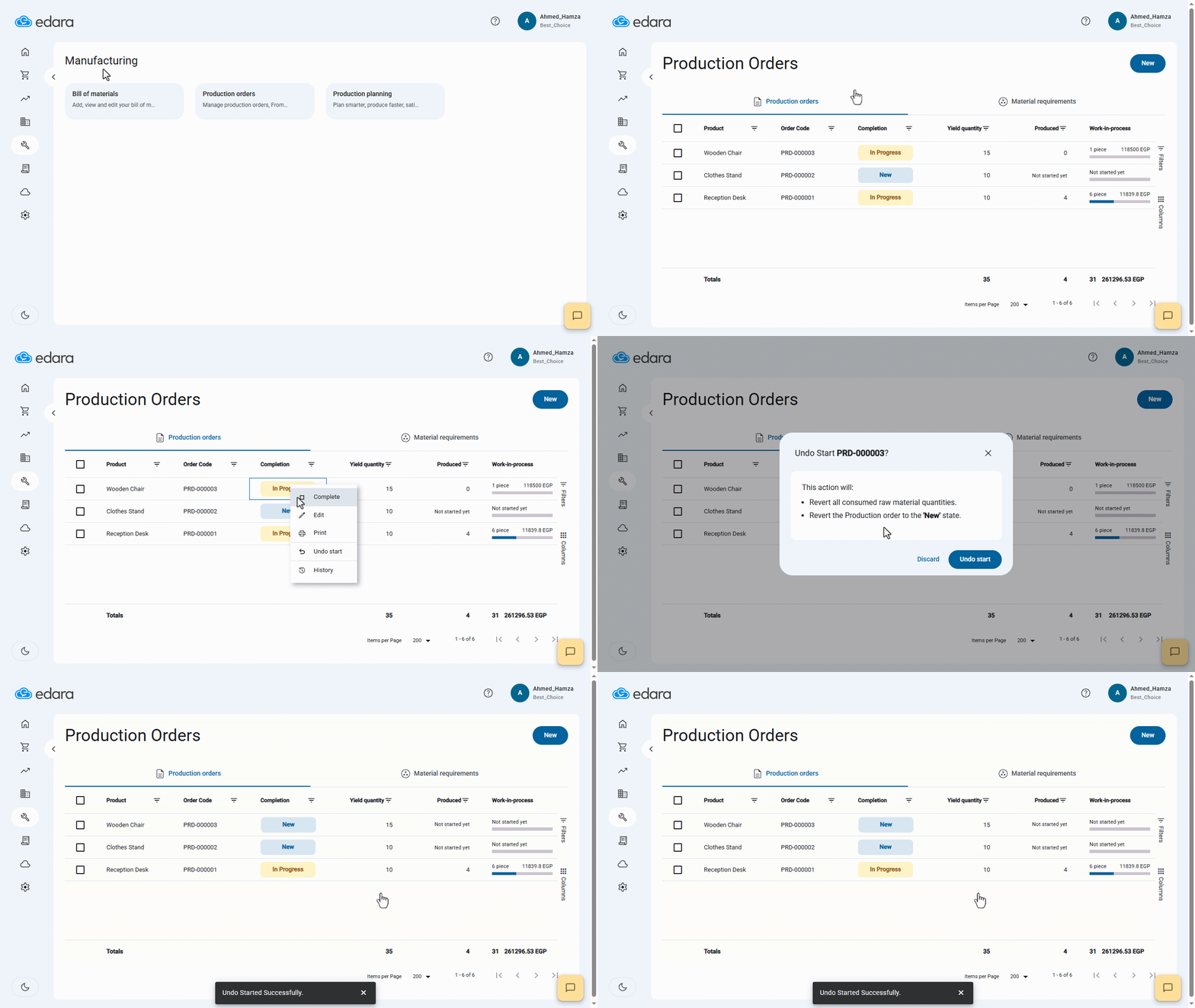
- Go to the Manufacturing module.
- Open the “Production Orders” page.
- Right-click on the production order you want to undo.
- Select “Undo Start”.
- Confirm by clicking “Undo Start” again.
If you encounter any challenges or have questions during these processes, you can contact our technical support team, who are ready to assist you at any time.
Did this answer your question?