

Setting Default Warehouses for Raw Material Issuance and Finished Goods
Last updated:
When planning production, you need to set default warehouses for issuing raw materials and receiving finished products to ensure accurate inventory management.
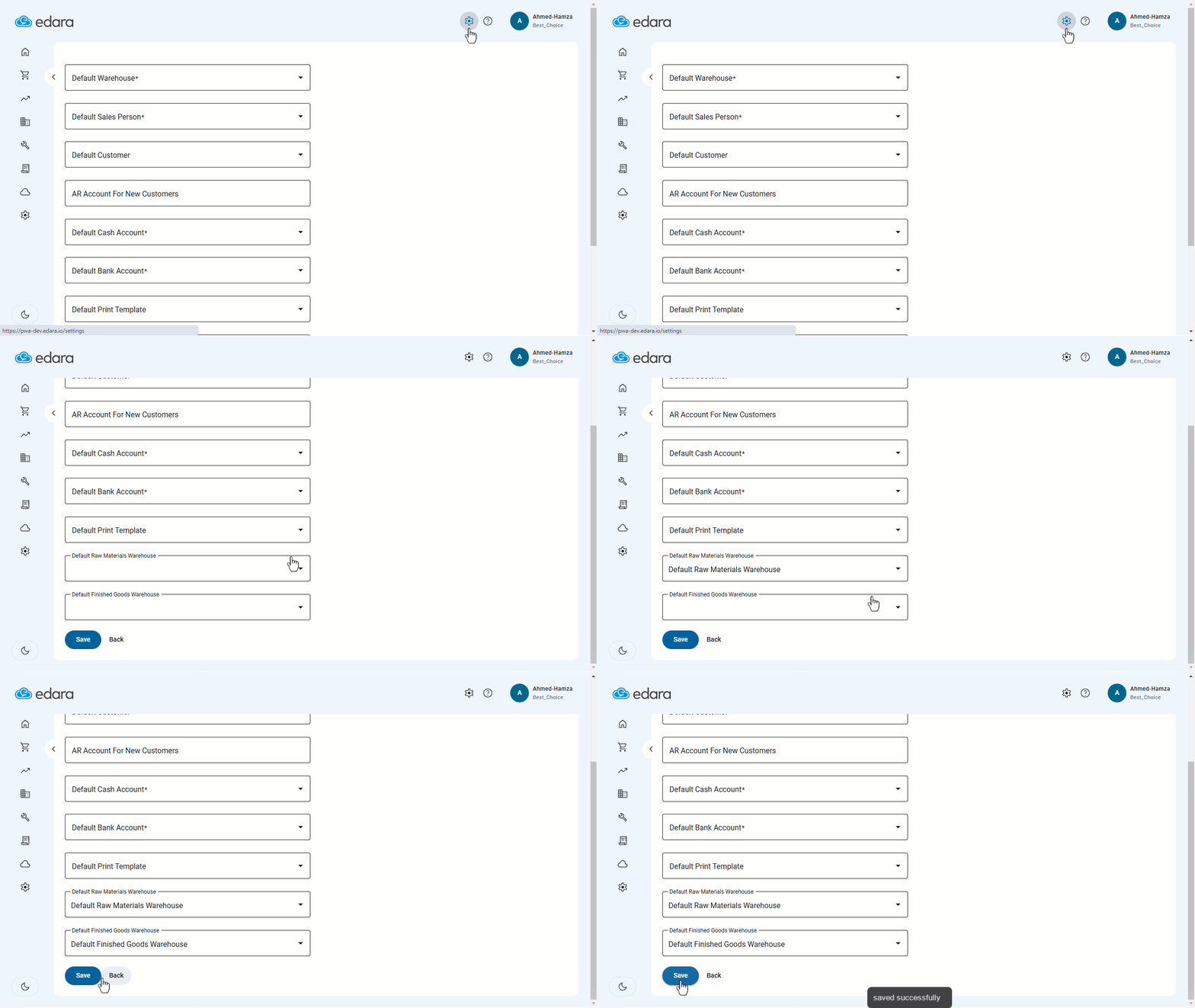
Setting Default Warehouses for Raw Material Issuance and Finished Goods
- Click on the ⚙️ icon.
- Select the default raw materials warehouse from the dropdown menu.
- Select the default finished goods warehouse from the dropdown menu.
- Click "Save."
If you encounter any challenges or have questions during these processes, you can contact our technical support team, who are ready to assist you at any time.
Did this answer your question?