

Adjusting User Defaults in “Edara 2.5”
Last updated:
“Edara” allows the system administrator to specify default settings for each user on the system from one place, which helps save time and makes it easier to work on the system.
Adjusting User Defaults in “Edara 2.5”
- Go to “System”.
- Open the "Settings" page.
- Select the Settings (V 2.5) page (this page is only visible to the system administrator).
- Click on "User Defaults".
- Select the user whose settings you want to adjust.
- Select the settings for this user.
- Click on "Save".
Note: The settings available to adjust on this page are:
- Warehouse.
- Salesperson.
- Customer (Type the customer's name and press “Enter” on your keyboard to search for them).
- AR account (Default AR account assigned for newly created customers).
- Cash account.
- Bank account.
- Print template.
- Raw materials Warehouse.
- Finished Goods Warehouse.
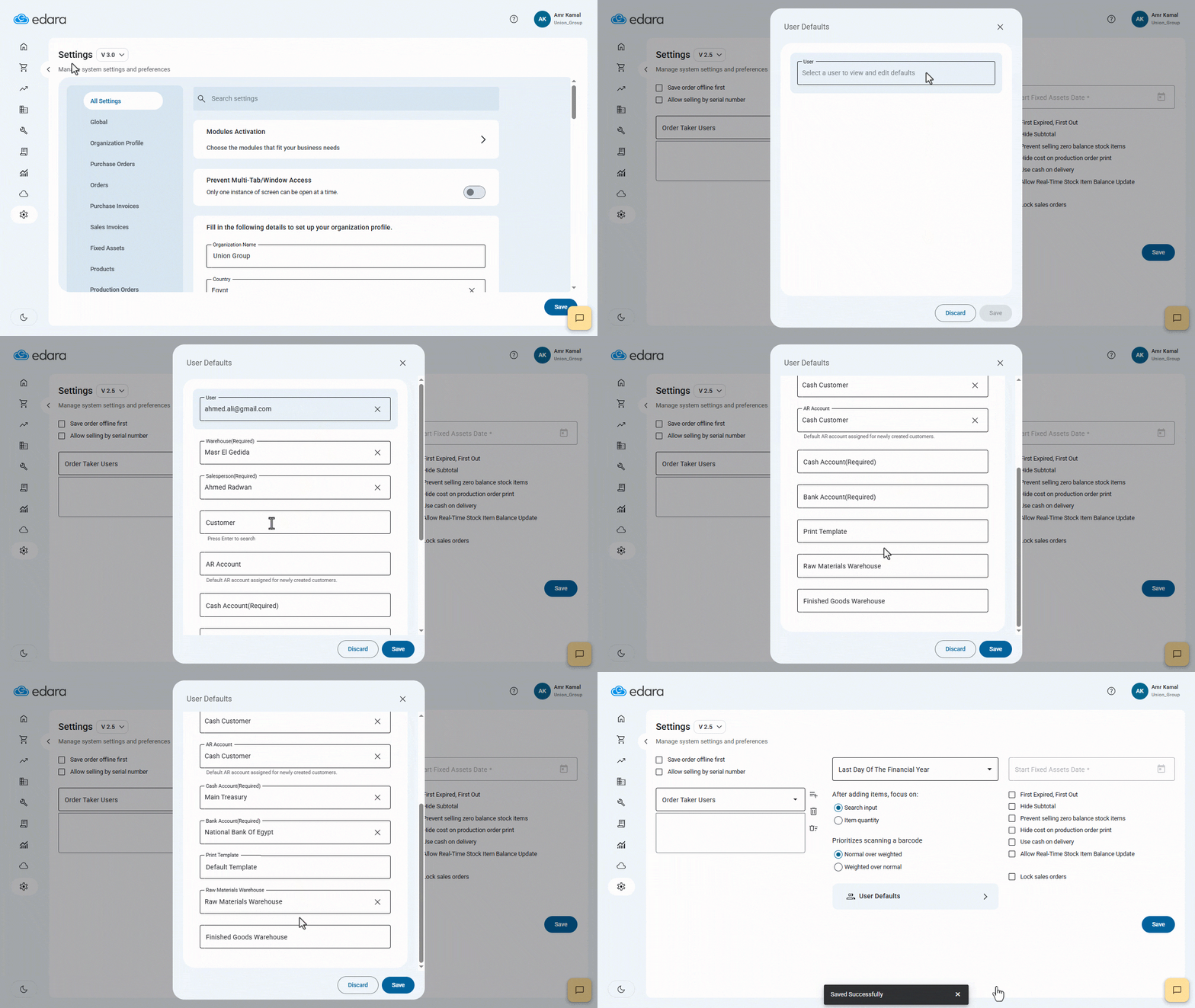
Note: You can specify default settings for all users on the system by repeating the same steps above, changing the username each time.
Frequently asked questions
Which settings can be set for each user?
The settings available to adjust on this page are: Warehouse, Salesperson, Customer (Type the customer's name and press “Enter” on your keyboard to search for them), AR account (Default AR account assigned for newly created customers), Cash account, Bank account, Print template, Raw materials Warehouse, Finished Goods Warehouse.
If you encounter any challenges or have questions during these processes, you can contact our technical support team, who are ready to assist you at any time.