

Specifying the POS version
Last updated:
When planning the transition from “POS 2.5” to “POS 3.0”, some companies may choose to implement this step gradually, rather than making a complete switch all at once. The system administrator needs to determine the appropriate POS version for each user within the organization.
"Edara" allows each user's settings to be adjusted independently, and the version they work on depending on the stage of the transition, or the system administrator can choose a single version for all users to work on, whether it is “POS 2.5” or “POS 3.0”, to suit the company's needs and development plans.
Specifying the POS version
- Go to the system.
- Open the "Settings" page.
- Click on "Modules Activation".
- Select the POS version (V 3.0 - V 2.5 - User-level).
- Click on "Save".
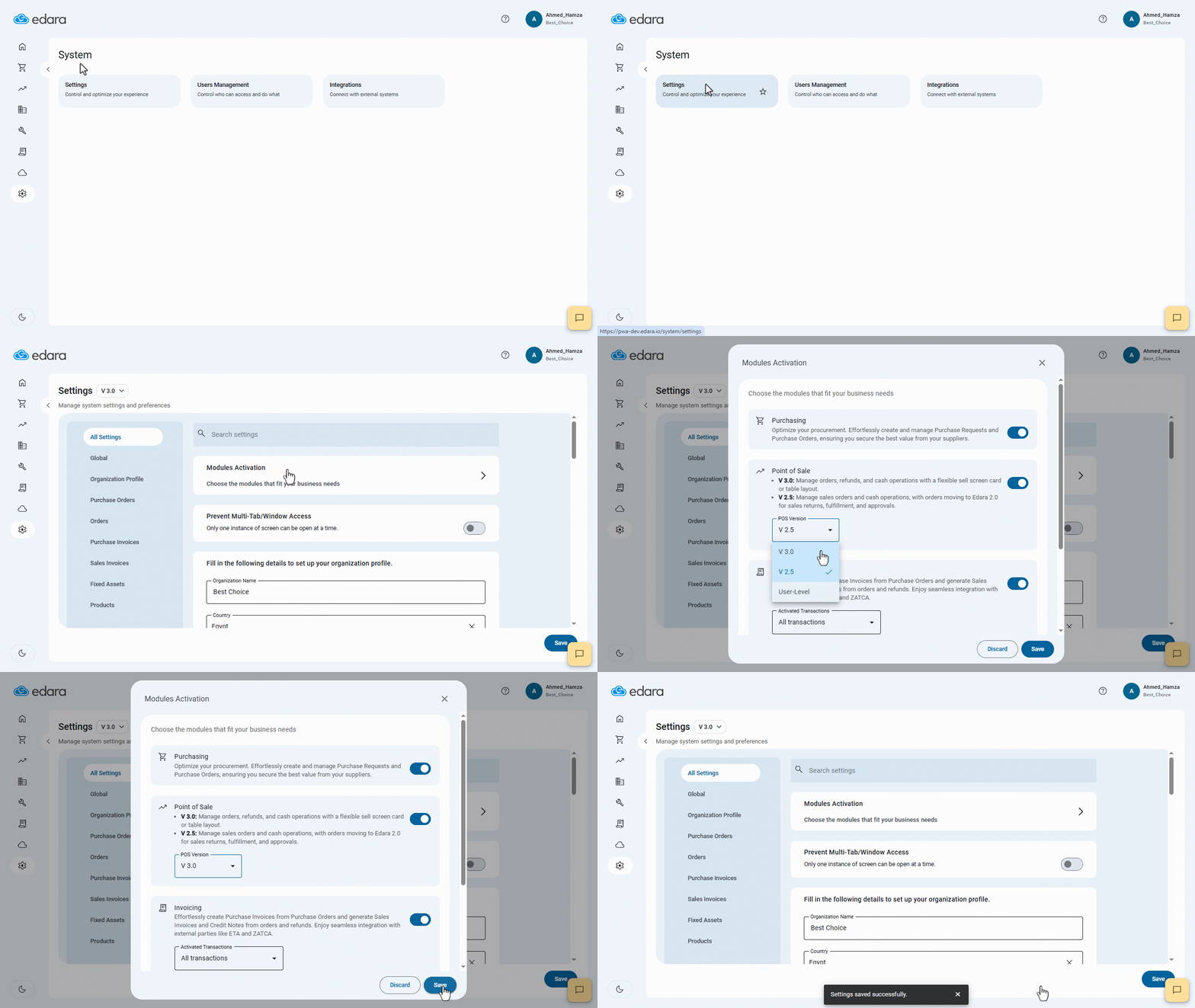
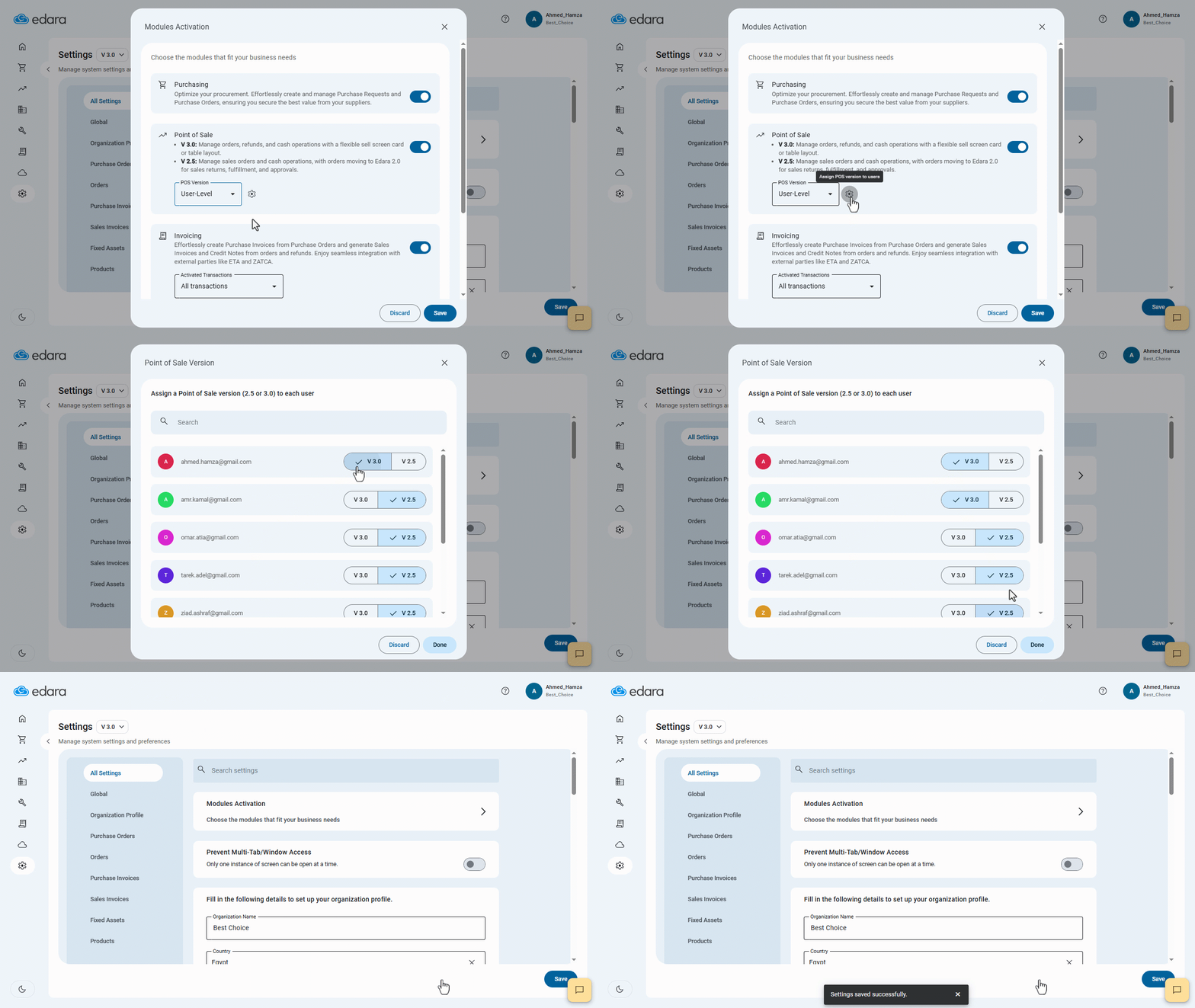
Note: When you select the POS version to be "User-level", you will need to complete a few steps, as follows:
- Click on "
 ".
". - Select the version for each user.
- Click on "Done".
- Click on "Save".
Frequently asked questions
How do I set a different version for each user?
When you select the POS version to be "User-level", you will need to complete a few steps, as follows: Click on "", Select the version for each user, Click on "Done", Click on "Save".
If you encounter any challenges or have questions during these processes, you can contact our technical support team, who are ready to assist you at any time.