

Upgrading Purchases to Version 3.0
Last updated:
When managing purchase orders, you may need to track and organize them more quickly and easily. Upgrading to Purchases 3.0 gives you access to new features that help you enter, review, and monitor orders more efficiently, with a clearer interface that simplifies daily operations without any complexity.
Upgrading Purchases to Version 3.0
Before you start, make sure that you have access to the “Modules Activation” page.
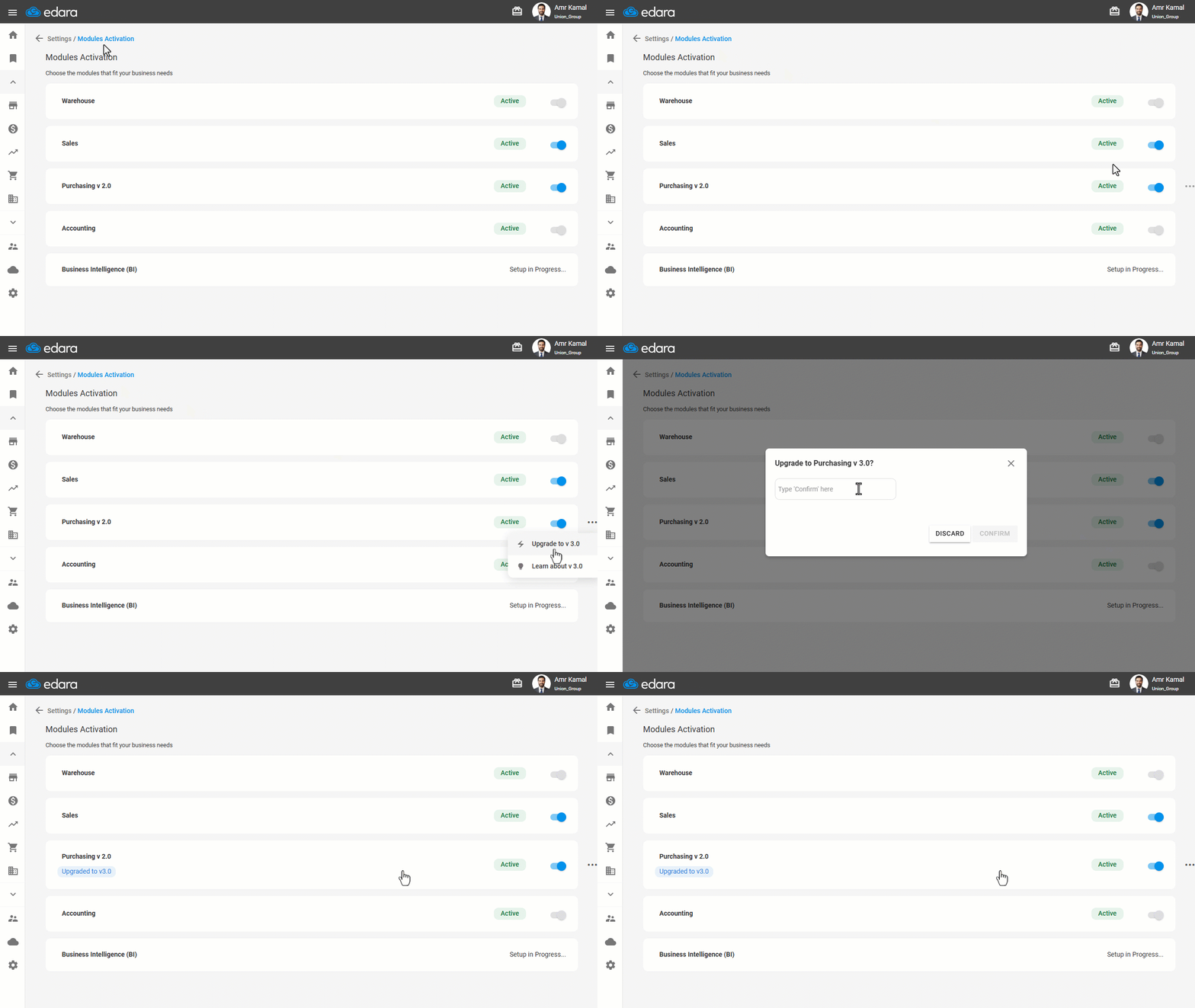
- Go to “Settings”.
- Open the ”Modules Activation” page.
- Click on the “
 ” icon next to the Purchases module.
 - Click on “Upgrade to V 3.0”.
A confirmation window will appear to verify your request.
- Type “Confirm”.
- Click on “Confirm”.
The status will be updated to “Upgraded to V 3.0”, and the “Supplies request” page will appear under the “Warehouse” module
Note: After the upgrade, the creation of new purchase orders from “Edara 2.0” purchases is suspended, while warehouse receipts and accounting entries continue through “Edara 2.0”.
Frequently asked questions
Can I still create purchase orders in “Edara 2.0” Purchases after the upgrade?
After the upgrade, the creation of new purchase orders from “Edara 2.0” purchases is suspended, while warehouse receipts and accounting entries continue through “Edara 2.0”.
If you encounter any challenges or have questions during these processes, you can contact our technical support team, who are ready to assist you at any time.