

Allowing Selling by Serial Number
Last updated:
When selling stock items defined with serial numbers, it is essential to ensure that each stock item matches its serial number and to verify the availability of quantities and the fulfillment of serial numbers for each product.
Therefore, “Edara” allows you to enable Selling by Serial Number to accurately verify stock items and their quantities, and prevent any errors during sales.
Allowing Selling by Serial Number
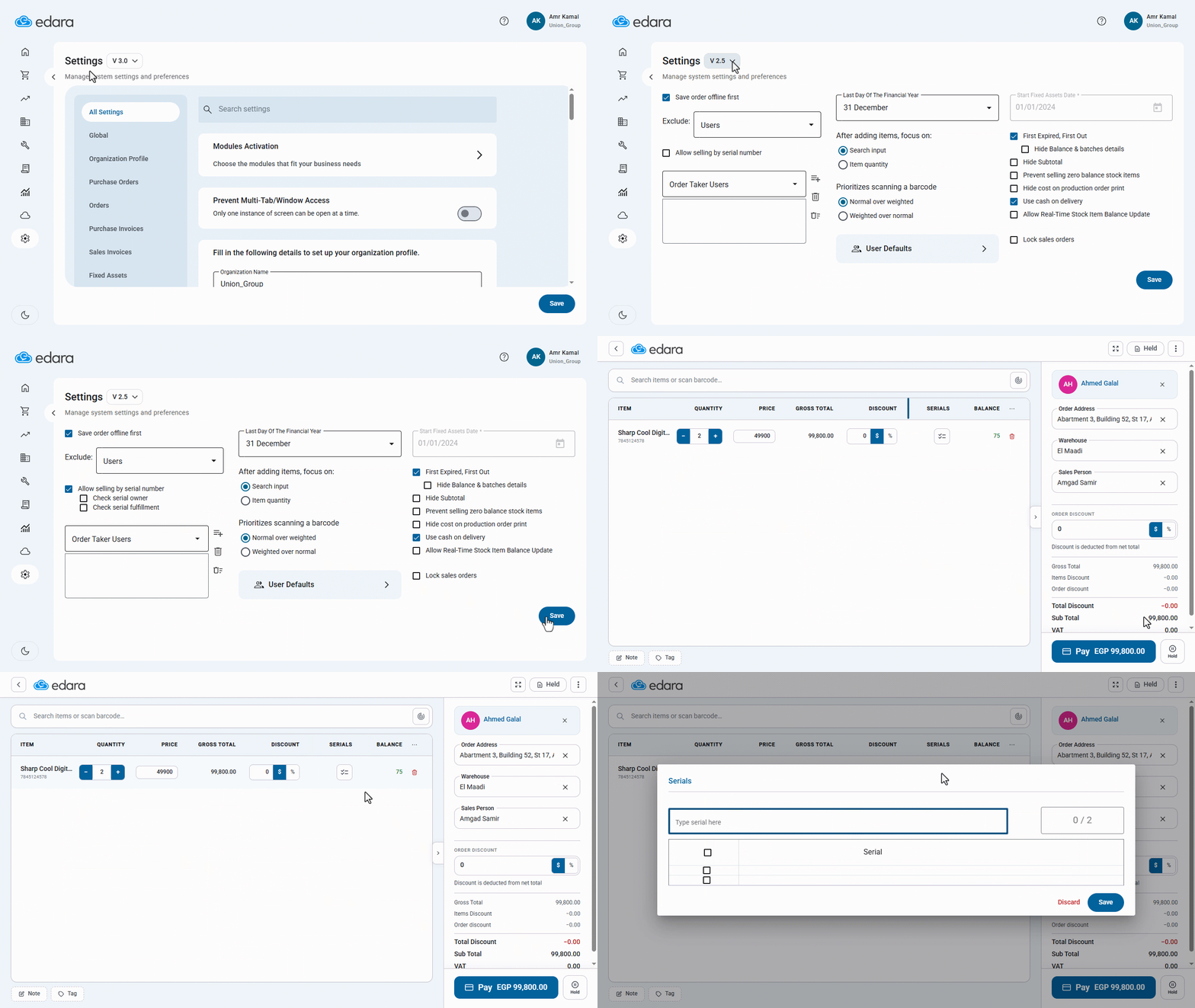
- Go to “System”.
- Open the “Settings” page.
- Select the Settings (V 2.5) page (this page is only visible to the system administrator).
- Enable the “Allow Selling by Serial Number” option.
- Click on “Save”.
When this option is enabled, a “Serials” column will appear within the sales order, allowing you to enter the serial numbers of stock items when creating the sales order. You can also search for stock items using the serial number.
You can then control the serial number verification process using the following options:
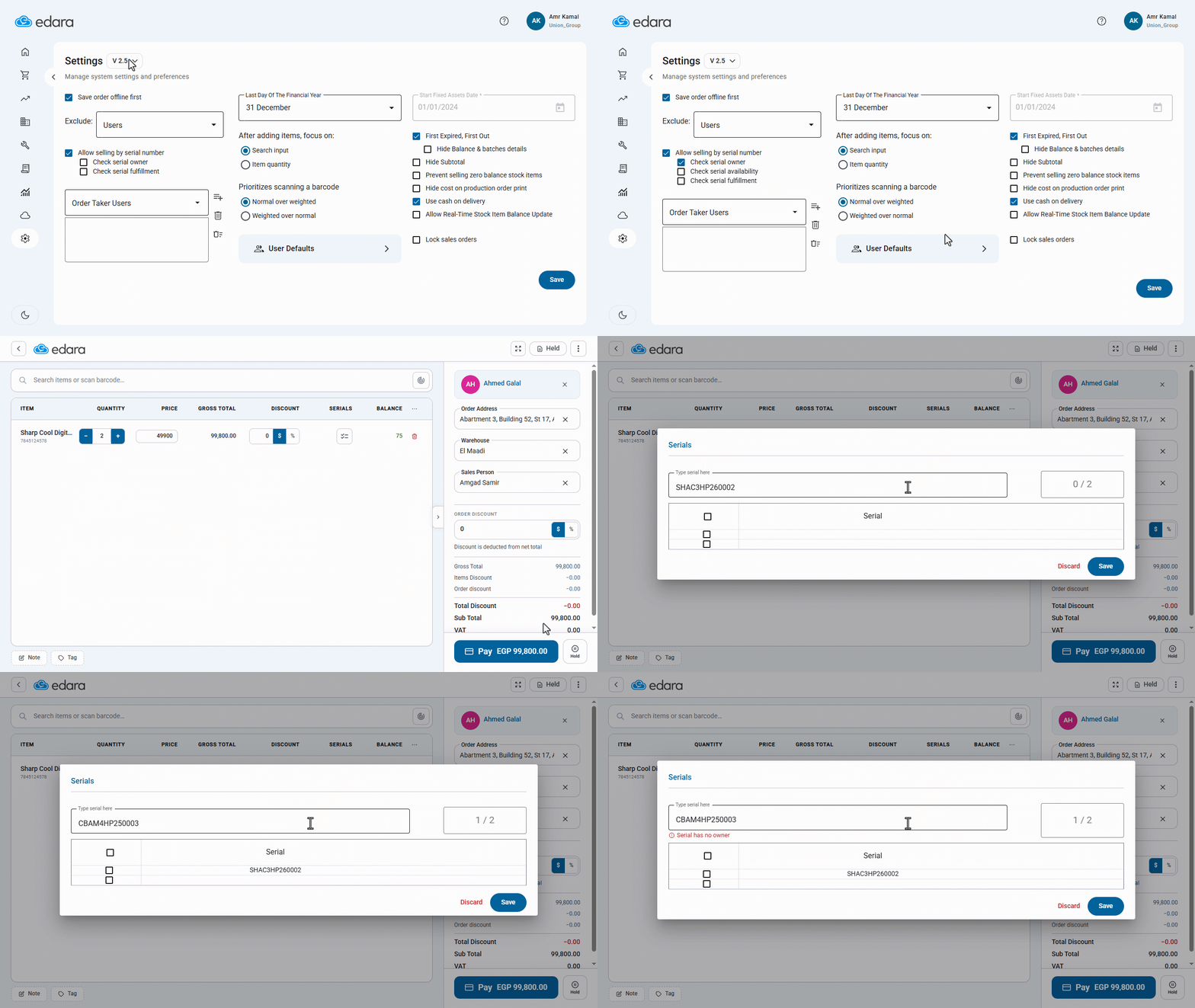
1- Check Serial Owner:
To check that the stock item uses a serial number, if a serial number not related to the stock item is entered, an error message will appear: “Serial has no owner”.
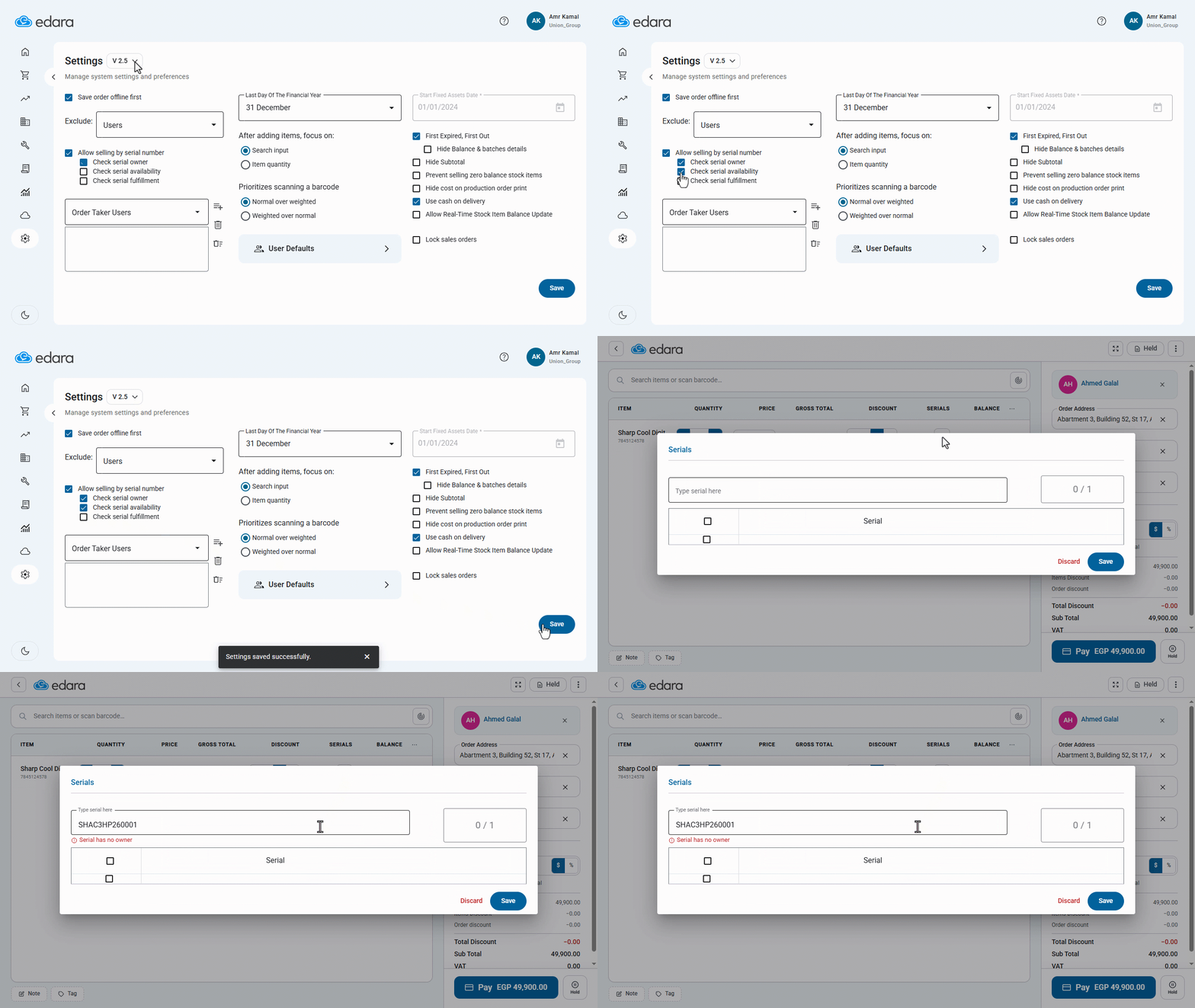
2- Check Serial Availability:
This option appears after you enable “Check Serial Owner” and verifies that there are available quantities for this serial number (quantity greater than zero). If there is no available balance for the serial number, an error message will appear: “Serial has no owner”.
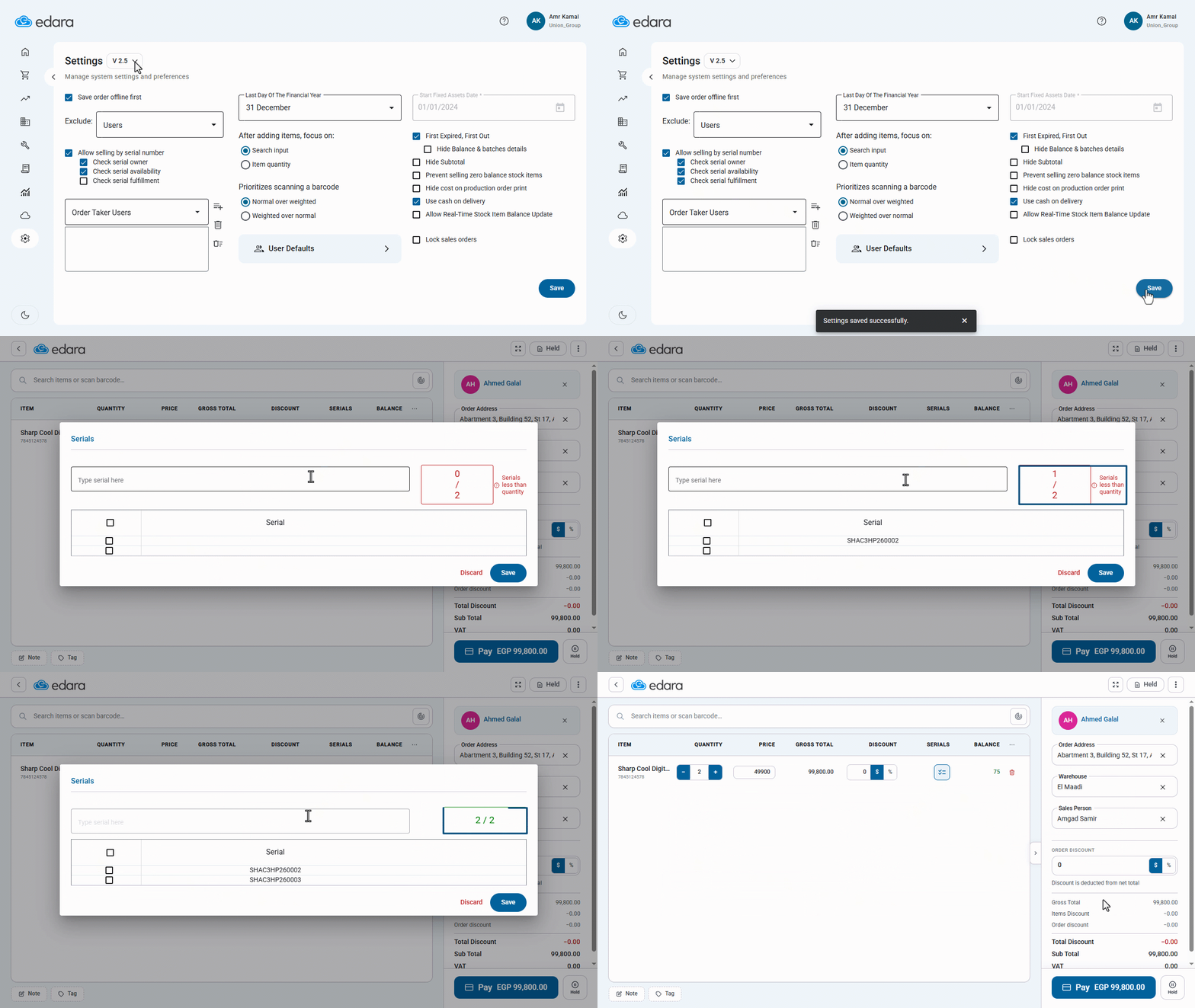
3- Check Serial Fulfillment:
Verify that the serial number data has been entered correctly, ensuring that the quantity of stock items ordered matches the number of serial numbers. If fewer serial numbers are entered than the quantity ordered, an error message stating “Serials less than quantity” will appear
If you encounter any challenges or have questions during these processes, you can contact our technical support team, who are ready to assist you at any time.