

Viewing Stock Item Movements by Serial Number
Last updated:
Suppose you need to track a serial number or identify any issues caused by entering an incorrect serial number.
In that case, you can easily pinpoint the problem using the "Viewing Stock Item Movements by Serial Number" feature, which enables you to monitor all movements associated with a specific serial number seamlessly.
Viewing Stock Item Movements by Serial Number
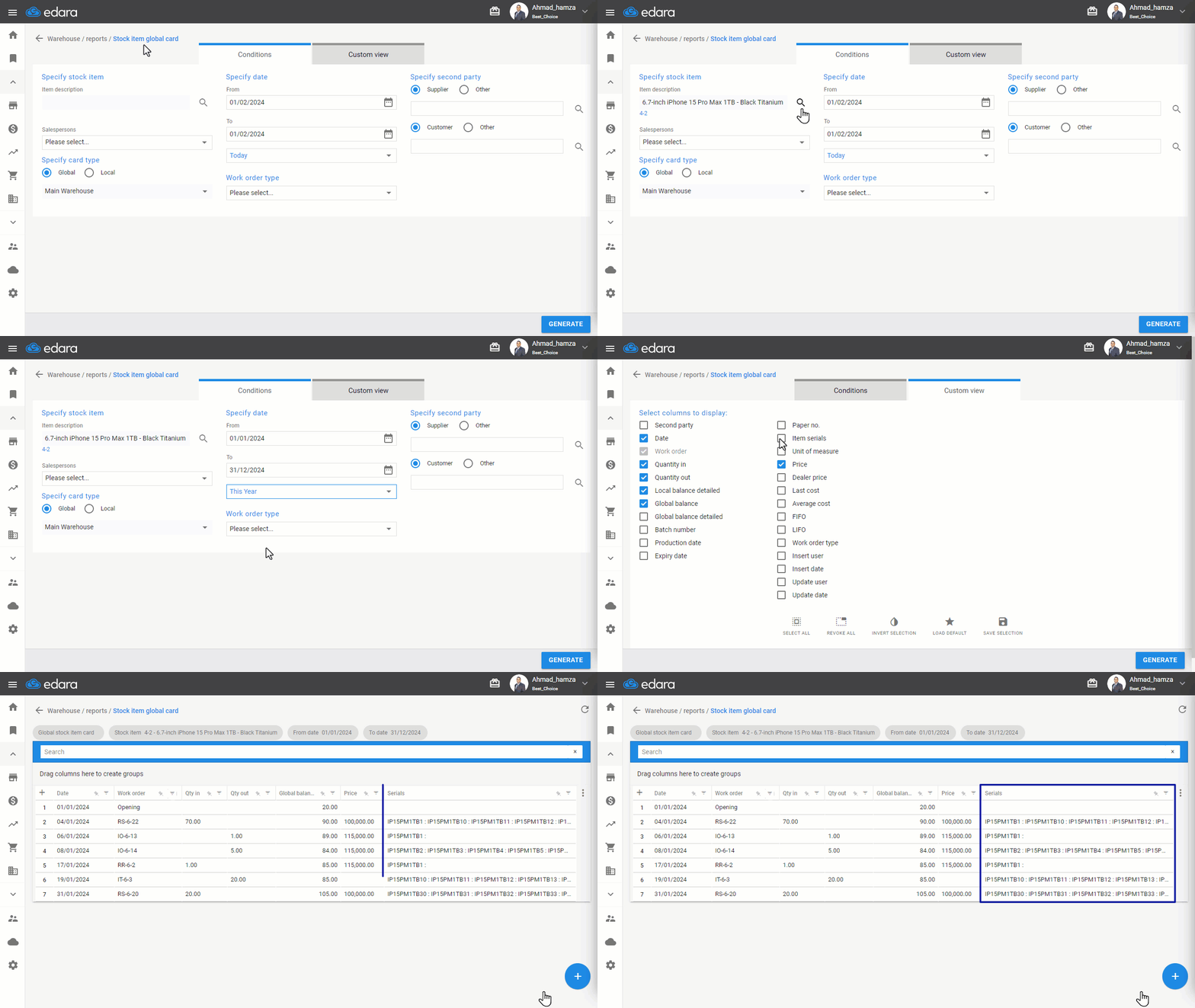
- Go to the Warehouse Module.
- Click on "Detailed Stock Item Card".
- Click on the search icon in the item description to select the item.
- Specify the period during which you want to view the item movements.
- Select the "Item Serials" column in the "Custom View" section.
- Click "Generate".
If you encounter any challenges or have questions during these processes, you can contact our technical support team, who are ready to assist you at any time.
Did this answer your question?