

New Layout for Sales Order 2.5
Last updated:
The Sales Order Layout 2.5 provides a smoother experience during sales operations by improving data display within the sales order page, expanding the stock item viewing area, and presenting totals and held orders more clearly and accurately.
New Layout for Sales Order 2.5
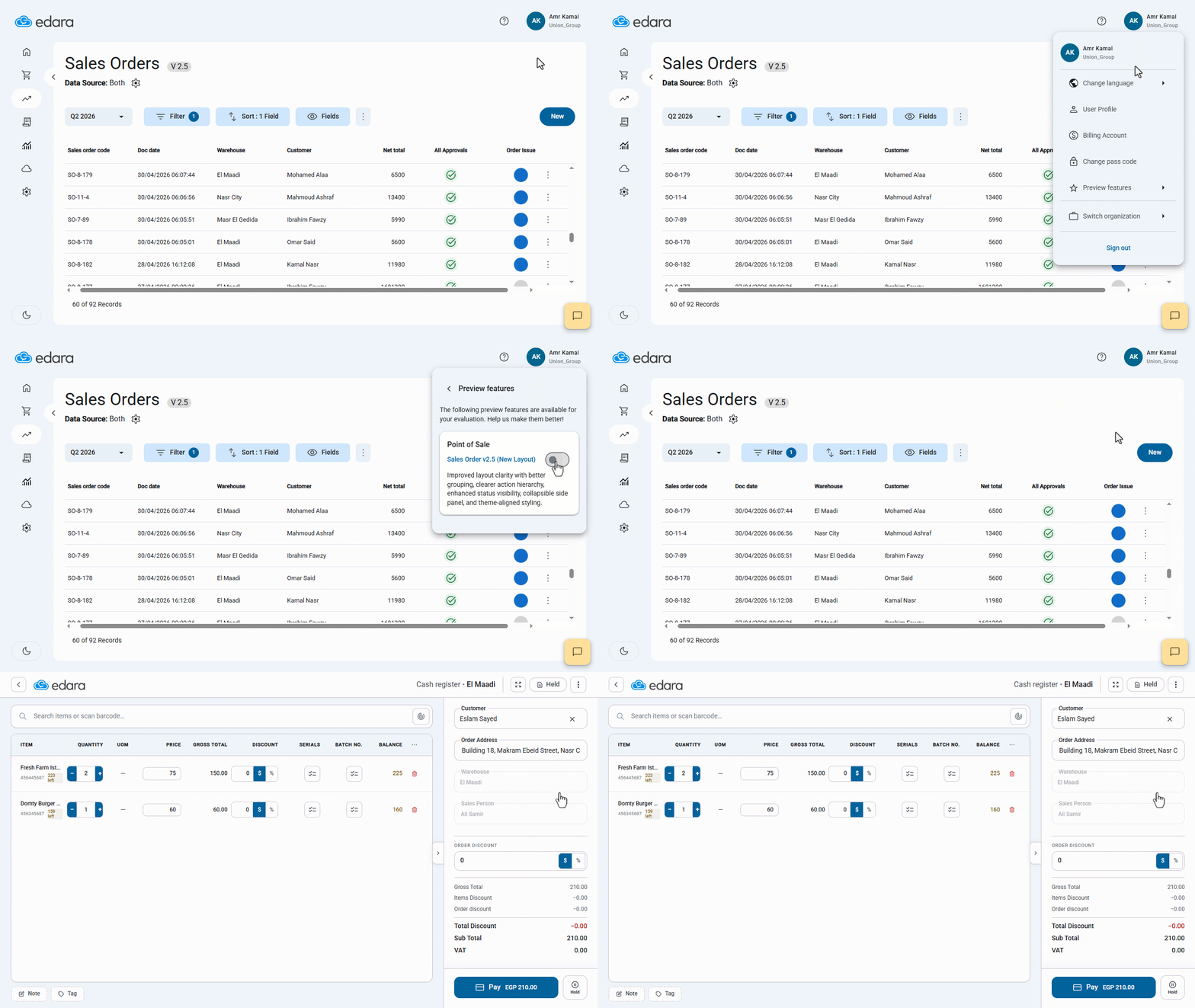
- Click on your username at the top of the screen.
- Go to “preview features”.
- Enable the “Sales Order v2.5 (New Layout)” option.
Once the setting is enabled, the new Sales Order Layout will be applied immediately.
Notes:
- The default salesperson is automatically displayed in the sales order and can be replaced with another salesperson based on your permissions.
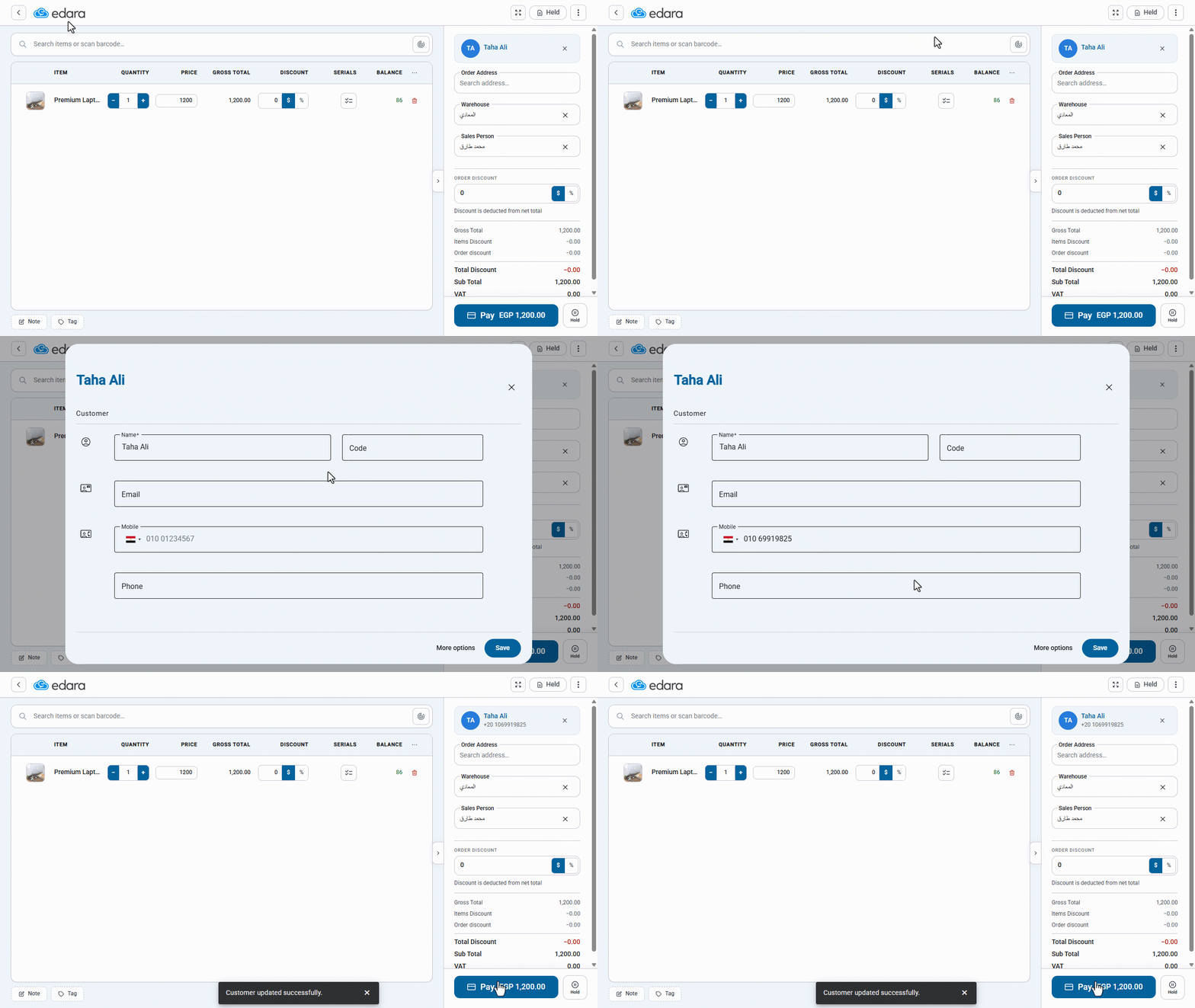
- You can edit the customer’s data directly from the sales order by clicking on the customer name to open the customer data and make the required changes.
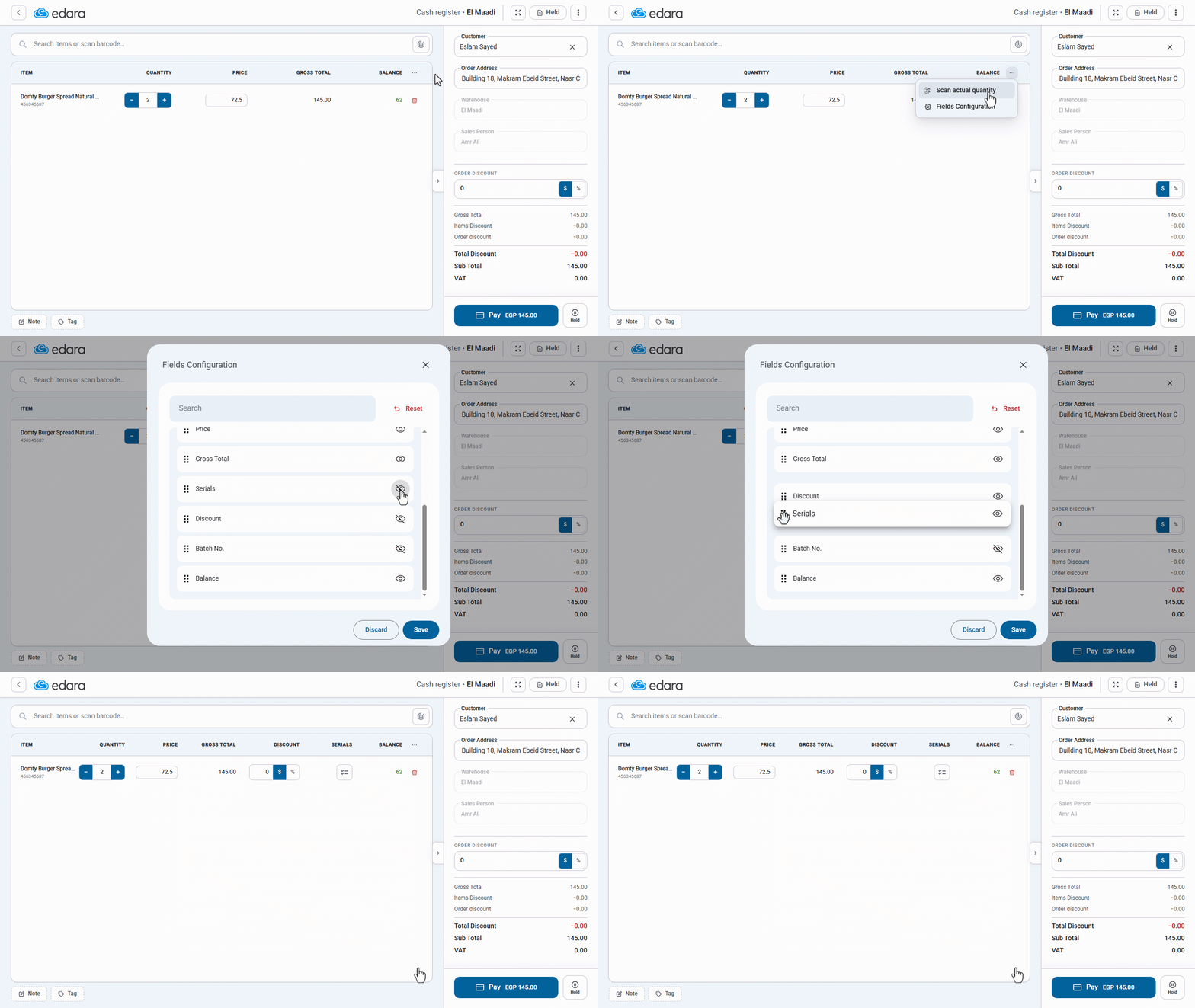
You can show or hide fields by clicking on “⋯”, then selecting “Fields Configuration”, and then clicking on “ ”. You can also reorder fields by clicking on “
 ” next to a field and dragging it up or down to adjust the field order within the table.
Frequently asked questions
Can I edit the customer's data from within the sales order?
You can edit the customer’s data directly from the sales order by clicking on the customer name to open the customer data and make the required changes.
If you encounter any challenges or have questions during these processes, you can contact our technical support team, who are ready to assist you at any time.