

Recording Unused Raw Materials
Last updated:
In manufacturing processes, accurately tracking and utilizing raw materials is essential for ensuring production efficiency and minimizing waste.
However, there are instances where production is completed without fully consuming the allocated raw materials.
To avoid waste and enhance resource management, "Edara" allows you to easily record unused raw materials upon completing production orders.
Recording Unused Raw Materials
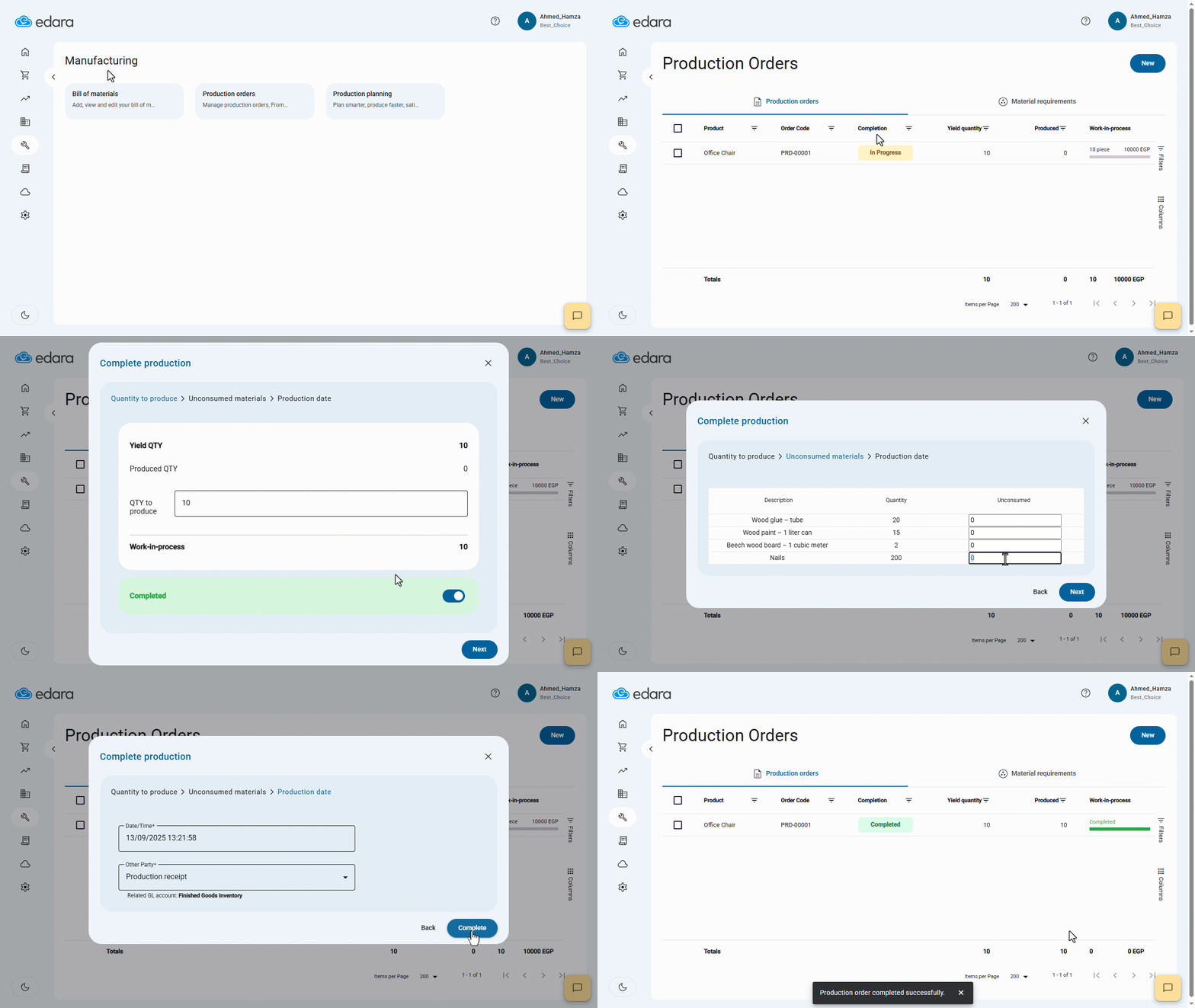
- Go to the Manufacturing module.
- Click on Production Order.
- Select the production order you wish to complete.
- Right-click and choose Complete Production.
- Enter the production quantity.
- Input the batch number (if applicable).
- Provide the expiration date (if applicable).
- Click “Next”.
- Enter the unused quantity.
- Click “Next”.
- Click “Complete”.
If you encounter any challenges or have questions during these processes, you can contact our technical support team, who are ready to assist you at any time.
Did this answer your question?