

Importing Multiple Production Bills of Materials
Last updated:
Production Bills of Materials help organize raw materials, estimate costs, and determine the required quantities for producing finished goods.
Accordingly, importing multiple Bills of Materials is an important step to streamline the manufacturing process and avoid errors resulting from manual data entry.
Importing Multiple Production Bills of Materials
- Go to the “Manufacturing” module.
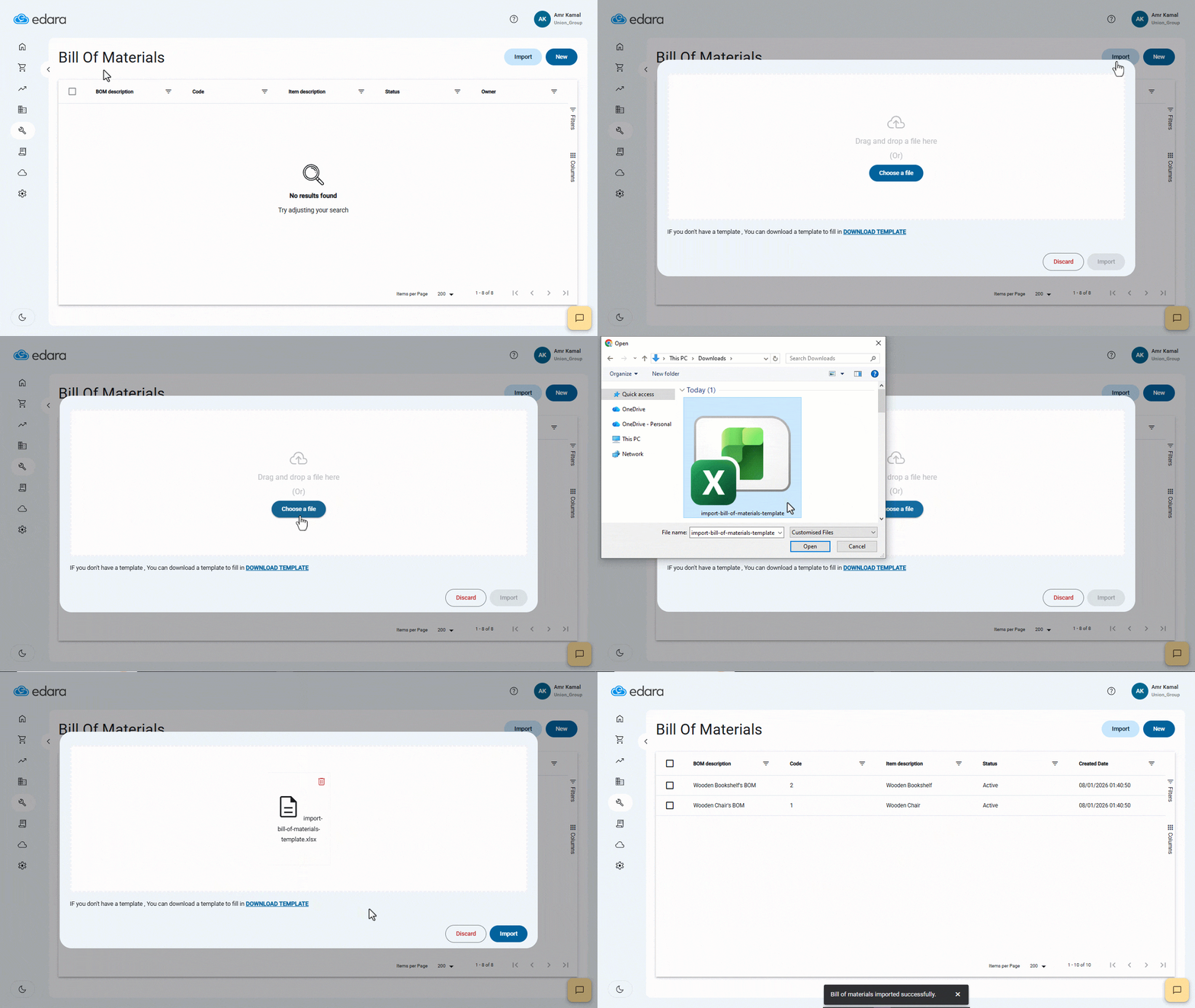
- Open the “Bill of Materials” page.
- Click on “Import”.
- Click on “Download Template” to download the Excel template.
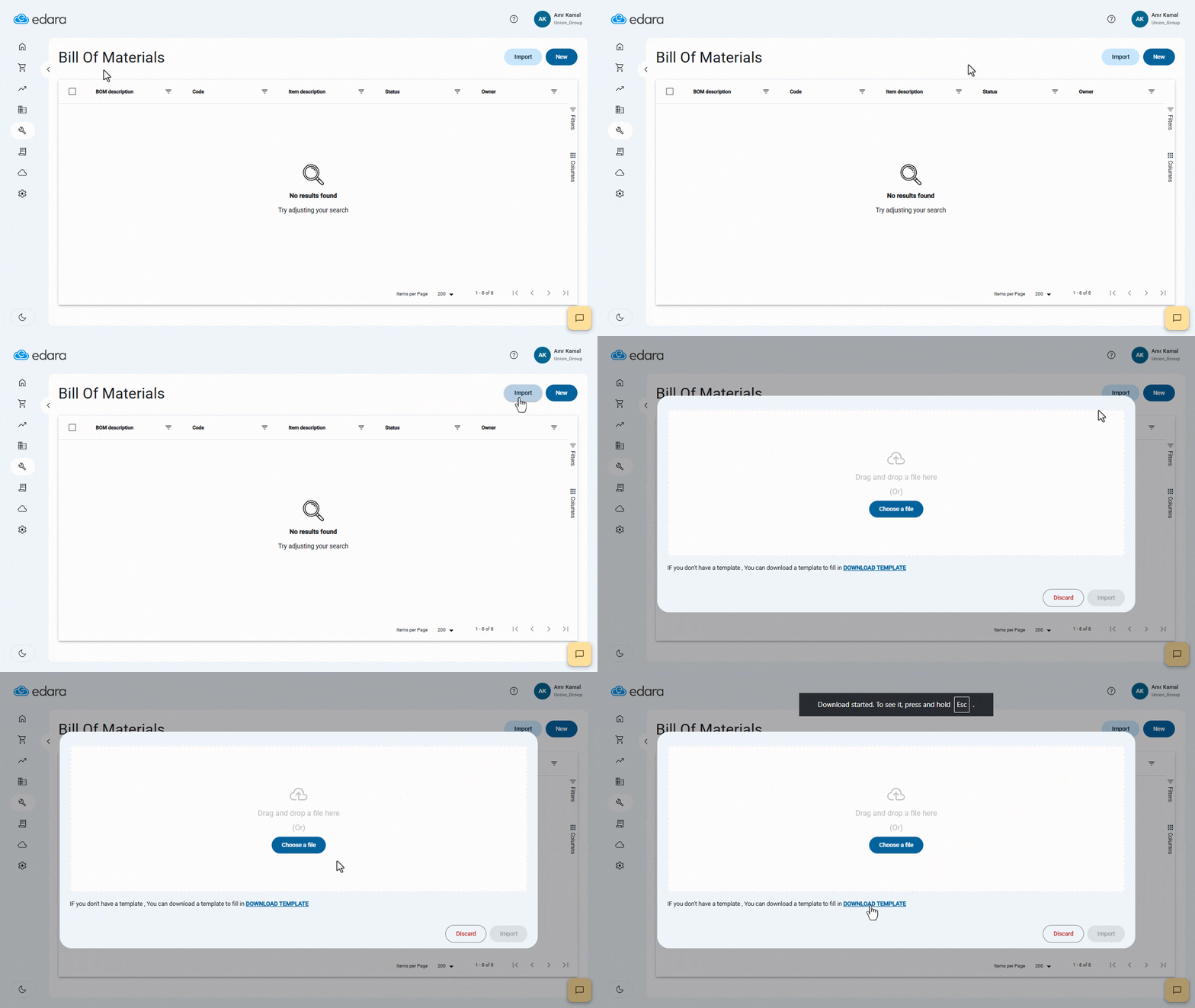
- Enter the data in the Excel sheet
Note: The file contains 3 sheets, as follows:
1. Bill of Material Header sheet
This sheet includes the following columns:
- Code.
- Description.
- Product ID.
- Product Code.
- Product Description.
- Yield Quantity.
- Is Default?
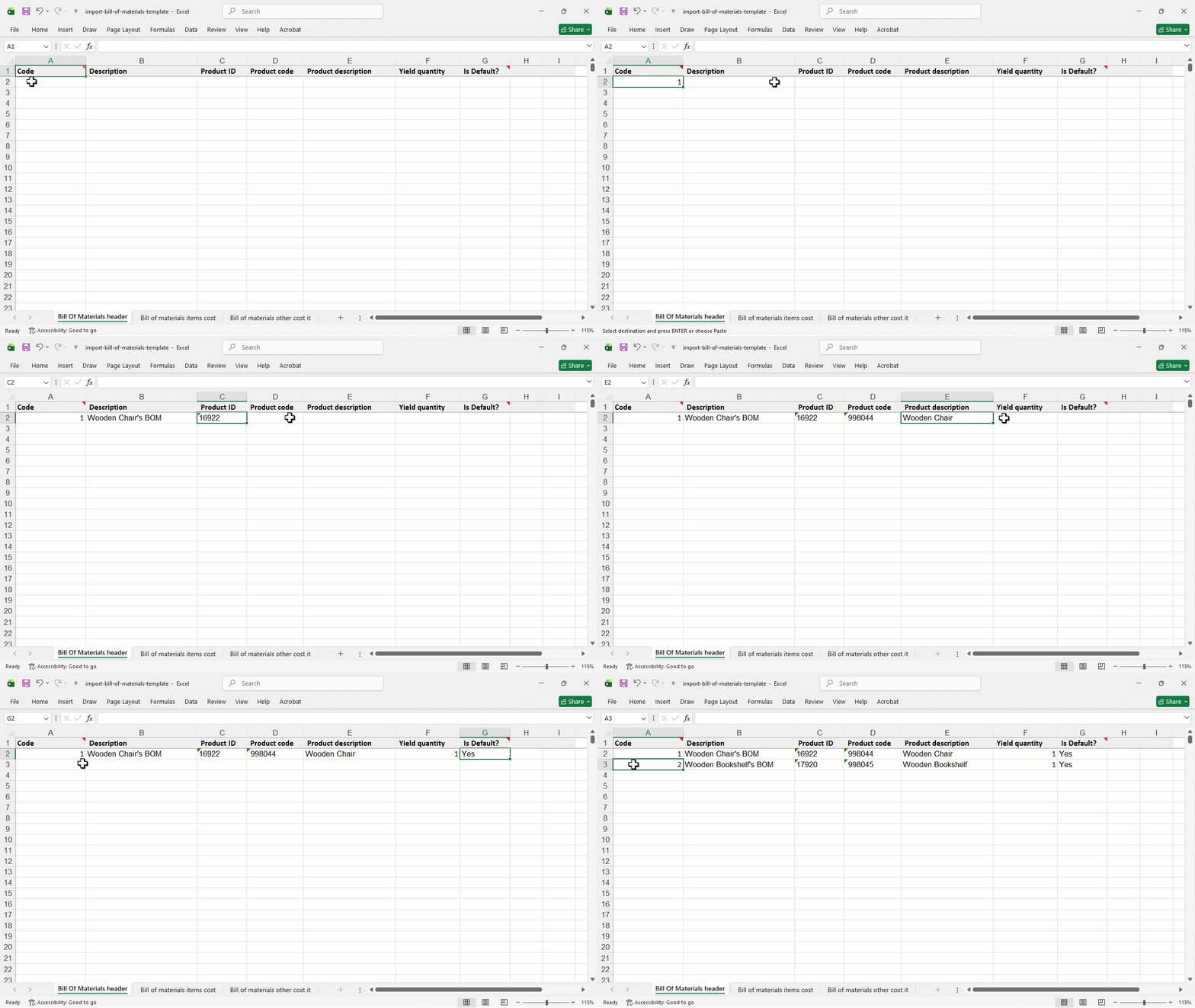
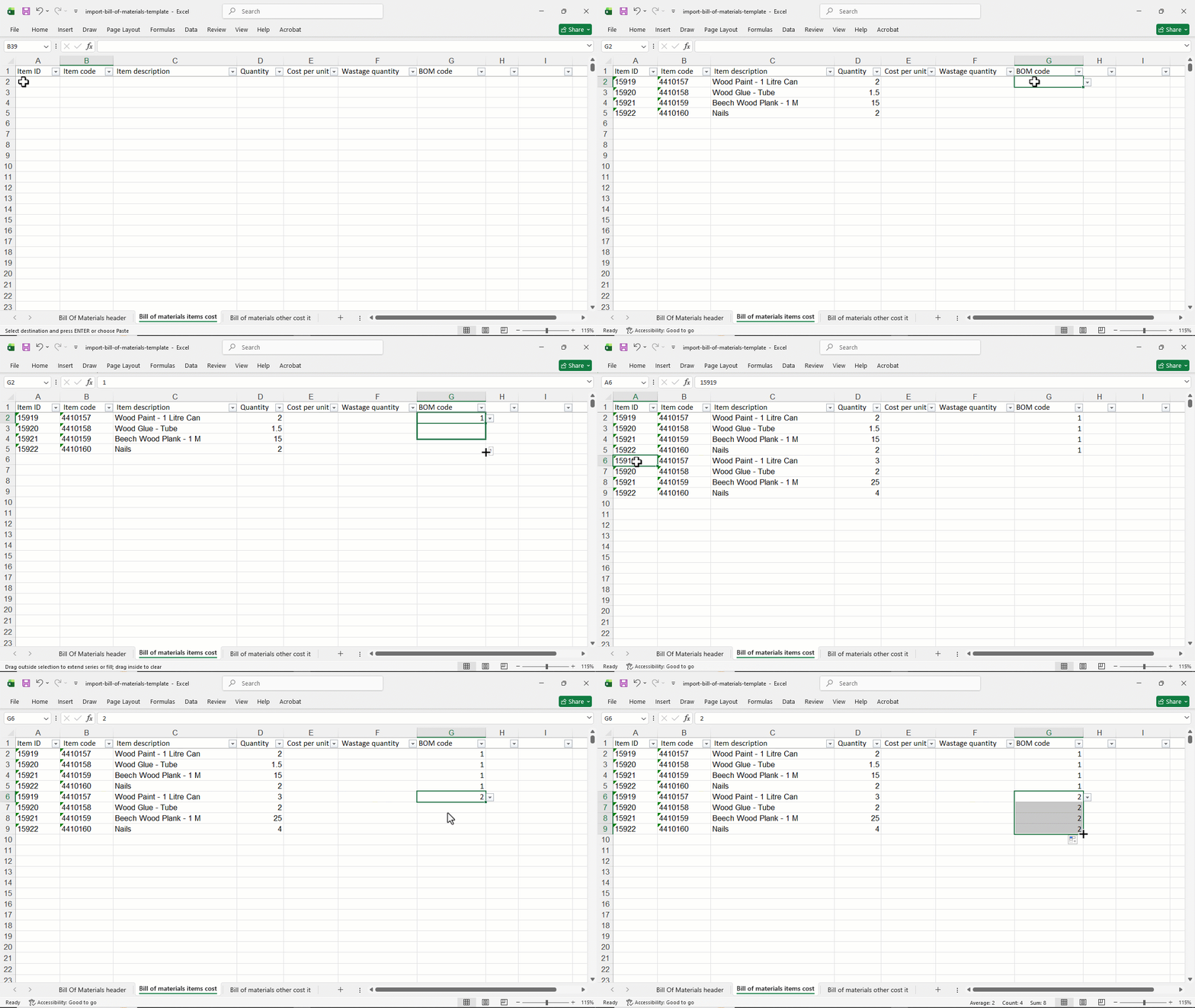
2. Bill of Material Items Cost Sheet
This sheet includes the following columns:
- Item ID.
- Item Code.
- Item Description.
- Quantity.
- Cost Per Unit. The cost is not entered in this column, as it is automatically retrieved from “Edara” during the import process.
- Wastage quantity.
- BOM Code.
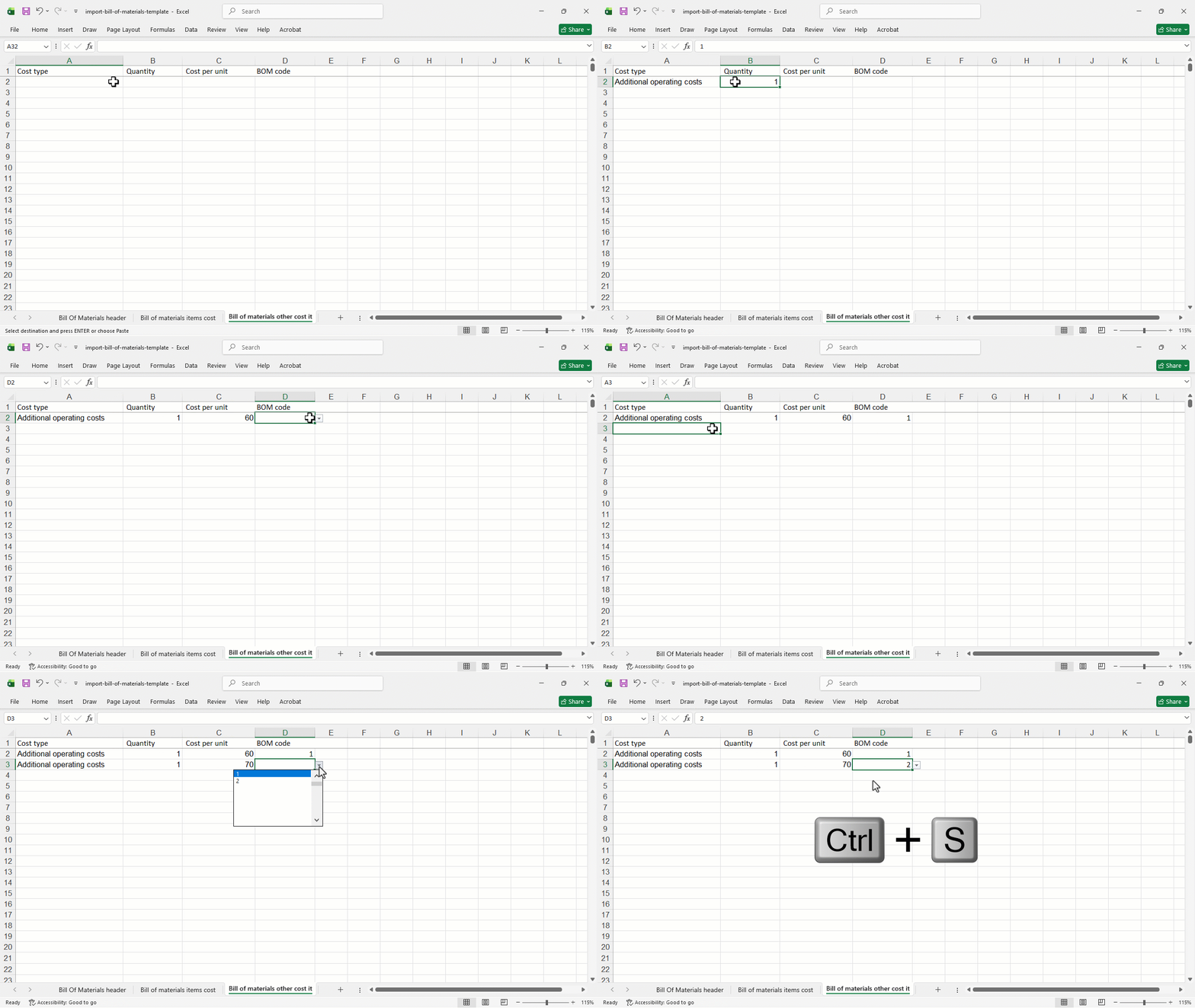
3. Bill of Materials Other Cost Sheet
This sheet includes the following columns:
- Cost Type.
- Quantity.
- Cost Per Unit.
- BOM Code.
- Click on “Import”.
- Click on “Choose a File” to upload the file from Your Device.
- Select the Excel file after entering data.
- Click on “Import”.
Frequently asked questions
Do I enter the raw materials’ cost per unit in the import file?
Cost Per Unit. The cost is not entered in this column, as it is automatically retrieved from “Edara” during the import process.
If you encounter any challenges or have questions during these processes, you can contact our technical support team, who are ready to assist you at any time.