

Exporting Bills of Materials to Excel
Last updated:
"Edara" allows you to export Bills of Materials to an Excel file, making them easier to review and providing a practical way to print, organize, and more.
Exporting Bills of Materials to Excel

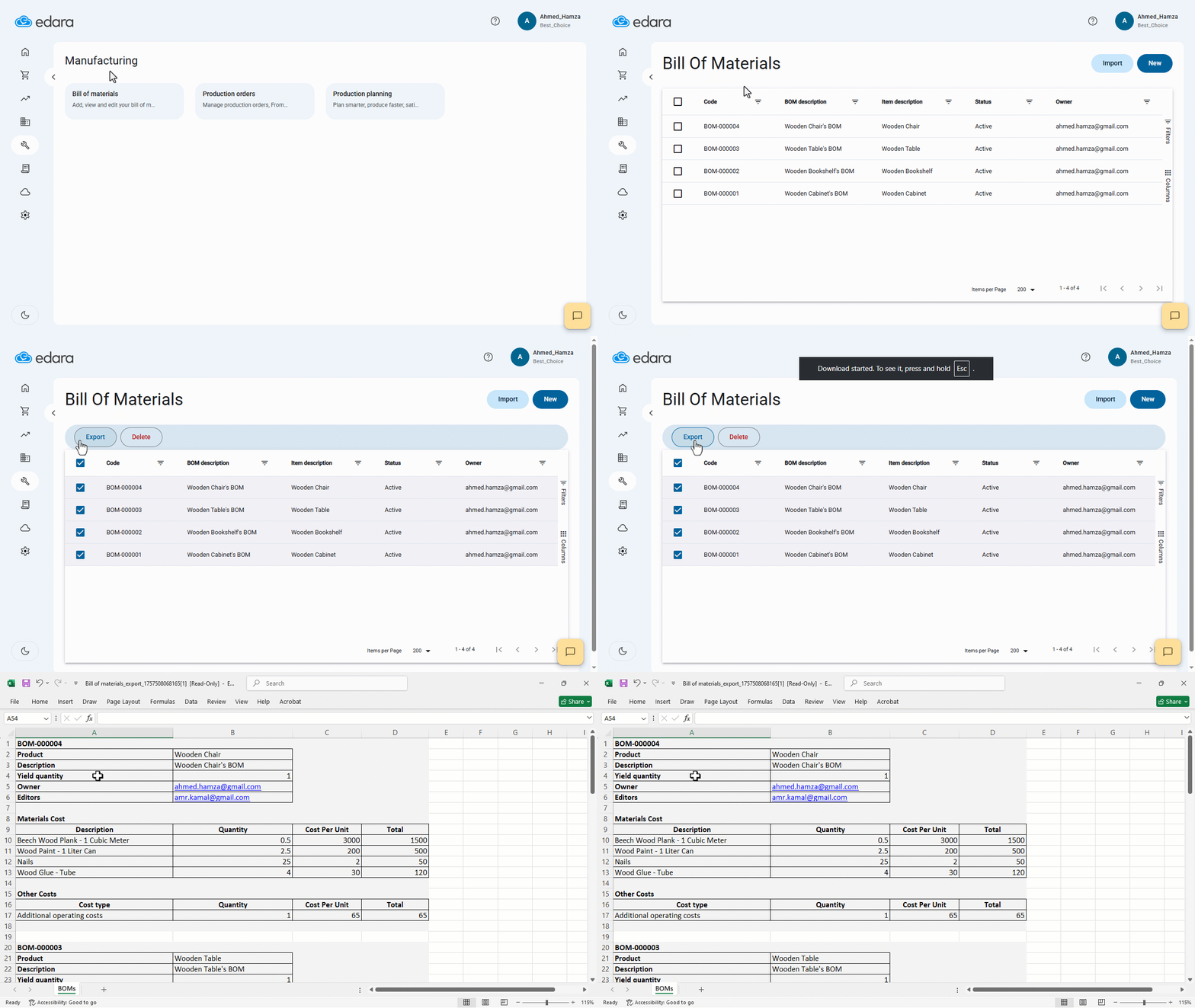
- Go to the Manufacturing module.
- Open the “Bill of Materials” page.
- Select the Bills of Materials you want to export to Excel.
- Click on “Export”.
An Excel file will be downloaded containing the full details of the selected Bills of Materials. Each Bill of Materials is separated within the file for easier review.
If you encounter any challenges or have questions during these processes, you can contact our technical support team, who are ready to assist you at any time.
Did this answer your question?