

Creating a Bill of Materials (BOM)
Last updated:
A Bill of Materials (BOM) plays a crucial role in organizing the production process by identifying the essential components and raw materials required to produce the final products.
Creating a Bill of Materials (BOM)
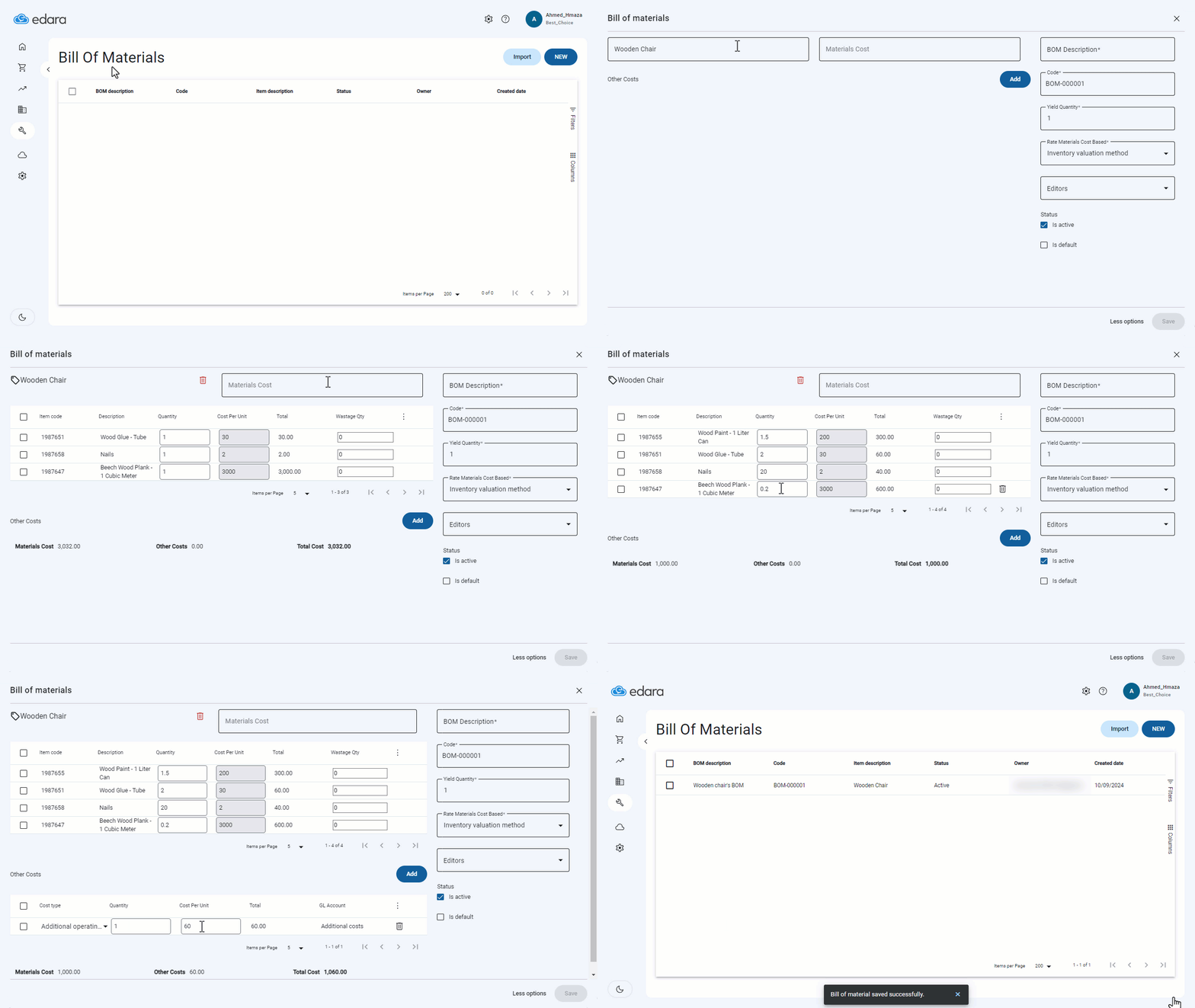
- Go to the “Manufacturing” Module.
- Open the “Bill of Materials” page.
- Click on “New.”
- Click on “More Options”.
- Search for the final product.
- Find the raw materials and add them along with the required quantity.
- Click on “Add” to choose the account for other costs.
- Enter the cost per unit value.
- Add a description for the Bill of Materials.
- Click on “Save”.
If you encounter any challenges or have questions during these processes, you can contact our technical support team, who are ready to assist you at any time.
Did this answer your question?