

Grant Editing Permission to the Bill of Materials
Last updated:
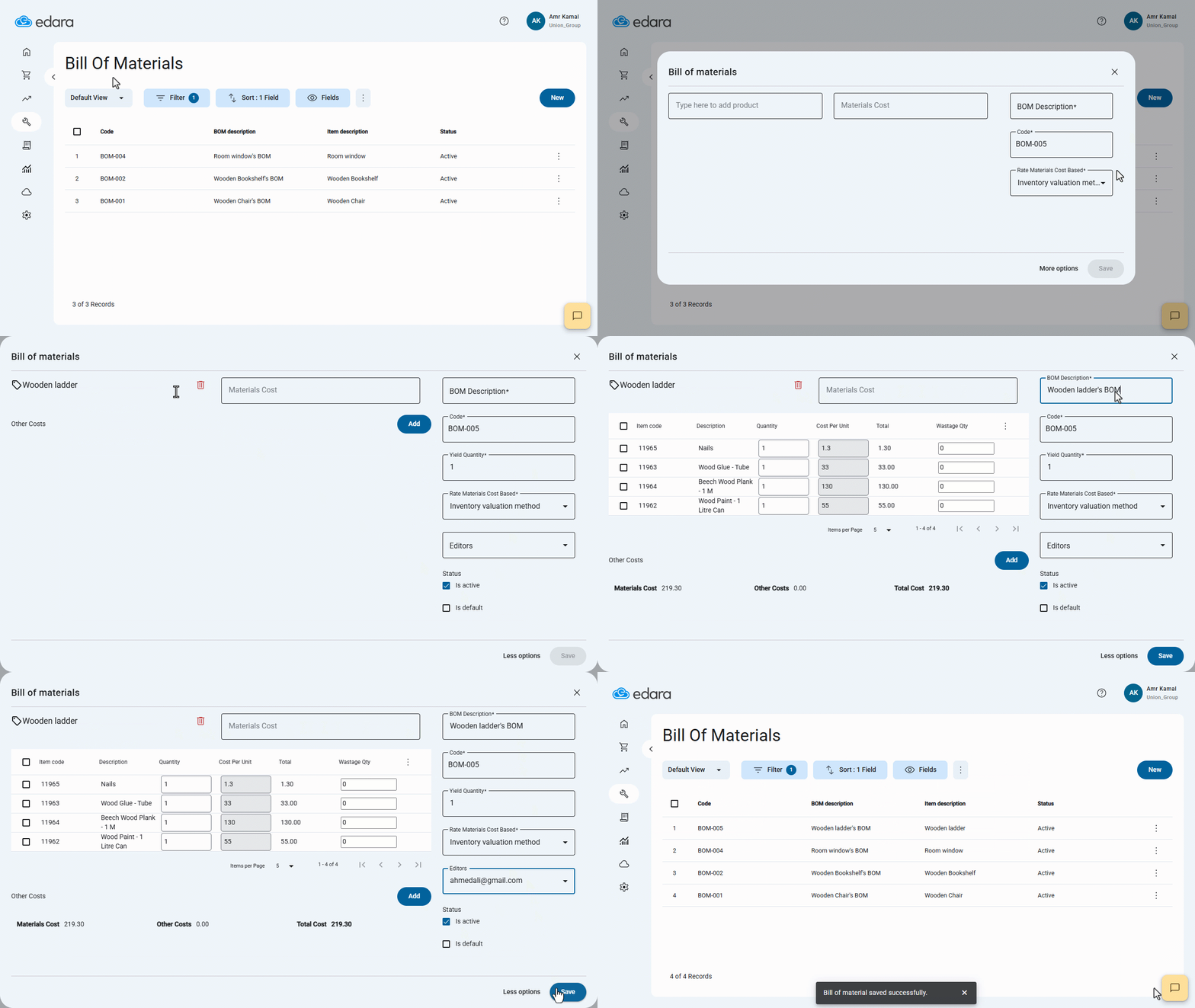
You can grant users permission to edit the Bill of Materials by adding them to the Editors list, allowing them to update product components and manage their data accurately.
Grant Editing Permission to the Bill of Materials

- Go to the "Manufacturing" module.
- Open the "Bill of Materials" page.
- Click on "New".
- Click on "More Options".
- Select the product and its materials.
- Enter the BOM Description.
- Select the user from the "Editors" list.
- Click on "Save".
If you encounter any challenges or have questions during these processes, you can contact our technical support team, who are ready to assist you at any time.
Did this answer your question?