

Editing a Bill of Materials
Last updated:
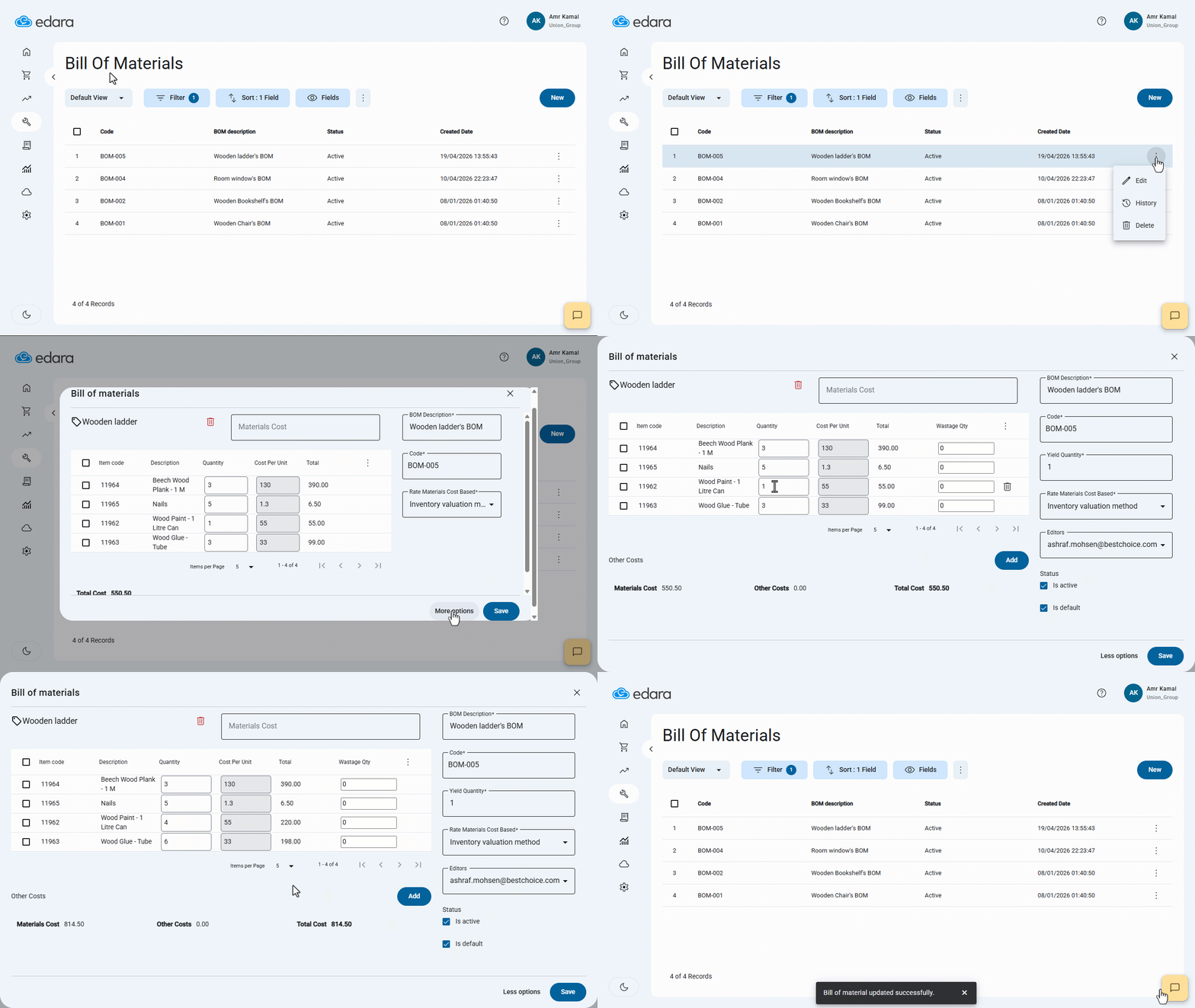
When you need to update a Bill of Materials due to changes in components or quantities, you can do it individually or in bulk as needed.
Editing a Bill of Materials
First, make sure you have permission to edit the Bill of Materials.
- Go to the “Manufacturing” Module.
- Open the “Bill of Materials” page.
- Click on “︙” next to the bill of materials you want to edit.
- Click on “Edit”.
- Click on “More Options”.
- Edit the required data.
- Click on “Save”.
If you encounter any challenges or have questions during these processes, you can contact our technical support team, who are ready to assist you at any time.
Did this answer your question?