

Granting/Revoking Permission to Use a Print Template
Last updated:
When you need to limit specific print templates to selected users, you can specify which users are allowed to use each template, helping you manage permissions and control access to them within the system.
Granting/Revoking Permission to Use a Print Template
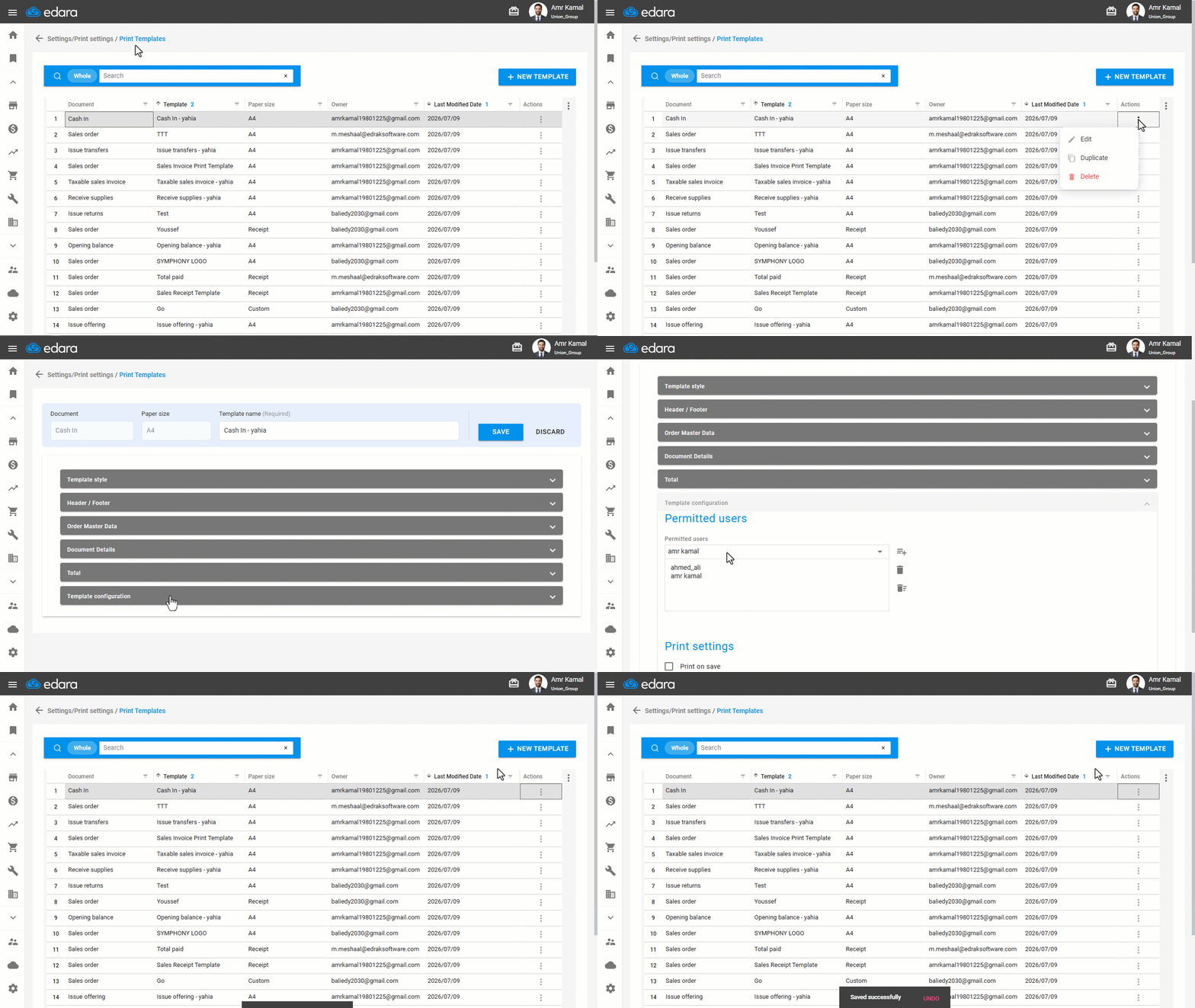
If the print template was created using "Simple Mode", follow these steps:
- Go to the "Settings".
- Open the "Print Templates" page.
- Click on "⋮" next to the required print template.
- Click on "Edit".
- Go to the "Template configuration" Section.
- Select the permitted users.
- Click on "Save".
If the print template was created using "Advanced Mode", after clicking on "Edit", select the permitted users, then click on "Save".
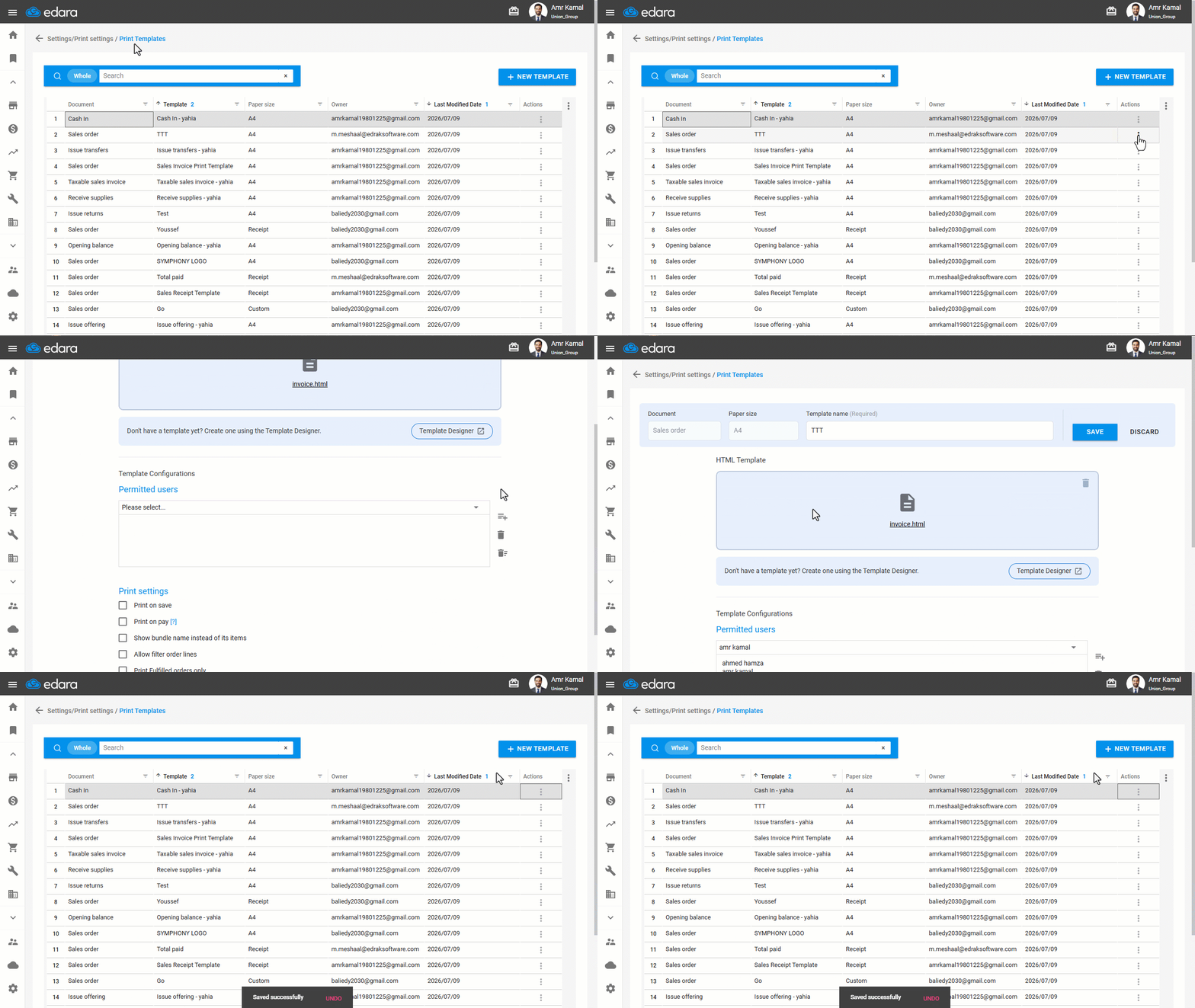
Note: To revoke a user's permission to use the template, follow the same steps, then select the required user, click on " ", and click on "Save".
If you encounter any challenges or have questions during these processes, you can contact our technical support team, who are ready to assist you at any time.
Did this answer your question?