

Displaying the Account Balance on Printed Cash Documents
Last updated:
Customers or suppliers may need to know their current account balance after any cash receipt or cash disbursement transaction. Therefore, “Edara” allows you to display the account balance on the printed cash document.
Displaying the Account Balance on Printed Cash Documents

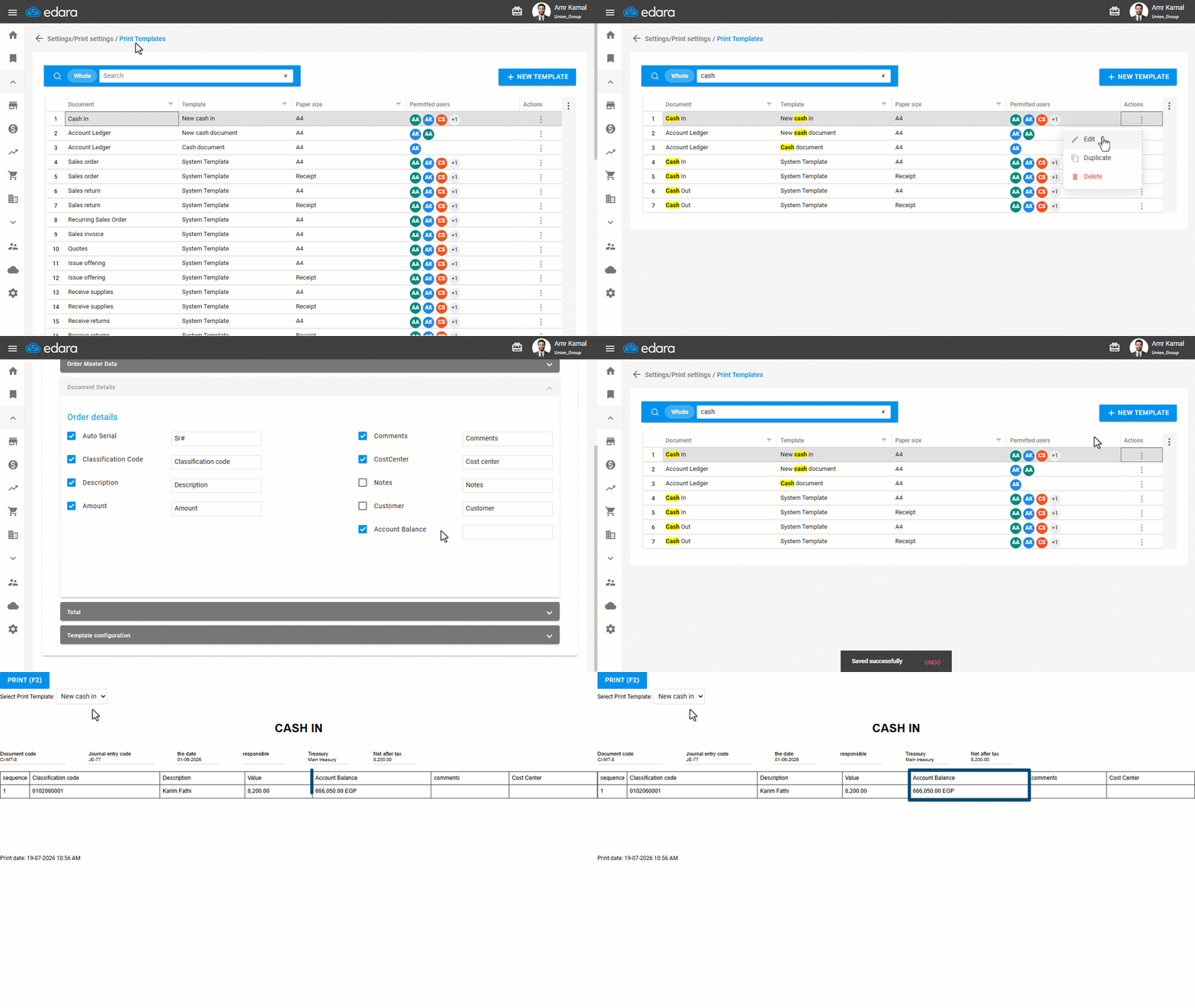
- Go to “Settings”.
- Open the “Print Templates” page.
- Search for the required cash document.
- Click on “⋮” in the “Actions” column next to the cash document print template you want to modify.
Note: Select a print template other than the default template, as it cannot be modified.
- Click on “Edit”.
- Go to the “Document Details” section.
- Enable “Account Balance”.
- Enter the text you want to appear when printing.
- Click on “Save”.
When printing the cash document, select the print template you modified to display the account balance on the printed document.
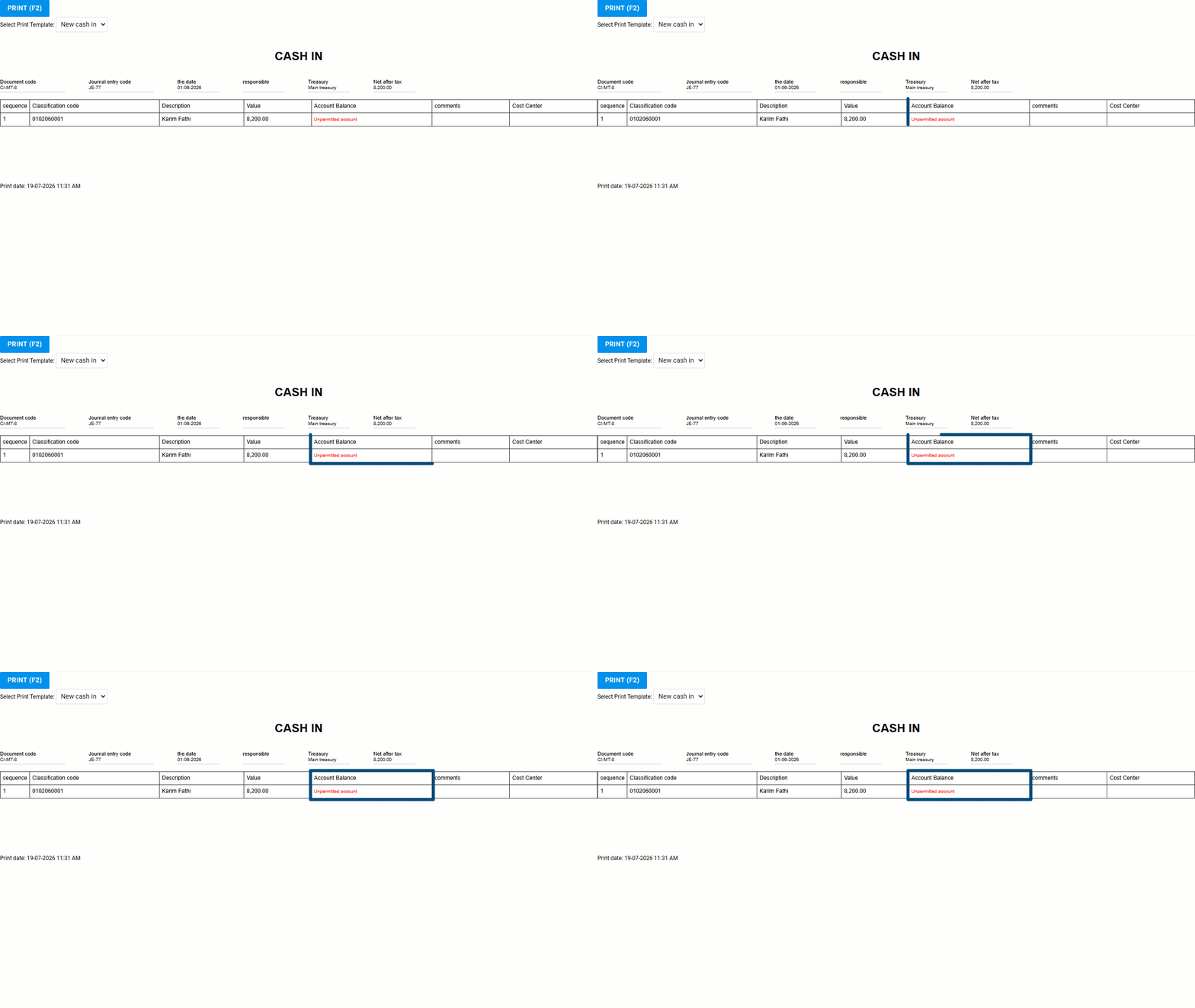
The account balance is displayed only for users who have permission to view it. If the user does not have the required permission, the message “Unpermitted account” will be displayed.
Notes:
- The user must have permission to use the modified template.
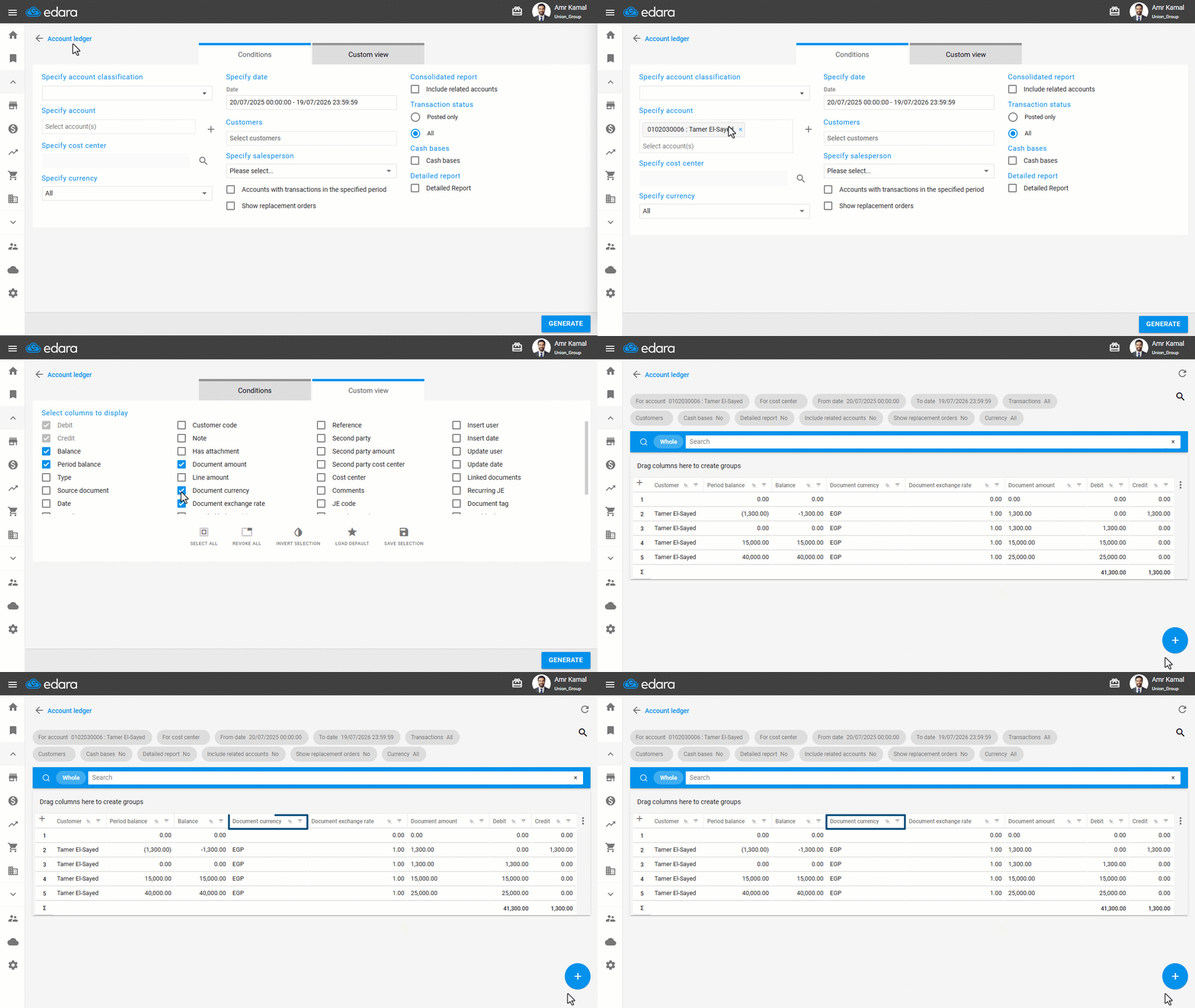
- The account balance is displayed without applying any filters based on the customer or selected cost center, and it is displayed along with the system's international currency code (such as EGP - USD).
Frequently asked questions
Is the printed account balance filtered by customer or cost center?
The account balance is displayed without applying any filters based on the customer or selected cost center, and it is displayed along with the system's international currency code (such as EGP - USD).
If you encounter any challenges or have questions during these processes, you can contact our technical support team, who are ready to assist you at any time.