

Increasing Font Size When Printing a Sales Order in Simple Mode
Last updated:
You can use specific font sizes in sales order documents, providing full flexibility to adjust them to meet your needs.
Increasing Font Size When Printing a Sales Order in Simple Mode
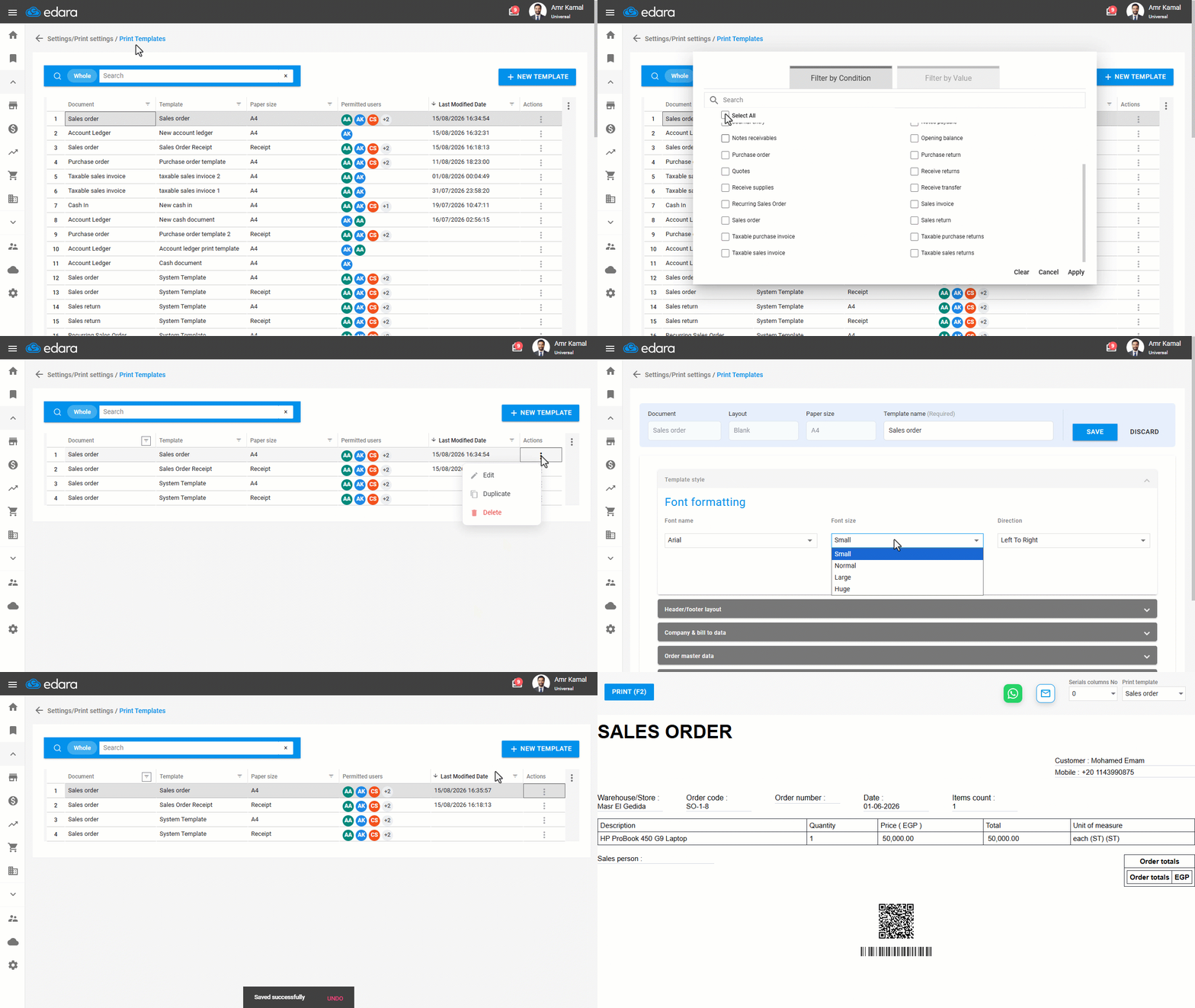
- Go to “Settings”.
- Open the “Print Templates” page.
- Search for the required print template using the search bar, or filter the list using the “Document” column. You can also filter by any other column as needed.
- Click on the “⋮” icon in the “Actions” column next to the required print template.
- Click on “Edit”.
Note: Select a print template other than the system template, as it cannot be modified, or create a new template.
- Go to “Template Style”.
- Specify the font size (you can also select the font name).
- Click on “Save”.
If you encounter any challenges or have questions during these processes, you can contact our technical support team, who are ready to assist you at any time.
Did this answer your question?