

Creating a Recurring sales order
Last updated:
Recurring sales orders are a highly effective tool for managing repetitive sales processes, such as service contracts or monthly supply agreements. They allow you to schedule specific dates and times for automatically issuing sales orders without manual data entry.
For example, if you have a customer who regularly requests the delivery of a product every month, you can set up a recurring sales order to be generated automatically on the specified dates.
Creating a Recurring sales order
- Go to the Sales module.
- Open the “Recurring Sales Order” page.
- Choose the “Warehouse” and “Salesperson”.
- Click “New”.
- Enter the customer's name.
- Search for the Stock Items you want to add.
- Enter the quantities and prices.
- Specify the payment method by clicking 💳.
- Click “Save”.
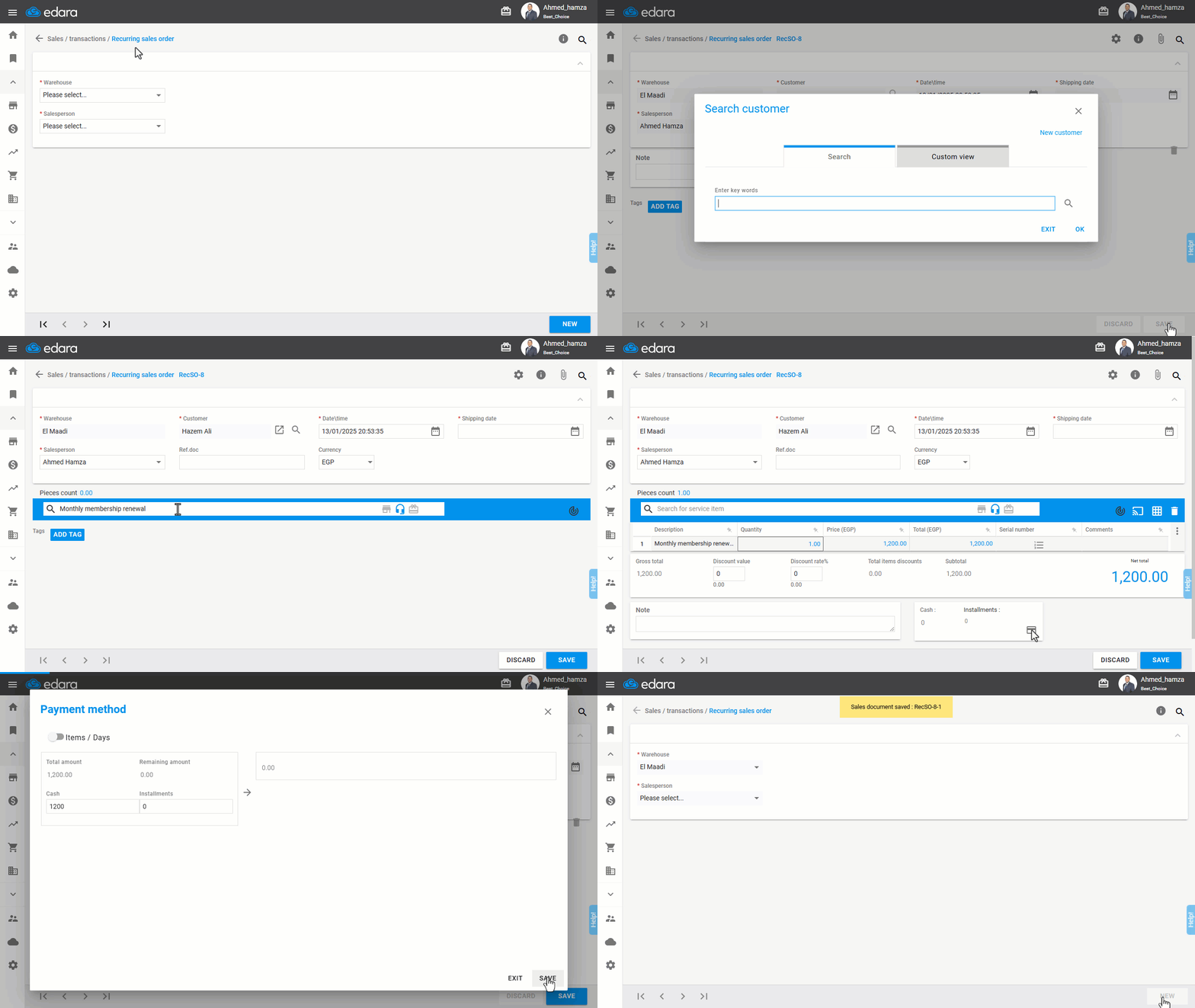
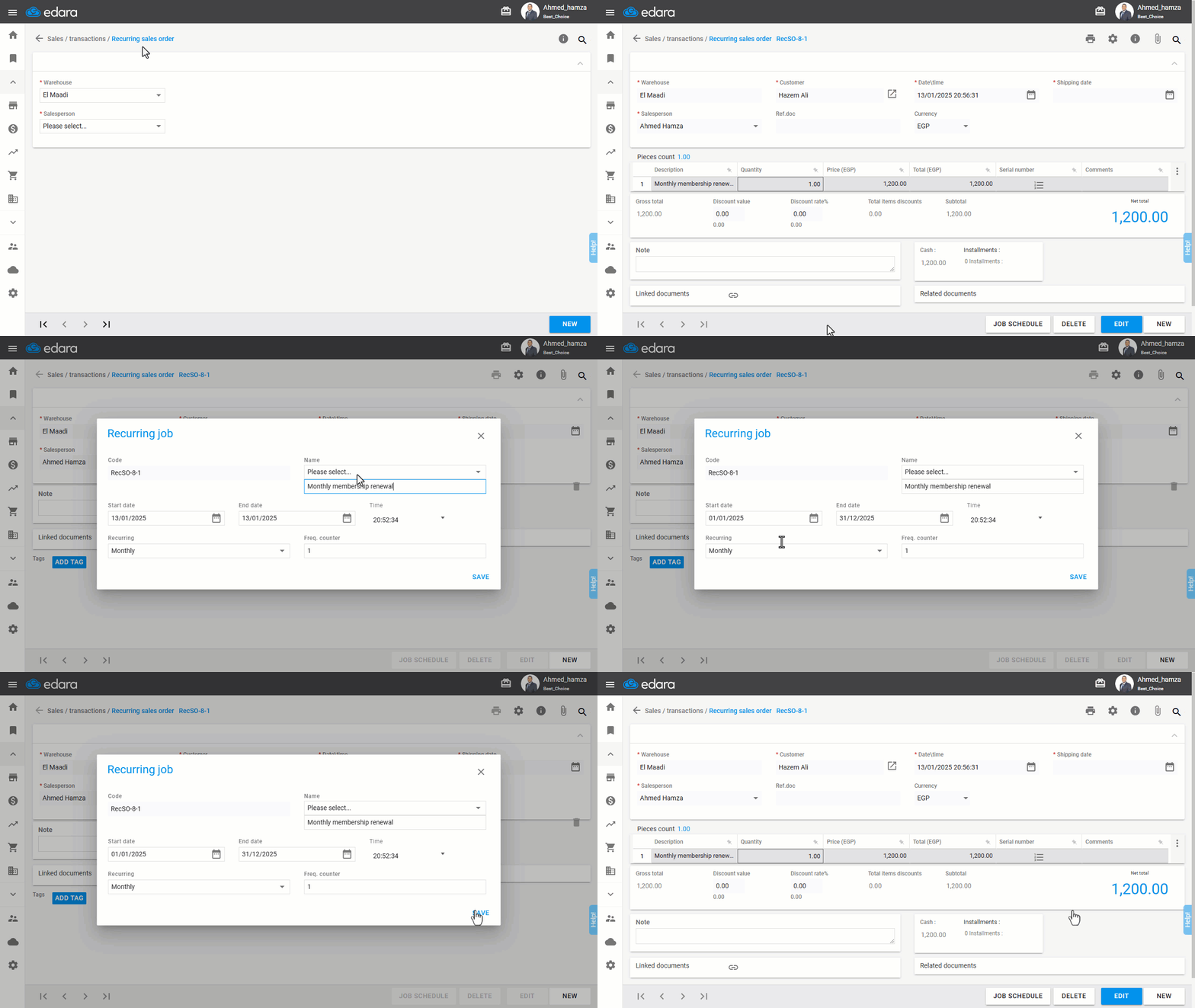
- Click “>|” to view the order or search for it using 🔎.
- Click on “Job Schedule”.
- Enter the job name, start and end dates, and recurrence interval.
- Click “Save”.
If you encounter any challenges or have questions during these processes, you can contact our technical support team, who are ready to assist you at any time.
Did this answer your question?