

Updating Your Organization's Master Data
Last updated:
If your company's phone number, address, or any other basic details change, you need to update this information in “Edara” to ensure that the correct details appear on invoices.
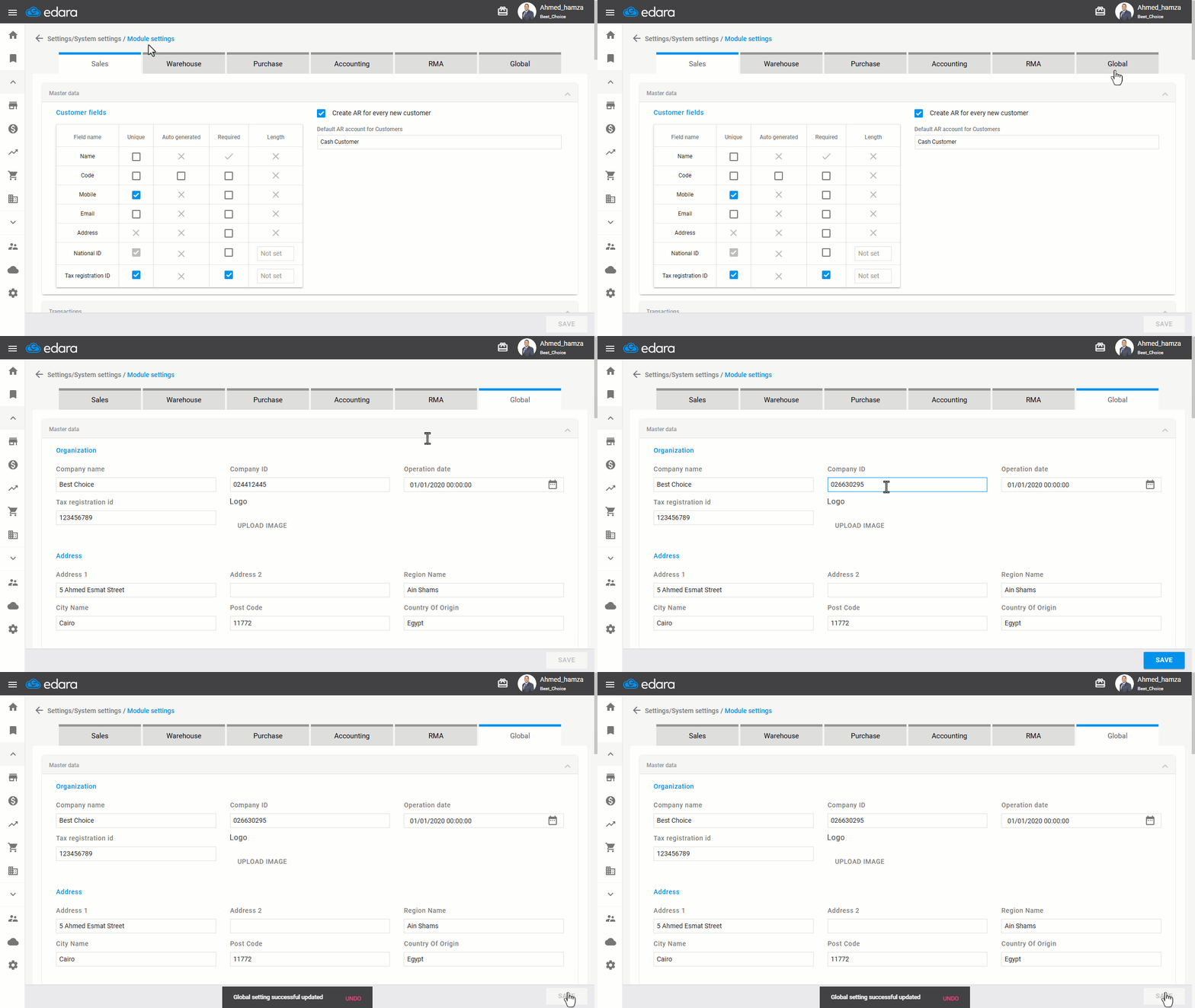
Follow these steps to update your company’s information.
Updating Your Organization's Master Data
- Go to Settings.
- Open the “Module Settings” page.
- Select “Global”.
- Update the necessary details that have changed.
- Click on “Save”.
If you encounter any challenges or have questions during these processes, you can contact our technical support team, who are ready to assist you at any time.
Did this answer your question?