

Selecting Search Parameters for Accounts
Last updated:
Search filters help you quickly access the required account without manually searching through long lists.
Selecting Search Parameters for Accounts
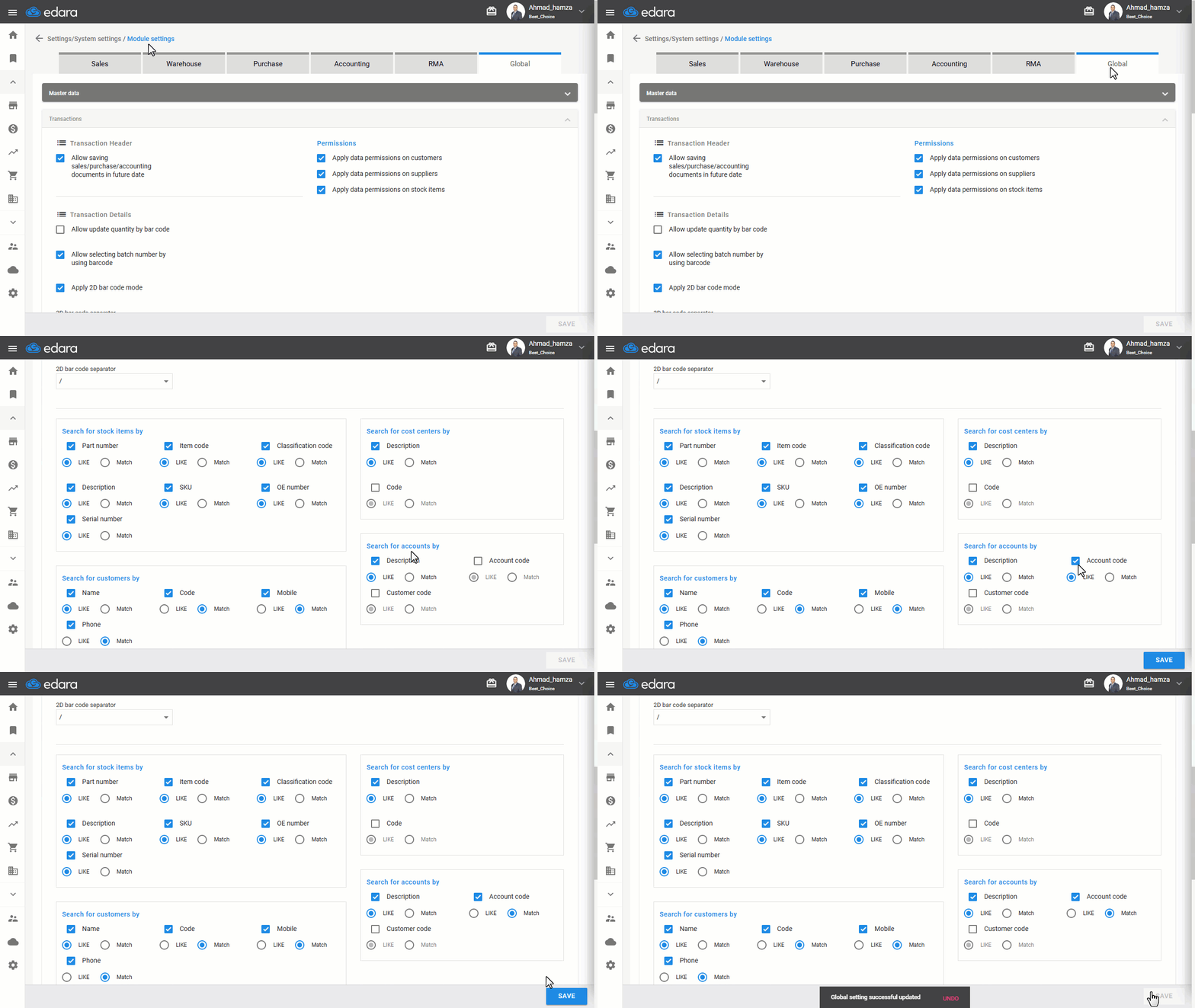
- Go to “Settings”.
- Open the “Modules Settings” page.
- Choose the “Global” tab.
- Go to the “Transactions” section.
- Select the desired search filter from “Search for accounts by”.
Notes:
- You can select more than one parameter, such as (Description, Account code, or Customer code),
- You can specify whether the search Parameter is Like or Match:
- Like: Displays results containing the word or part of it, or that contain the code or part of it
- Match: Displays only results that match the entered text exactly.
- Click on “Save”.
If you encounter any challenges or have questions during these processes, you can contact our technical support team, who are ready to assist you at any time.
Did this answer your question?