

Searching for a Document and printing it
Last updated:
"Edara" allows you to print any document when saving. However, you might need to reprint it later. To simplify this process, the system enables you to search for documents easily.
The following steps use an example of searching for an Issue Transfer.
Searching for an Issue Transfer
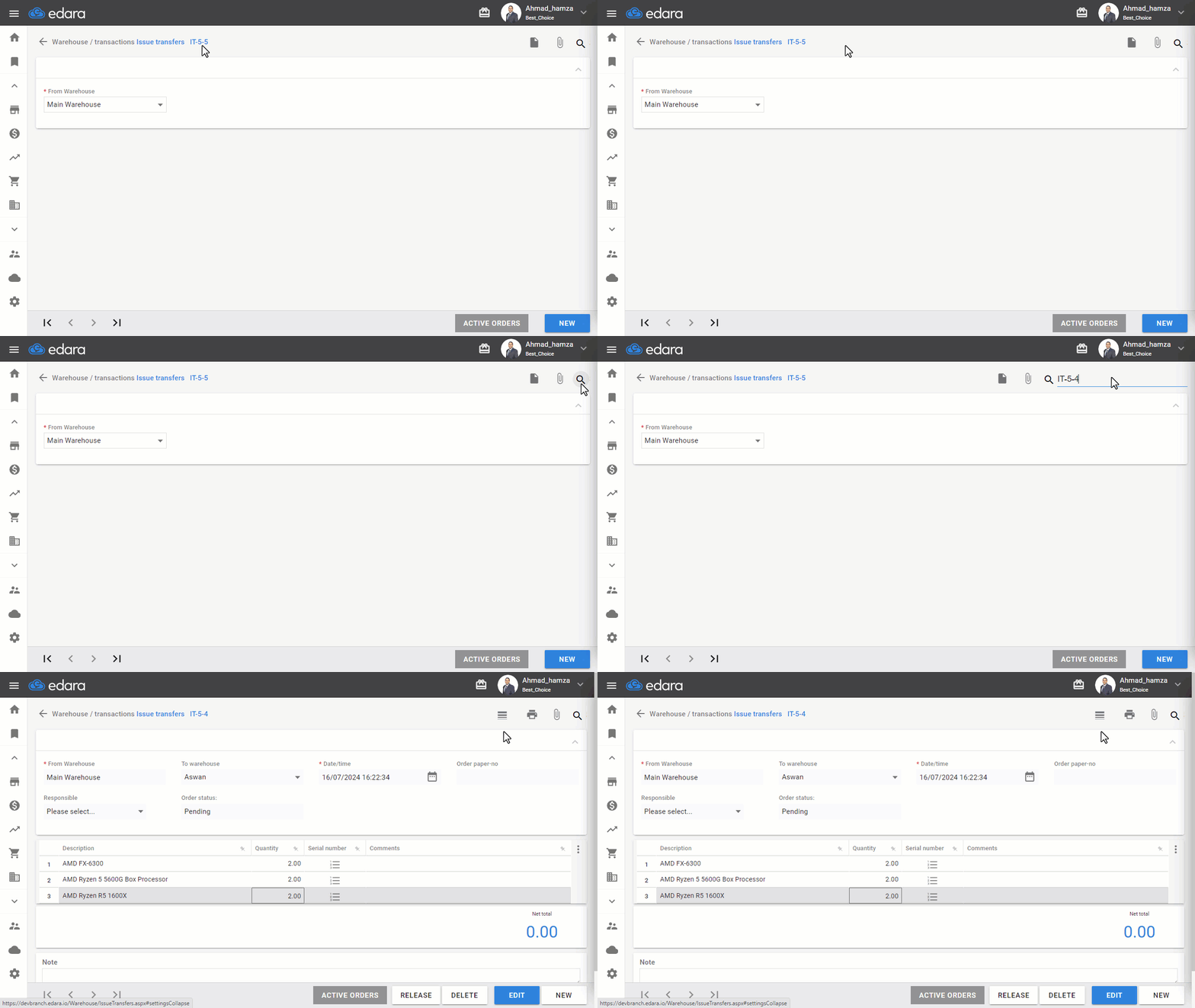
- Go to the Warehouse Module.
- Select "Issue Transfers".
- Search for the Issue Transfer using the arrows at the bottom of the screen, or click the 🔎 icon and type part of the document code (this will display all documents containing the entered portion).
- Choose the document you want to review.
Note: This feature applies to all work orders.
Printing an Issue Transfer
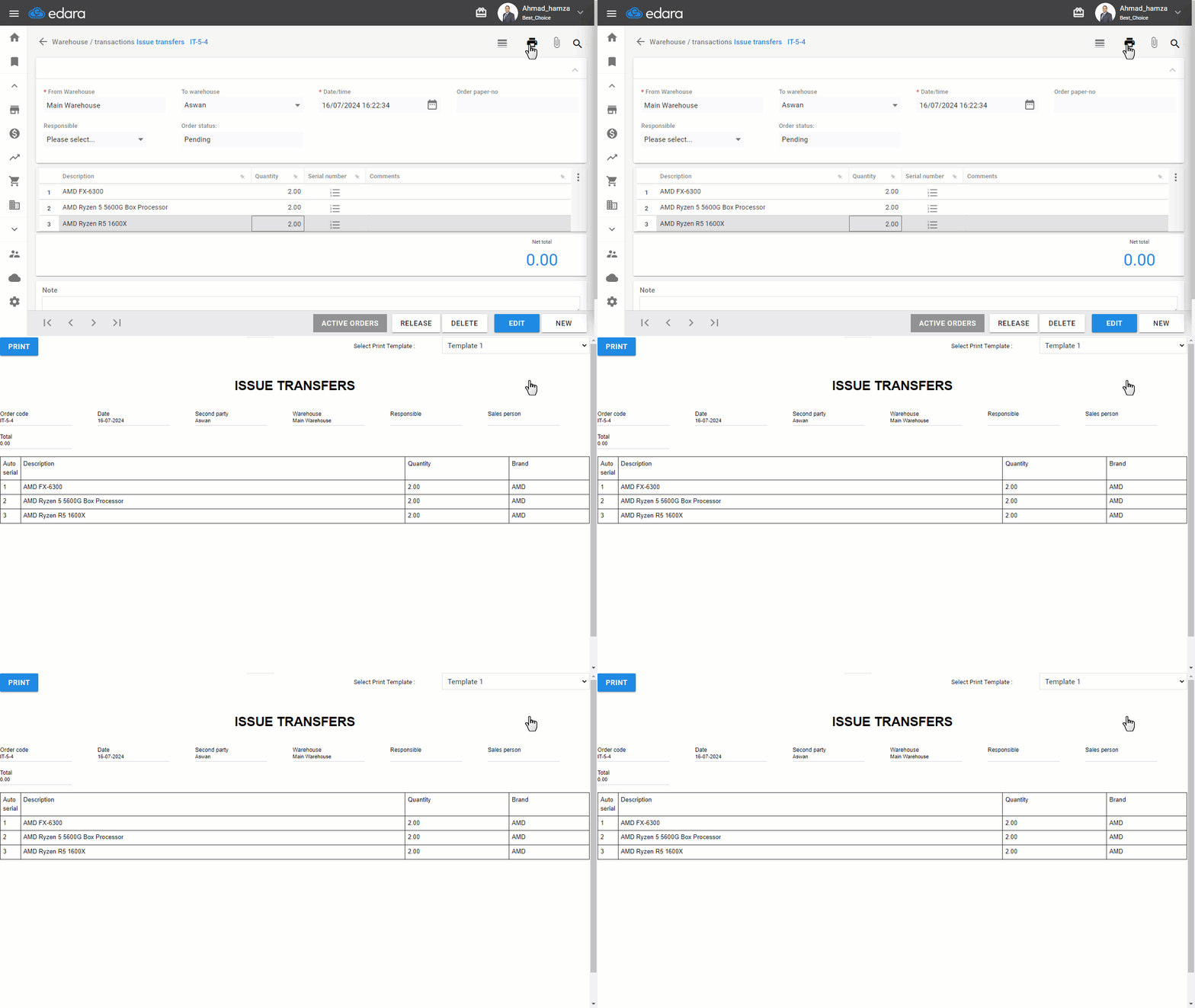
After following the steps above to find the issue transfer, click the 🖨️ icon located at the top right of the screen.
If you encounter any challenges or have questions during these processes, you can contact our technical support team, who are ready to assist you at any time.
Did this answer your question?