

Uploading an Attachment to a Document
Last updated:
Attachments help streamline workflow efficiency by reducing the need to search for paper documents and improving record management by providing a digital copy of all related documents.
Uploading an Attachment to a Document
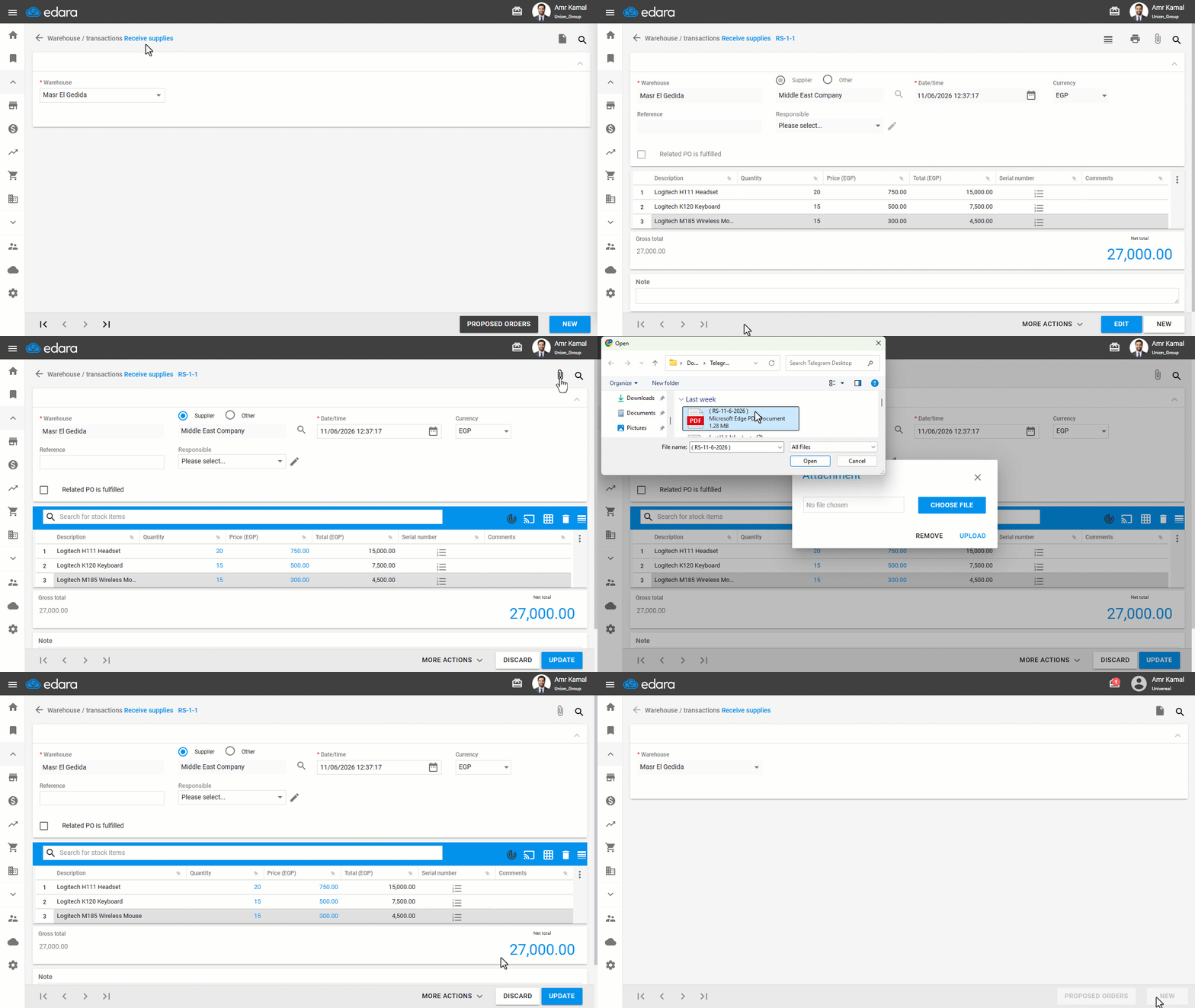
These steps show you how to upload an attachment to a Receive Supplies document.
- Go to the “Warehouse” Module.
- Open the “Receive Supplies” page.
- Search for the Receive Supplies using the “🔍” icon or through the arrows at the bottom of the page.
- Click on “Edit”.
- Click on the “📎” icon.
- Click on “Choose File”.
- Choose the file you want to upload.
- Click on “Upload.”
- Click on “Update”.
If you encounter any challenges or have questions during these processes, you can contact our technical support team, who are ready to assist you at any time.
Did this answer your question?