

Adding an Alias to an Account
Last updated:
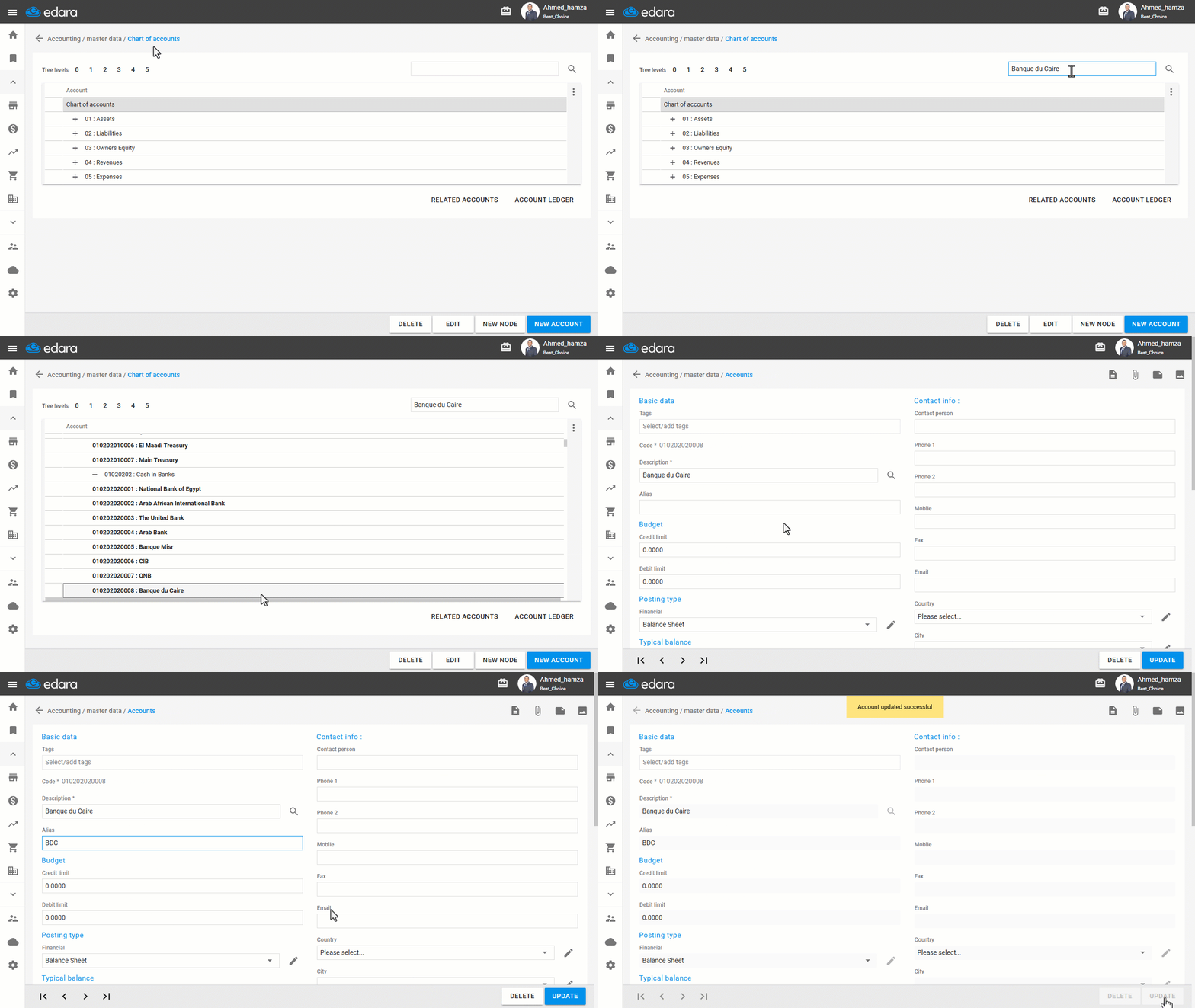
"Edara" allows you to add an alias to an account, to be able to save cash documents that contain treasury/bank account, or sales and purchase documents.
Adding an Alias to an Account
- Go to the Accounting module.
- Open the “Chart of accounts” page.
- Type the account name in the search box and click 🔎.
- Click on “Edit”.
- Add an Alias.
- Click on “Update”.
If you encounter any challenges or have questions during these processes, you can contact our technical support team, who are ready to assist you at any time.
Did this answer your question?