

Linking an Account to a Default Cost Center
Last updated:
If your company has multiple cost centers, you need to link the account to a default cost center to avoid errors.
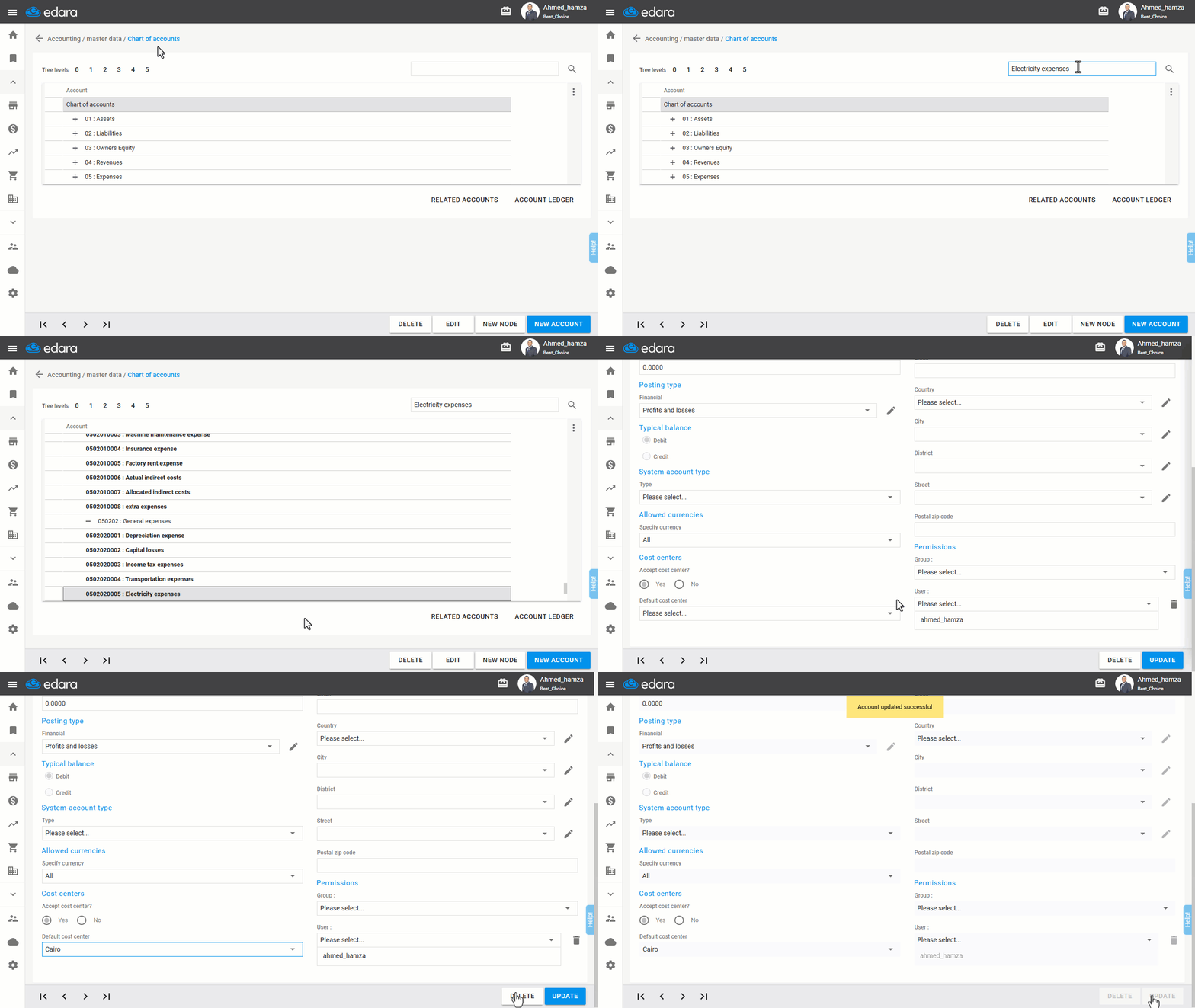
How to link an account to a default cost center
- Go to the Accounting module.
- Open the “Chart of Accounts” page.
- Search for the account using the search box.
- Select the account.
- Click “Edit”.
- Choose the cost center from the “Default Cost Center” field.
- Click “Update”.
If you encounter any challenges or have questions during these processes, you can contact our technical support team, who are ready to assist you at any time.
Did this answer your question?