

Creating a Chart of Cost Centers
Last updated:
Cost centers play a significant role in organizing and analyzing expenses and revenues accurately. They allow you to track the expenses and revenues associated with each center and view financial reports for each branch individually. This enhances financial resource management and supports data-driven decision-making.
Here are the steps to code cost centers in "Edara".
Creating a Group of Cost Centers
You can achieve this in two ways:
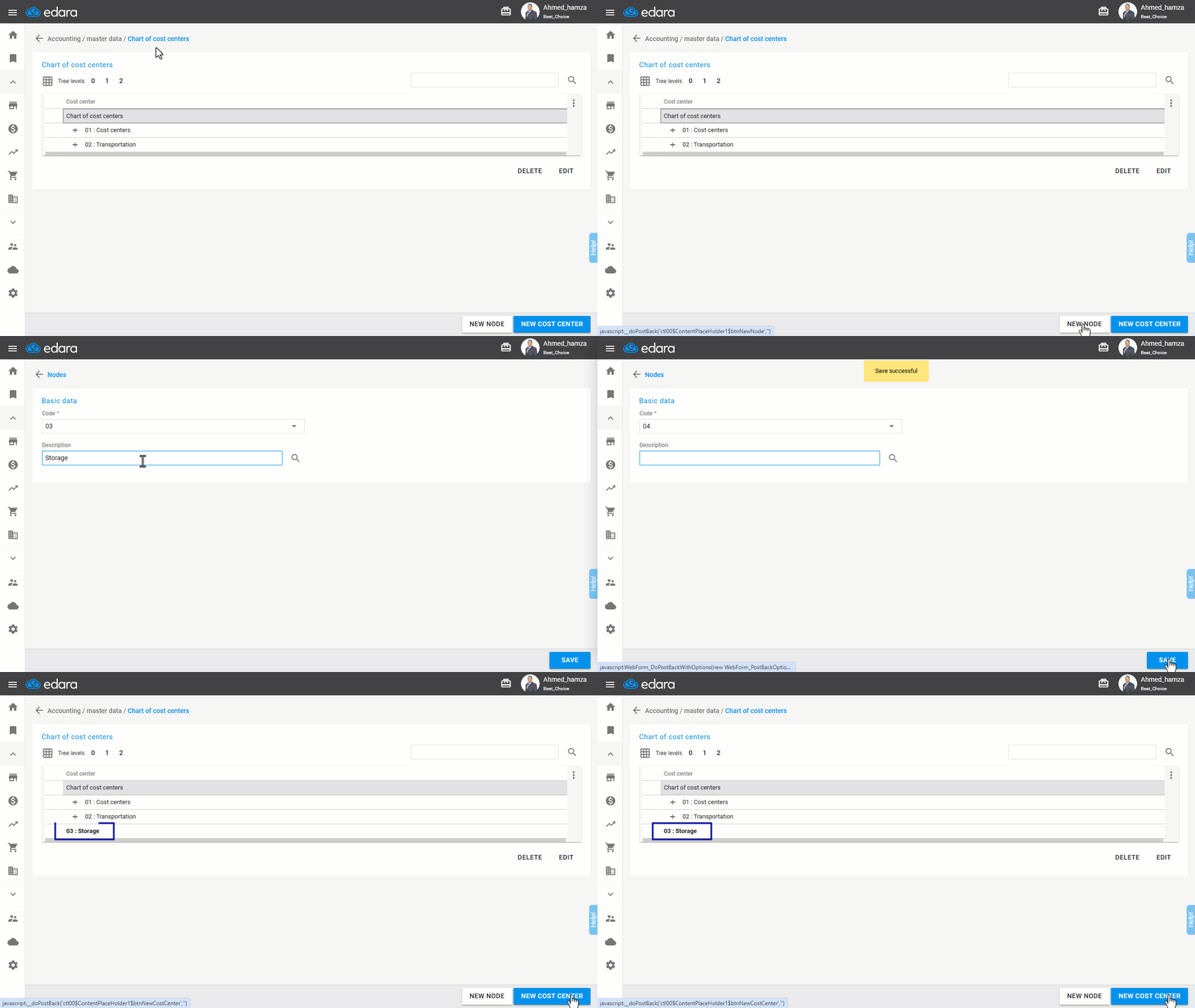
1. Creating a Node of Cost Center
- Go to the Accounting module.
- Select “Chart of cost centers”.
- Click “New Node”.
- Choose the location for the node, either under an existing group or as a new node.
- Enter the node name.
- Click “Save”.
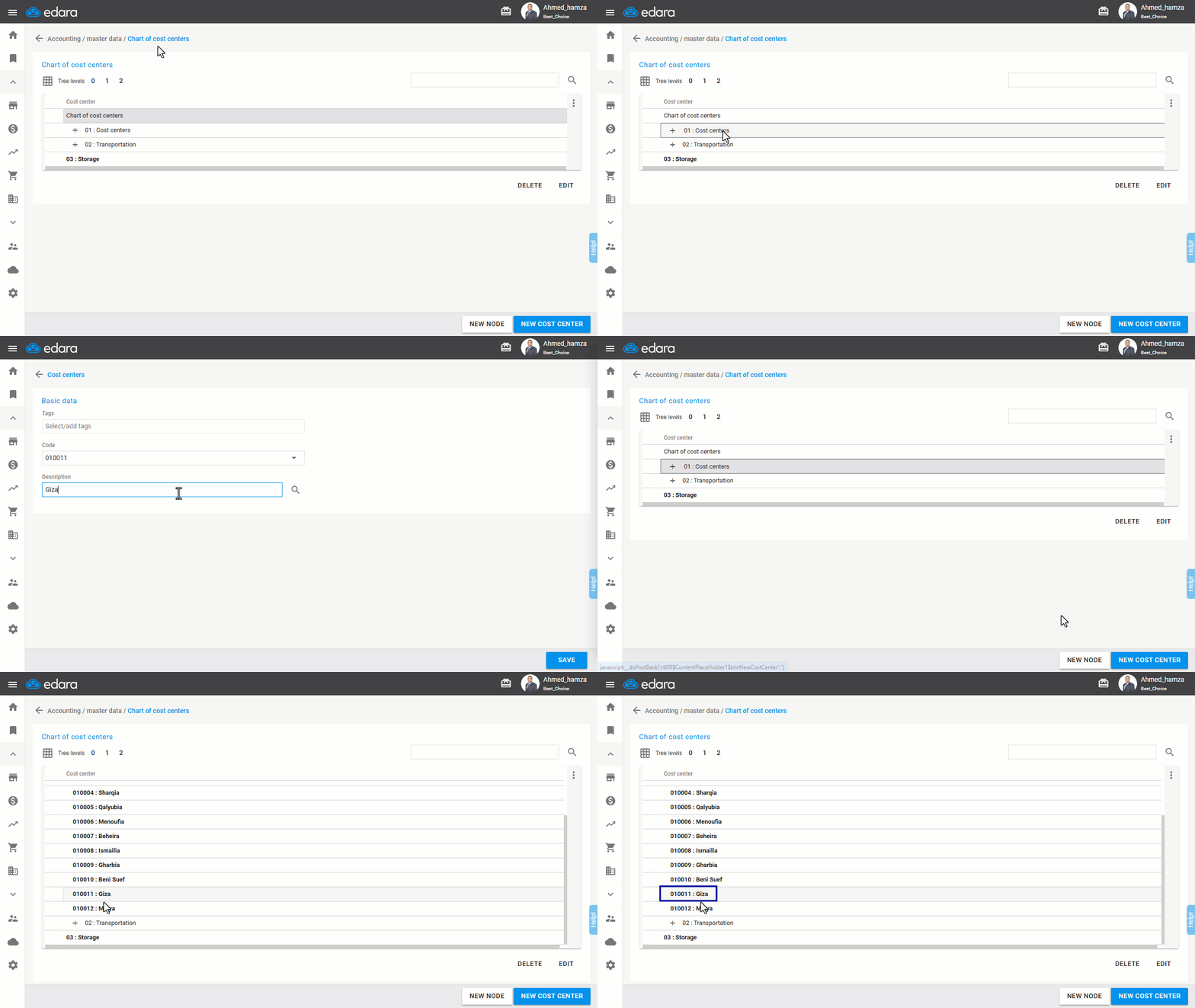
2. Creating an Individual Cost Center
- Go to the Accounting module.
- Select “Chart of cost centers”.
- Choose the node for the cost center.
- Click “New Cost Center”.
- Enter the name of the cost center.
- Click “Save”.
If you encounter any challenges or have questions during these processes, you can contact our technical support team, who are ready to assist you at any time.
Did this answer your question?