

Editing the Chart of Cost Centers
Last updated:
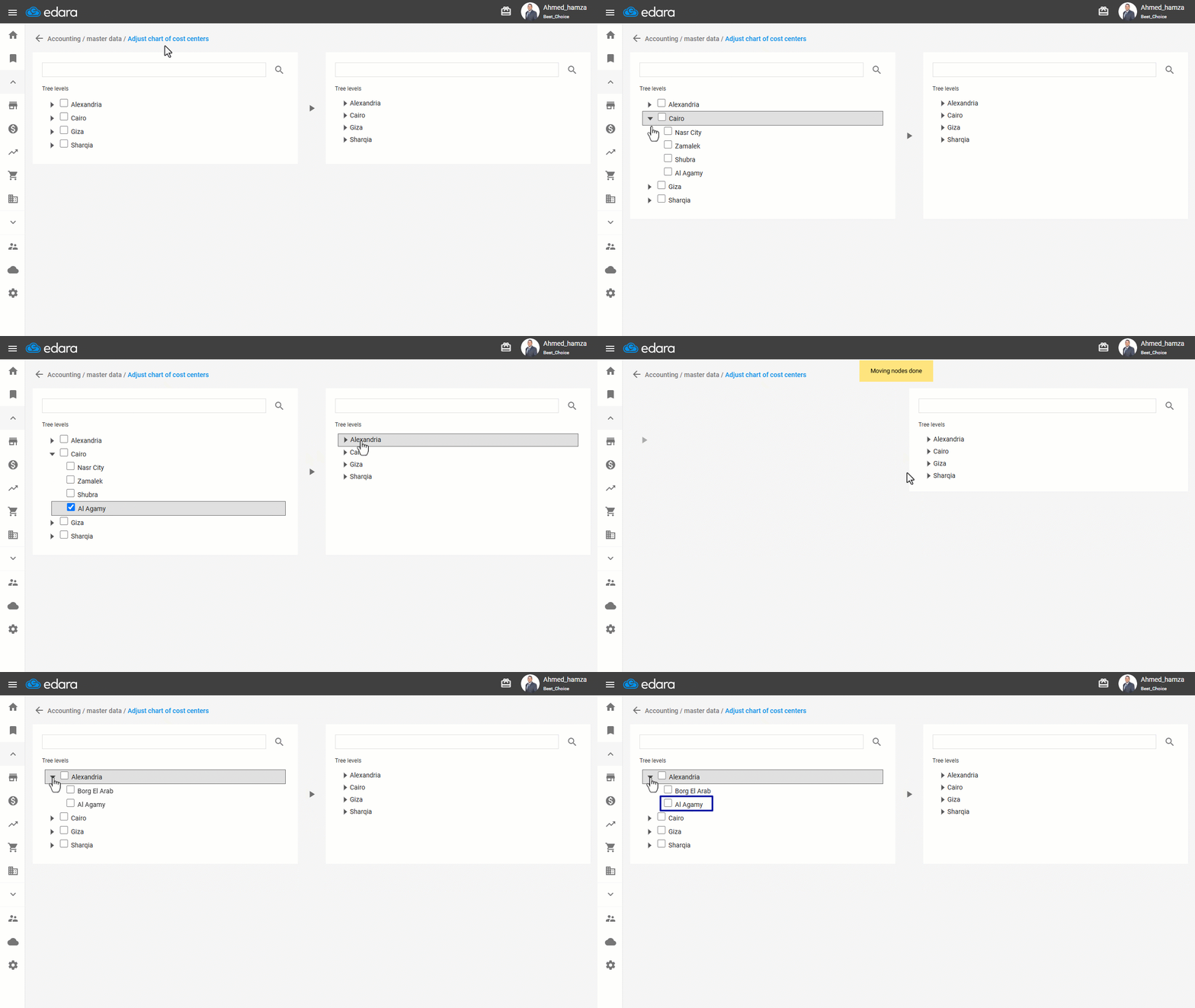
If you’ve assigned a Cost Center to the wrong group during setup, “Edara” allows you to easily move it to the correct one.
Here’s how to do it.
Editing the Chart of Cost Centers
- Go to the Accounting module.
- Open the “Re-locate Cost Centers” page.
- Select the Cost Center you want to move.
- Select the new classification under which you want to move the cost center from the opposite side.
- Click the “▶” button to complete the transfer.
If you encounter any challenges or have questions during these processes, you can contact our technical support team, who are ready to assist you at any time.
Did this answer your question?