

Filtering Cheques by Due Date
Last updated:
Filtering cheques by Due Date helps you accurately track Receivable and Payable Notes within a specific time period and easily identify due cheques.
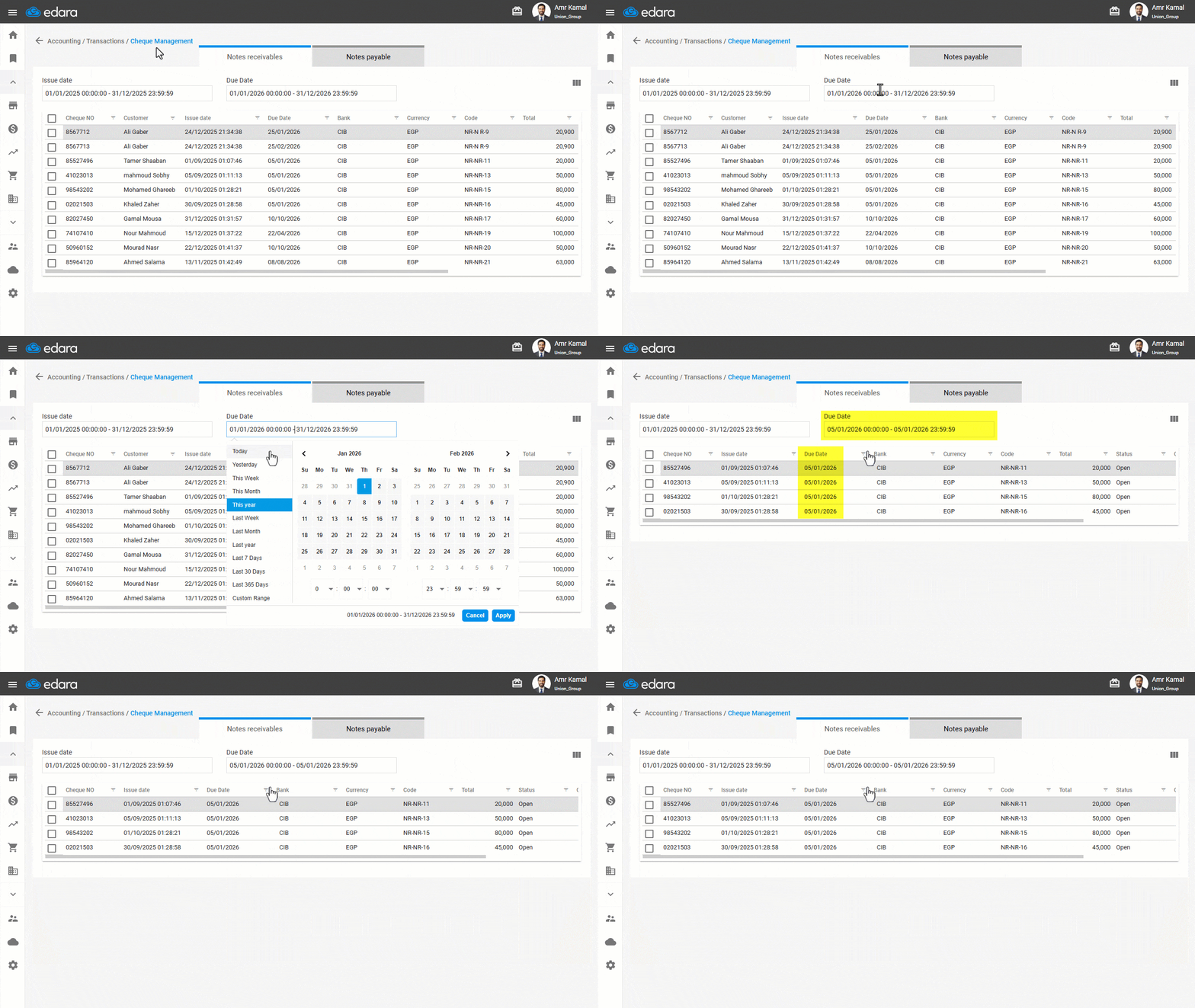
Filtering Cheques by Due Date
- Go to the “Accounting” module.
- Open the “Cheque Management” page.
- Select the desired Due Date period.
A report displaying Cheques with due dates within the selected period will appear.
Note: If the Due Date column is not visible, you can display it by clicking on the “ ” icon, enabling “Due Date”, and then clicking on “Save”.
Frequently asked questions
What if the Due Date column is not shown?
If the Due Date column is not visible, you can display it by clicking on the “” icon, enabling “Due Date”, and then clicking on “Save”.
If you encounter any challenges or have questions during these processes, you can contact our technical support team, who are ready to assist you at any time.
Did this answer your question?