

Displaying the Sales Report Grouped by Stock Items
Last updated:
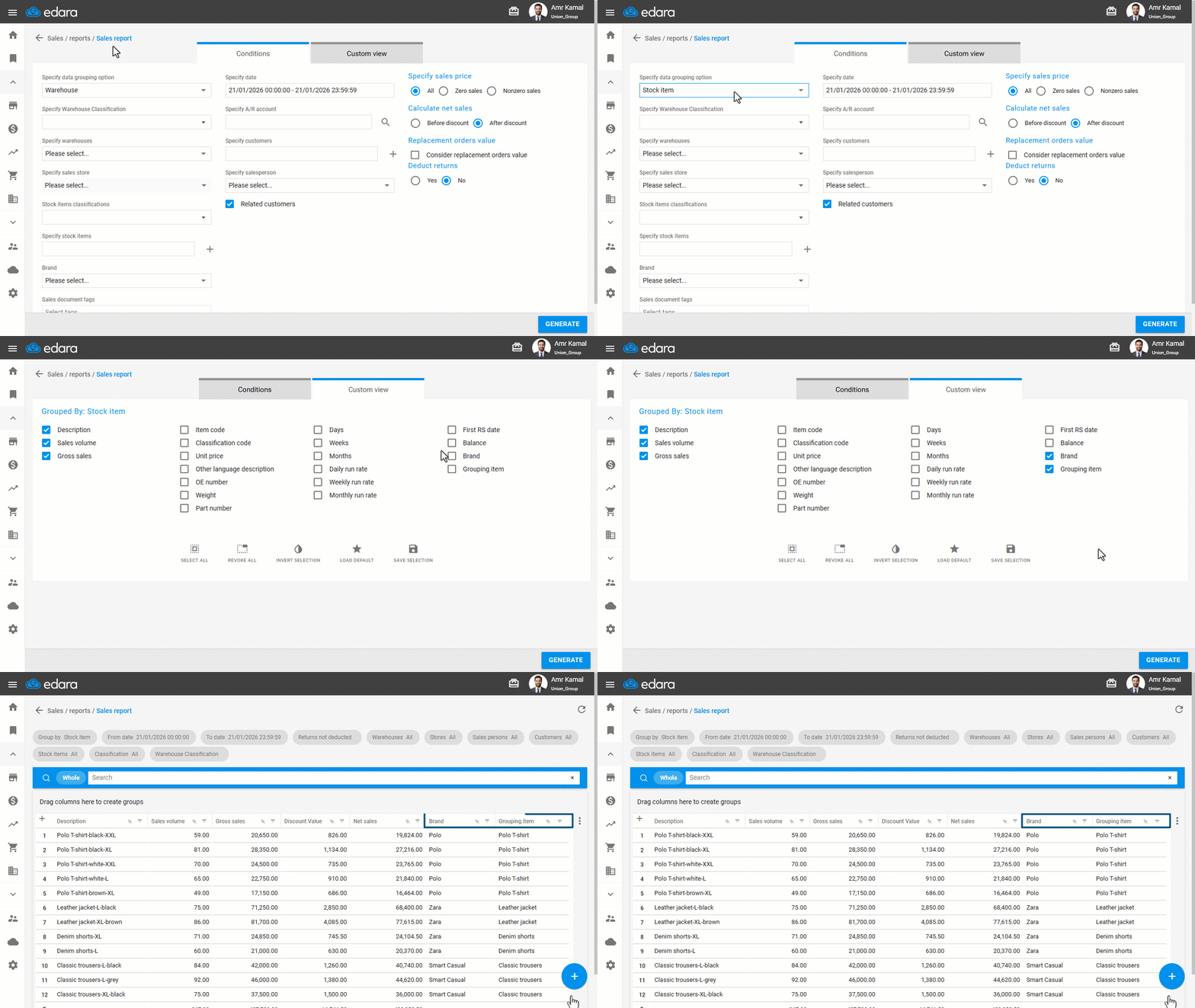
When you need to analyze stock item performance and track the sales volume of each stock item within a specific period, you can use the grouping Sales Report by Stock Items, which allows you to display stock item details in bulk and compare them easily.
Displaying the Sales Report Grouped by Stock Items
- Go to the “Sales” module.
- Open the "Sales Report" page.
- Specify the data grouping option to be: “Stock item”.
- Go to "Custom View".
- Enable the columns you want to display in the report.
- Click on "Generate".
If you encounter any challenges or have questions during these processes, you can contact our technical support team, who are ready to assist you at any time.
Did this answer your question?