

Displaying the Modifying User and Modification Date for Documents
Last updated:
When you need to know who modified accounting documents and when, you can view the update user and the update date to easily track and verify changes.
Displaying the Modifying User and Modification Date for Documents
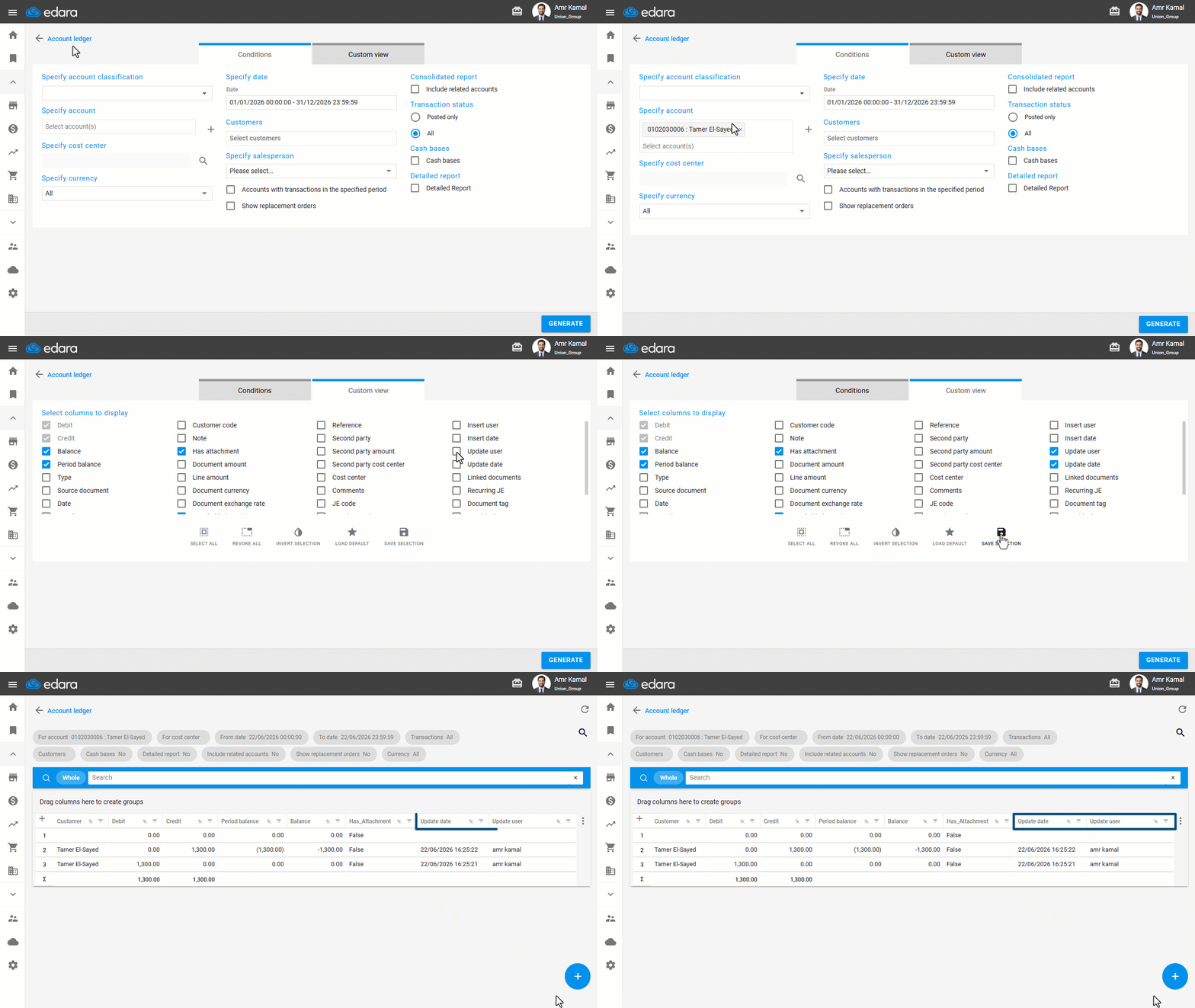
- Go to the “Accounting” module.
- Open the “Account ledger” page.
- Specify the required account.
- Specify the date.
- Go to “Custom view”.
- Enable the “Update user” and “Update date” columns.
- Click on “Save Selection”.
- Click on “Generate”.
If you encounter any challenges or have questions during these processes, you can contact our technical support team, who are ready to assist you at any time.
Did this answer your question?