

Displaying the Customer Code in the Account Ledger Report
Last updated:
You can display the customer code in the detailed account ledger report, making it easier to distinguish between accounts during review.
Displaying the Customer Code in the Account Ledger Report
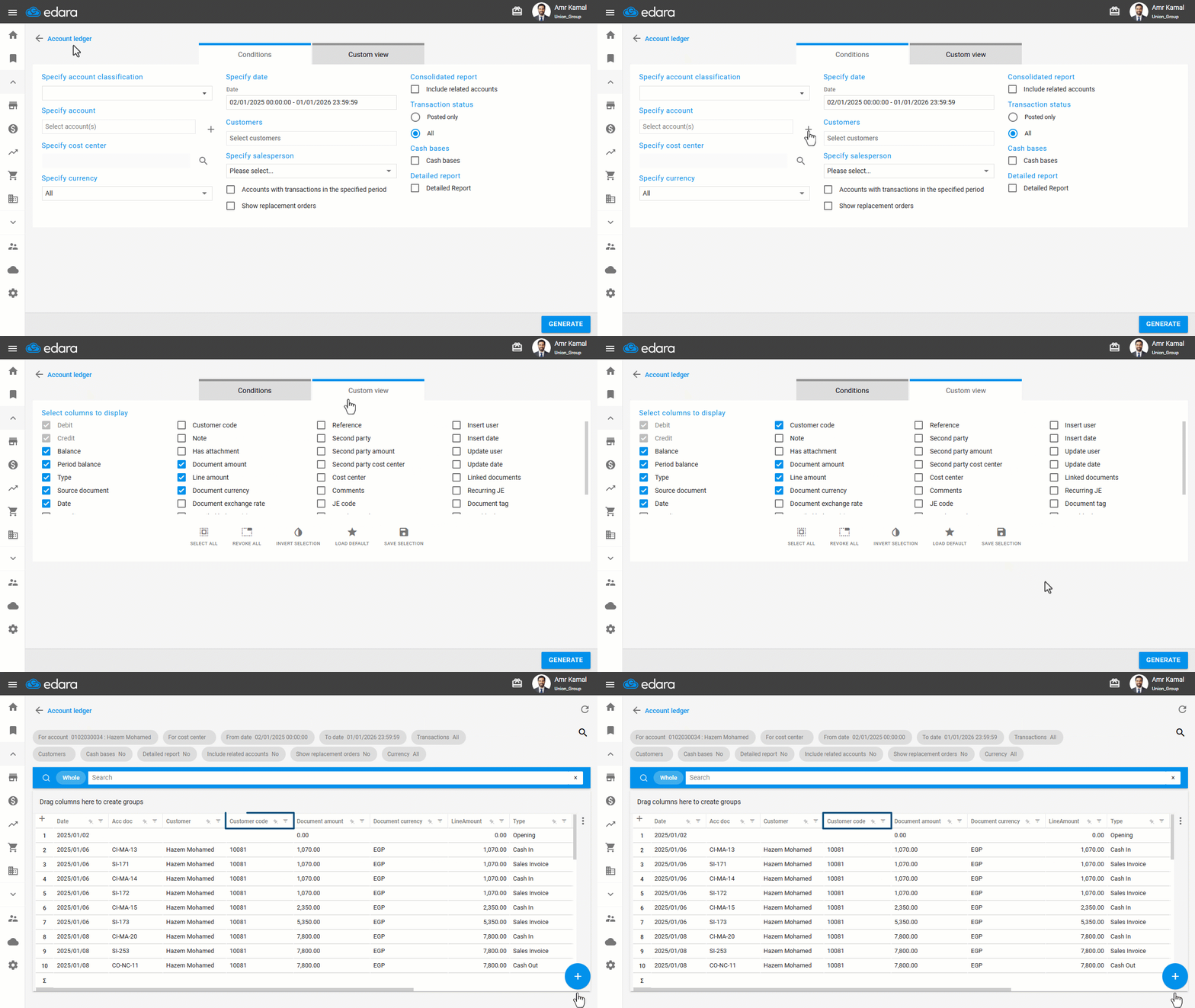
- Go to the “Accounting” module.
- Open the “Account Ledger” page.
- Click on the “+” icon to specify the account.
- Go to “Custom view”.
- Enable the “Customer Code” option.
- Click on “Generate”.
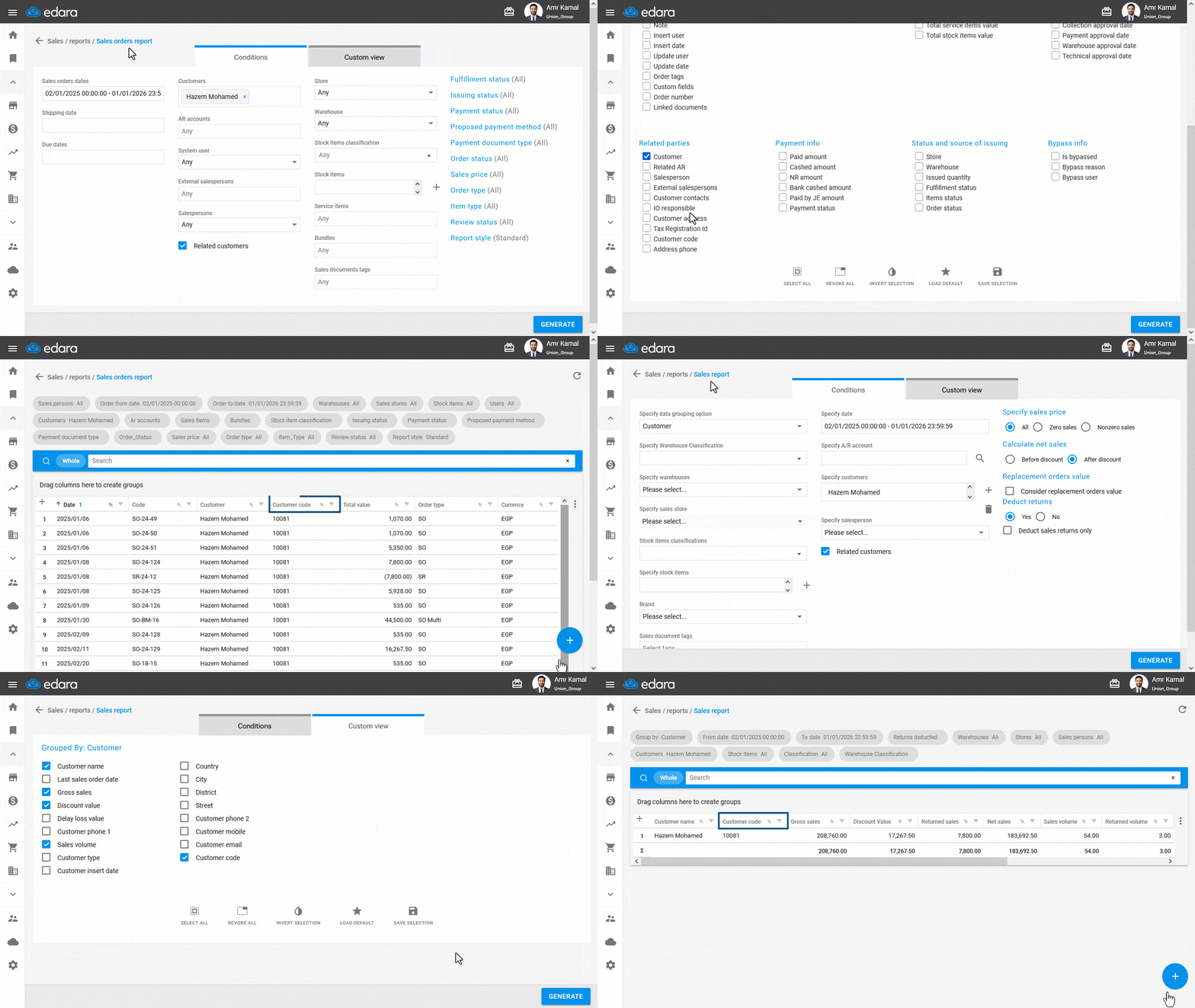
Note: You can also display the customer code in other reports, such as (Sales Report, Sales Orders Report, General Ledger, and Stock Sell Out) by going to “Custom view” and enabling the “Customer Code” option.
Frequently asked questions
Can I show the customer code in other reports?
You can also display the customer code in other reports, such as (Sales Report, Sales Orders Report, General Ledger, and Stock Sell Out) by going to “Custom view” and enabling the “Customer Code” option.
If you encounter any challenges or have questions during these processes, you can contact our technical support team, who are ready to assist you at any time.
Did this answer your question?